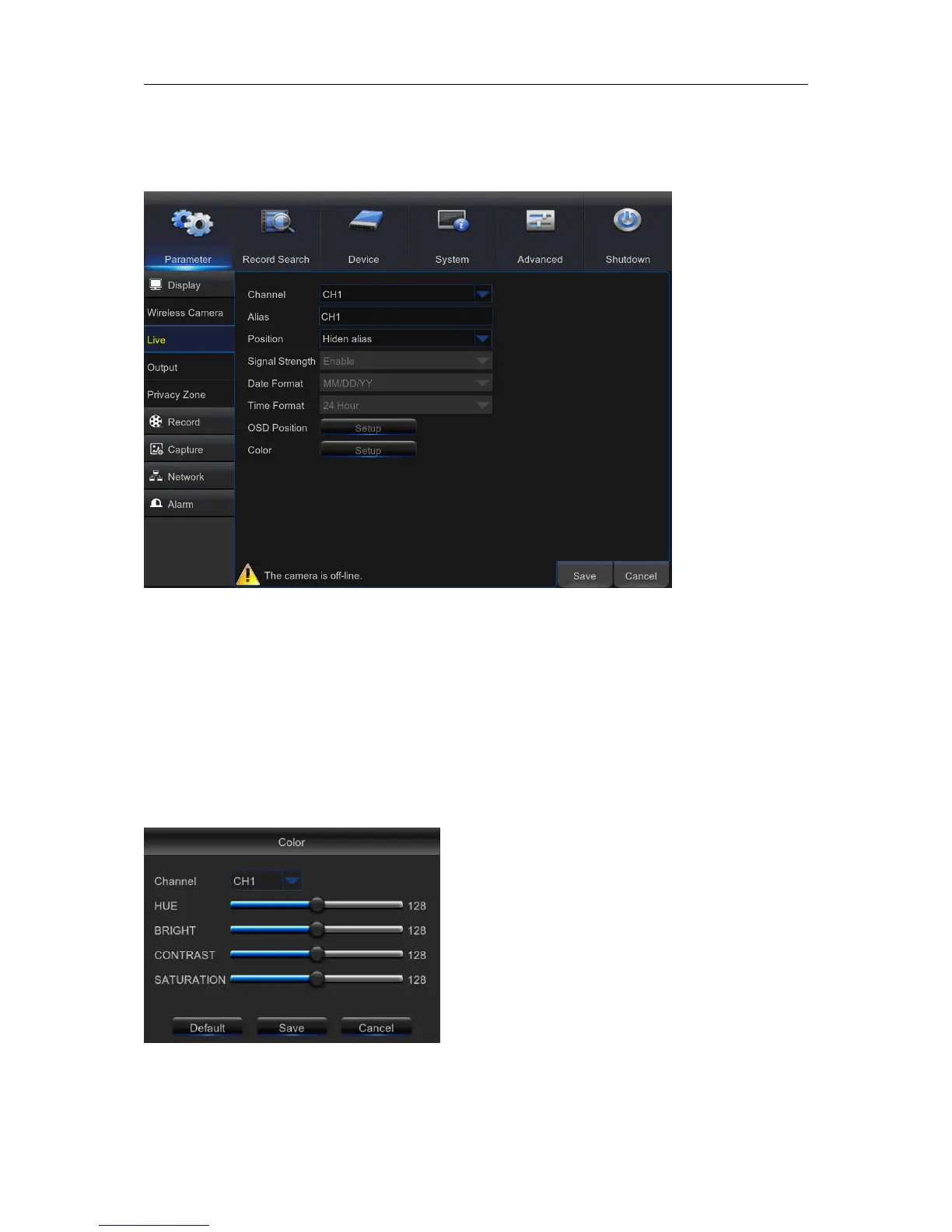
5.2.2. Live
This menu allows you to configure channel parameters.
Channel: Select the channel you want to modify.
Alias: Enter the name of the channel.
Signal Strength:Set Enable or Disable
Date Format:Set date format such as m/d/y, y/m/d or d/m/y.
Time Format: 12 hour or 24 hour.
OSD Position: Click Setup to determine where you want the channel name and current date to be
displayed when you are viewing the channel. Drag the channel name box and the date/time box to
the desired location on the channel view.
Color: Click Setup to configure video color settings.
HUE: Changes the color mix of the image.
BRIGHT: Defines how bright the image appears on the display.
CONTRAST: Increases the difference between the darkest
black and the whitest white in the image. Modify the contrast if
the sections of the image look “grey out”.
SATURATION: Alters how much color is displayed in the
image. The higher the saturation, the brighter and vivid colors
will appear to be. Setting this parameter too high can degrade
the image quality.



 To Next Page