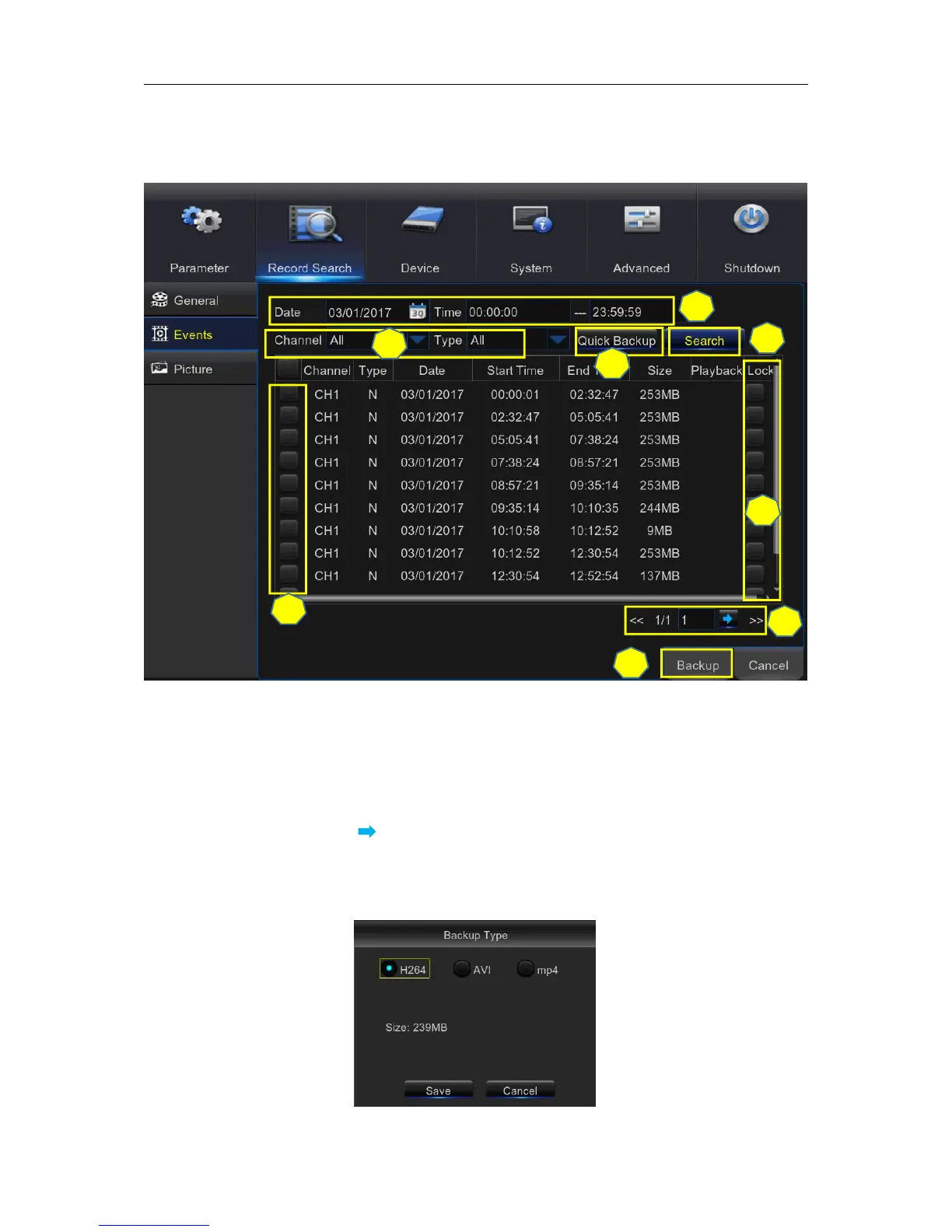
5.7.2 Events
This section is used to check the recording file lists and make backup.
1) Select the recording Date & Time.
2) Select the Channel and Type (All / Normal / Motion).
4) If you want to make backup for all recording files you had searched, click Quick Backup.
5) If you want to make backup for individual files, select the recording list(s) from the table.
6) If you want to move to other page, click << or >> to move to previous or next page. Or input the
number of page, then click to jump to the page.
7) After selecting the files, click Backup to start the backup. There are 3 kinds file formats for
your backup files: original H.264, AVI and MP4. The total size of the backup files will be
displayed, please make sure not to exceed the available capacity of your USB flash device.



 To Next Page