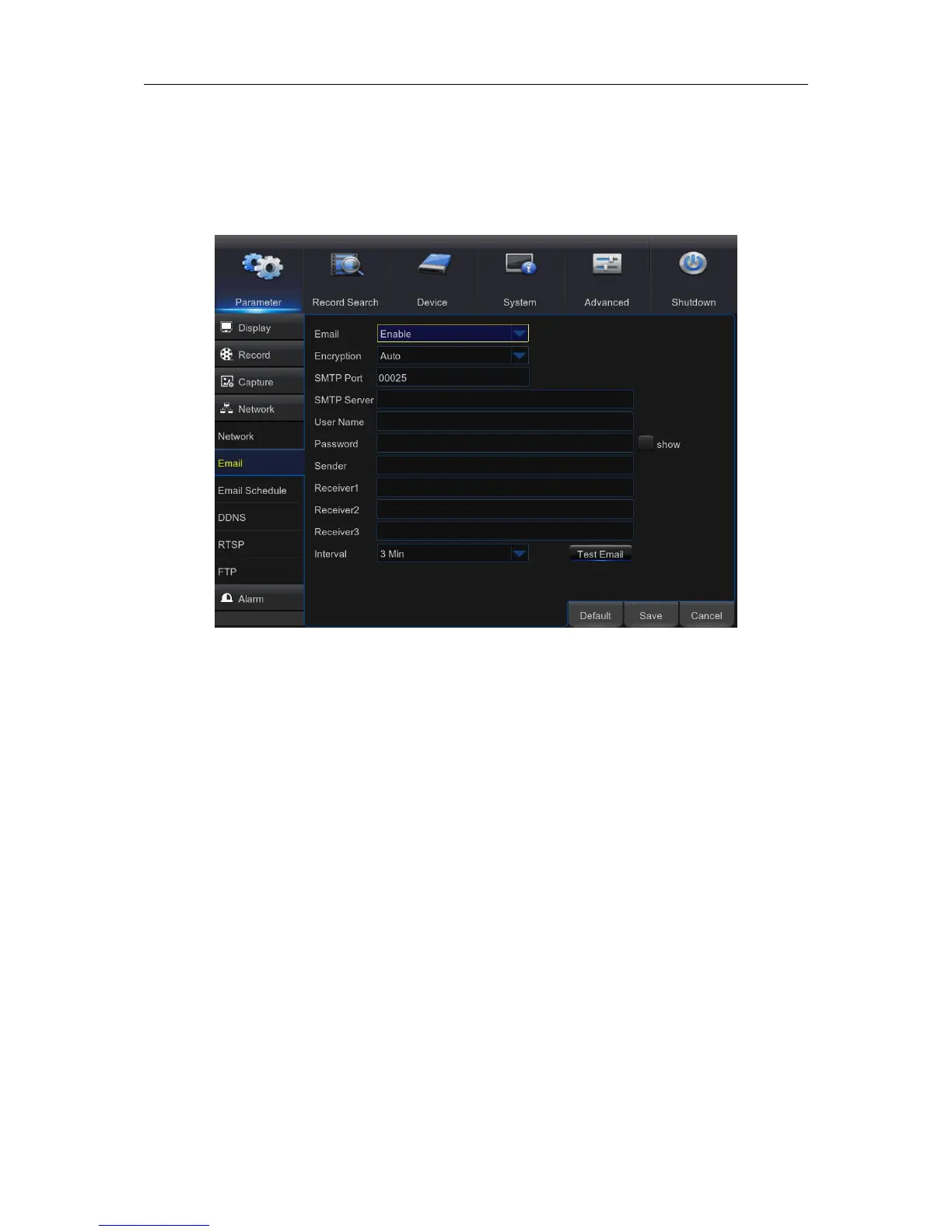
5.5.2 E-mail
This menu allows you to configure email settings. Please complete these settings if you want to
receive the system notifications on your email when a motion is detected, HDD becomes full, HDD
is in error state, or Video Loss occurs.
Email: Enable this feature.
Encryption: Enable if your email server requires the SSL or TLS verification. If you are not sure,
set to be Auto.
SMTP Port: Enter the SMTP port of your email server.
SMTP Server: Enter the SMTP server address of your email.
User Name: Enter your email address.
Password: Enter the password of your email.
Receiver 1~3: Enter the email address where you want to receive the event notifications from the
WIRELESS NVR.
Interval: Configure the length of the time interval between the notification emails from the
WIRELESS NVR.



 To Next Page