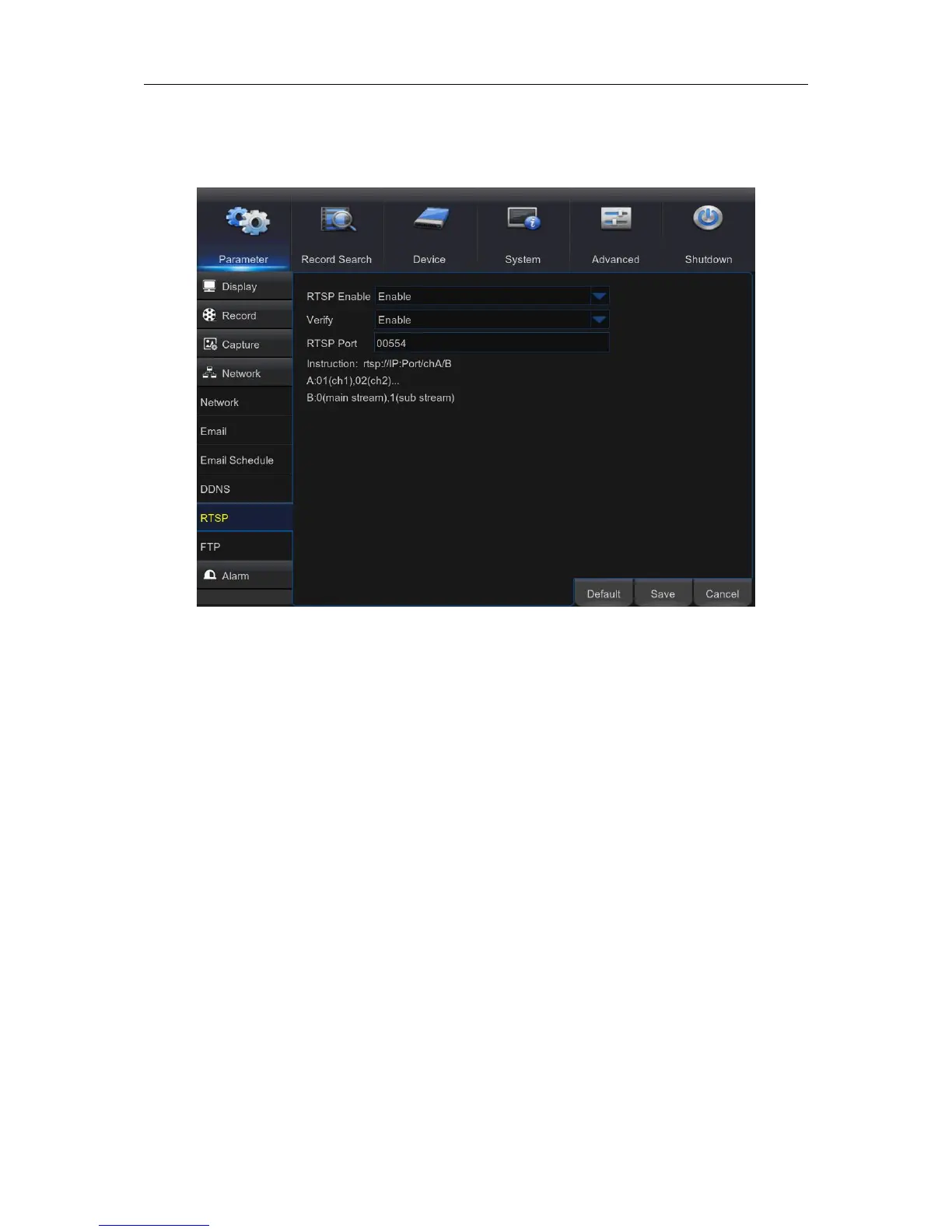
5.5.5 RTSP
The WIRELESS NVR can be remotely viewed via RTSP protocol.
RTSP Enable: Enable/Disable
Verify: Enable/Disable
RTSP Port: Default is 554, if the default port 554 is already taken by other applications, please
change it.
Instruction: rtsp://IP:Port/chA/B
A: 01(ch1), 02(ch2)….
B: 0(main stream), 1(sub stream)
For example, the WIRELESS NVR IP address is 192.168.1.120, and you want to view CH1 with
mainstream, then the RTSP address will be: rtsp://192.168.1.120:554/ch1/0



 To Next Page