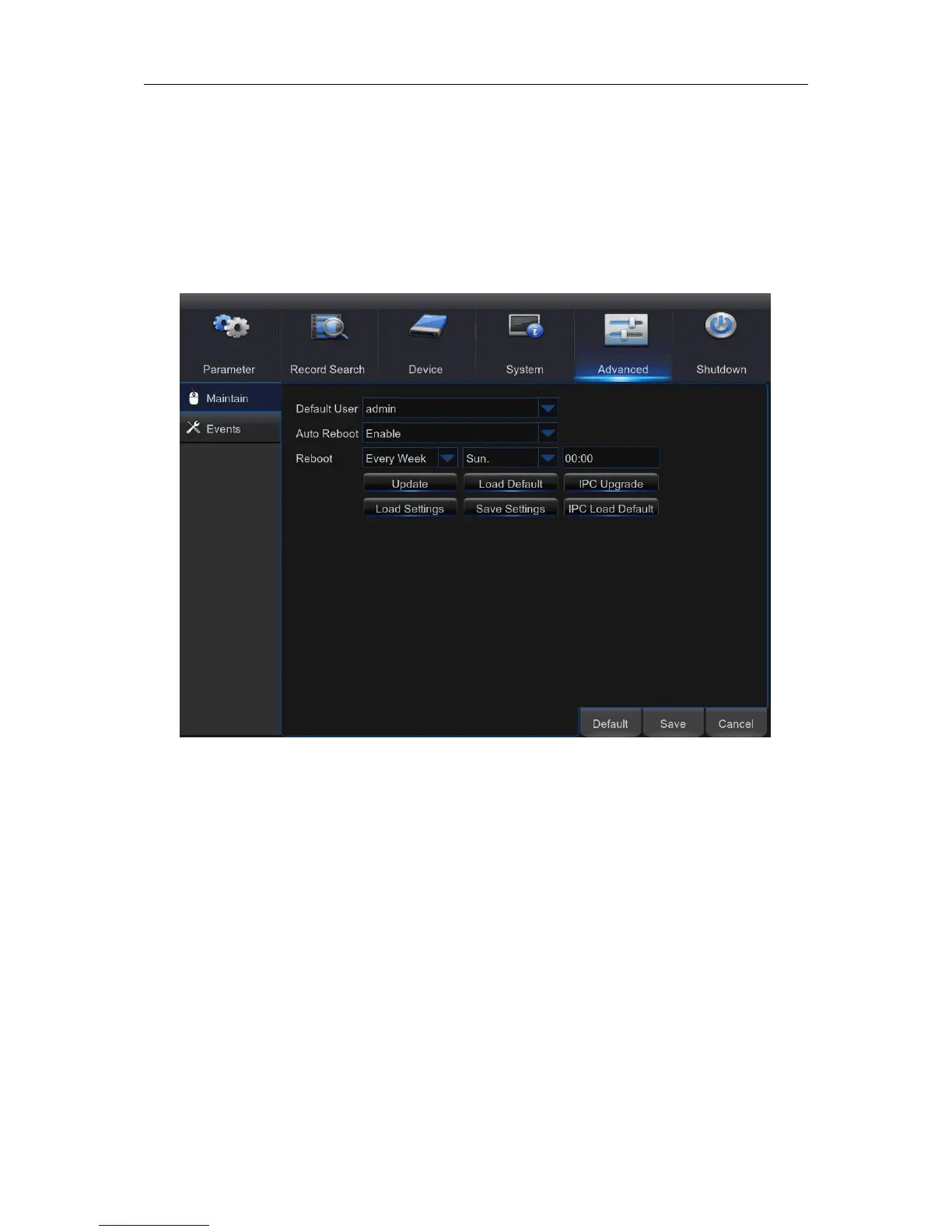
5.10 Advanced
This menu allows you to configure automatic system maintenance, load factory defaults, update
the firmware settings, upgrade the IPC, etc.
5.10.1 Maintain
Default User: If you want to log in to the WIRELESS NVR automatically for live view after each
startup, then only administrator user account can be set for auto login.
Auto Reboot: Set enable to reboot the WIRELESS NVR based on a schedule.
Reboot: Set the rebooting schedule based on day, week, or month.
Update: Click to load the update file and then upgrade the firmware. Please do NOT power off the
WIRELESS NVR or remove the USB during the upgrading.
Load Settings: Select this option to import the setting that you have saved earlier, using the Save
Settings function.
Load Default: Use this feature to restore the factory default settings of the WIRELESS NVR. It is
recommended to load defaults for all options, after upgrading the firmware.
Save Settings: Select this option to save the WIRELESS NVR current settings, such as the video
recording settings, network configurations, and etc. to the USB device.
IPC Load Default: Use this feature to restore the factory default settings of IP cameras.
IPC Upgrade: To upgrade IP cameras firmware. Some IP cameras may not support this feature.



 To Next Page