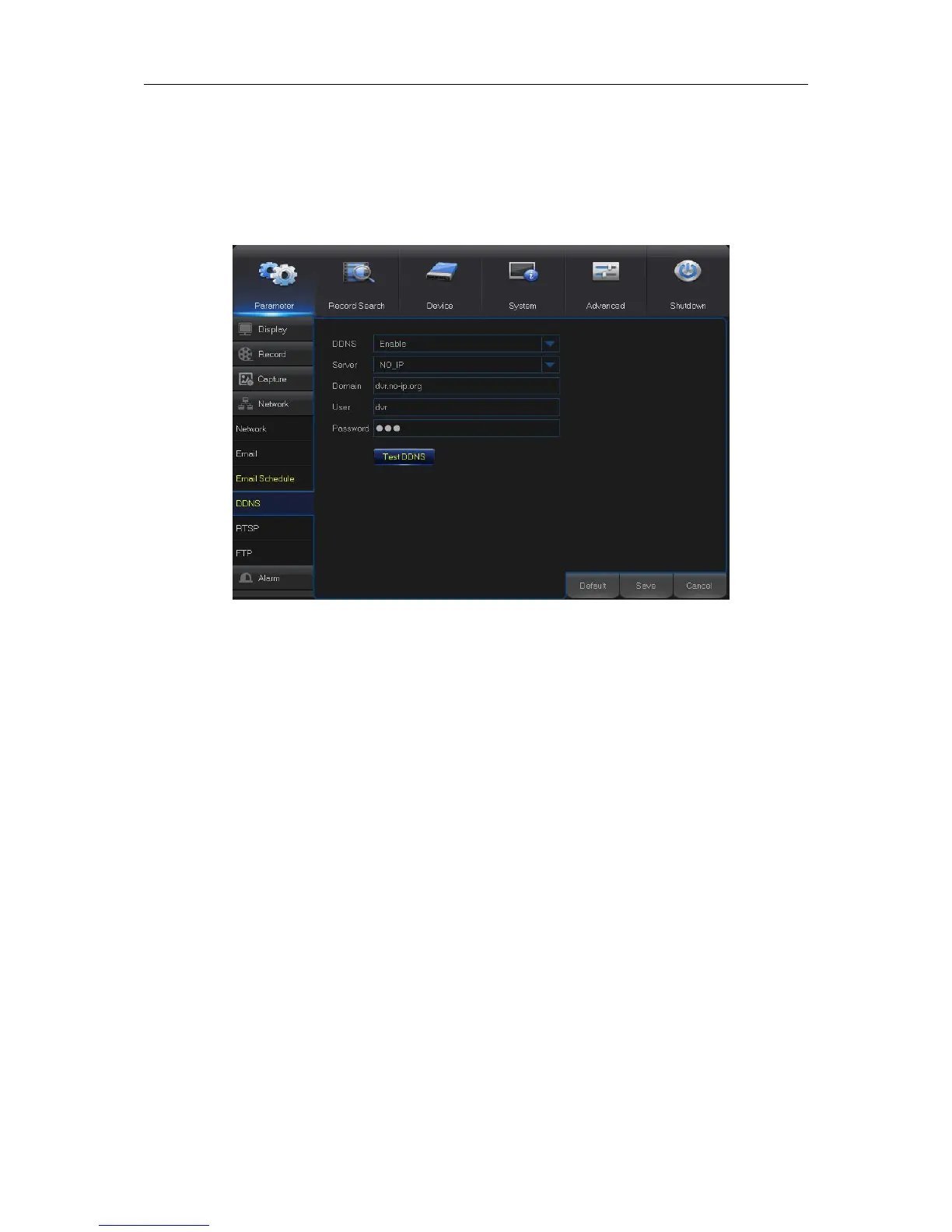
5.5.4 DDNS
This menu allows you to configure DDNS settings. The DDNS provides a static address to simplify
remote connection to your WIRELESS NVR. To use the DDNS, you first need to open an account
on the DDNS service provider’s web page
DDNS: Enable the DDNS service.
Server: Select the preferred DDNS server (DDNS_3322, DYNDNS, NO_IP, CHANGEIP,
DNSEXIT).
Domain: Enter the domain name you created on the DDNS service provider’s web page. This will
be the address you type in the URL box when you want to connect remotely to the WIRELESS
NVR via PC. Fox example: dvr.no-ip.org.
User/Password: Enter the user name and password you obtained when creating an account on
the DDNS service provider’s web page.
After all parameters are entered, click Test DDNS to test the DDNS settings.



 To Next Page