Programming of zones and programs Installer Manual - TP8-96 VIDEO
2-16
2.1.5 KEYPOINTS
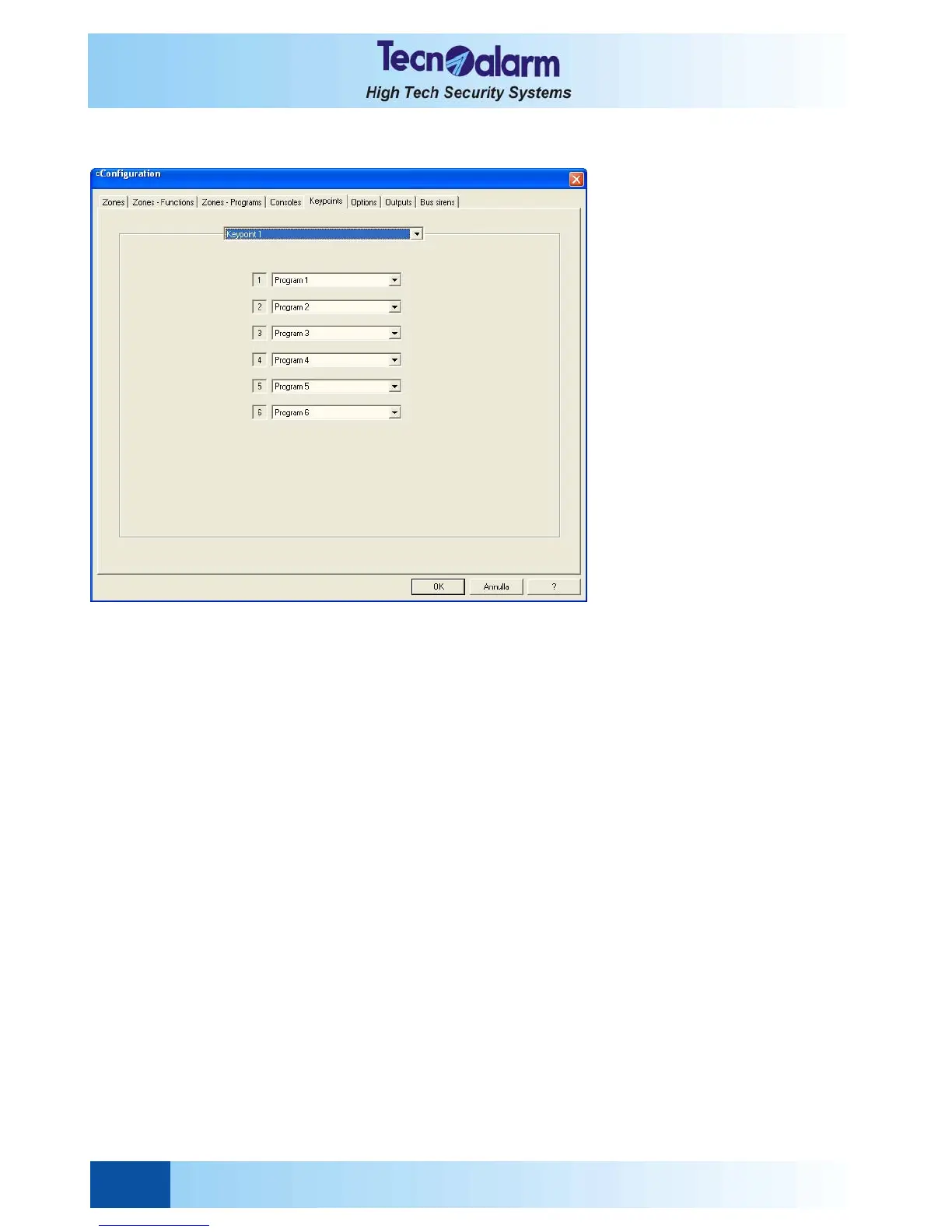
Open the zone configuration tables and select the Keypoint window. On the screen is viewed:
Select the keypoint to be configured by clicking on the arrow next to the inscription Keypoint 1 and scrolling the list.
The keypoint configuration window permits the association of 6 programs and LED. But only the key reader with mini
keypad provides 6 LED to view the status of as many programs. The electronic keypad TP SDN provides 4 LED and the
key interface TP SKN pilots only 3 LED. By default the LED are always associated to the first programs of the system.
To associate a LED to a determined program, click on the arrow next to the program number and select the program
(1 to 8) to be associated.


 To Next Page