TP8-96 VIDEO - Installer Manual Programming of wireless devices
6-3
6.2 PROGRAMMING OF THE WIRELESS CONSOLES
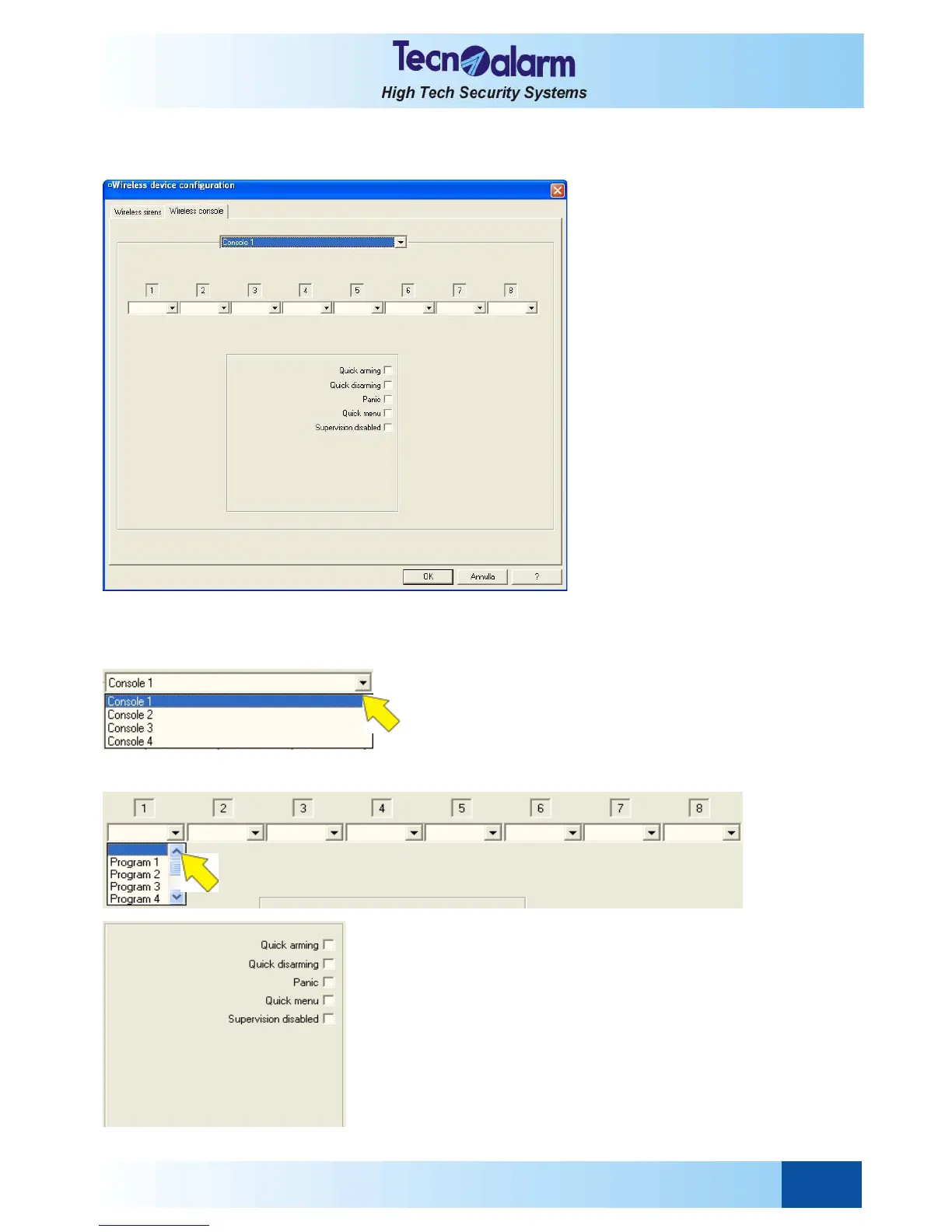
Open the wireless device configuration tables and select the Wireless consoles window. On the screen is viewed:
The control panel permits the management of max. 4 wireless consoles which are individually programmable according
to the followings parameters:
z Association of the programs
z Programming of the attributes of the consoles
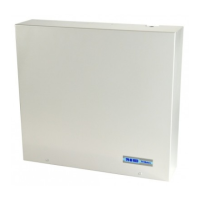
SELECTION OF THE CONSOLE
Select the corresponding item and scroll down the list then,
click on the name of the console to be programmed.
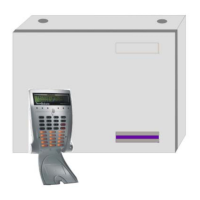
LED-PROGRAM ASSOCIATION
To associate the programs to the LED of the console, select the
corresponding item, scroll down the list ant select the program.
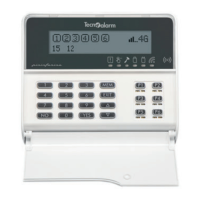
PROGRAMMING OF THE ATTRIBUTES
To associate the attributes of the console select the
corresponding item.
z Quick arming
Permits arming of the associated programs with quick
arming command (i.e. *(star) key followed by the
program number and the hash key (#YES)).
z Quick disarming
Permits disarming of the associated programs with quick
disarming command (i.e. *(star) key followed by the
program number and again the star key (*NO).


 To Next Page