TP8-96 VIDEO - Installer Manual Programming of telephone section
3-13
3.1.7 REMOTE CONTROLS
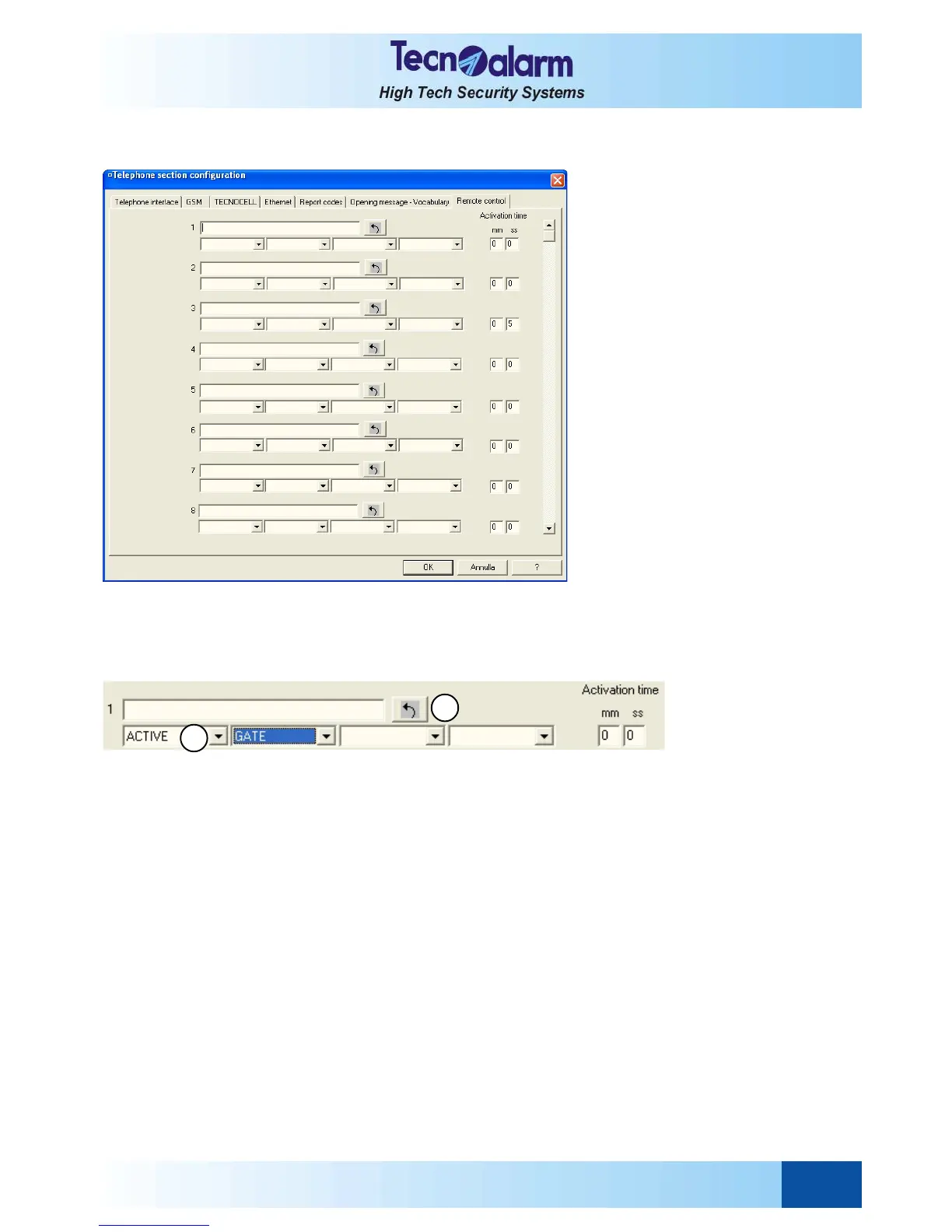
Open the telephone configuration tables and select the Remote control window. On the screen is viewed:
ASSOCIATION-COMPOSITION OF THE VOICE MESSAGE
The control panel can manage max. 8 remote controls.
It is possible to associate an individual description to each remote control that will replace the zone number and identify
the program in every process. The remote control description will be viewed on the display and announced by the
speaker of the console.
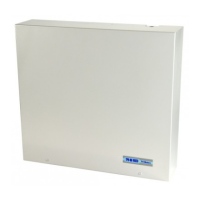
A The voice message can be composed of max. 4 words selectable among those included in the vocabulary.
4 items are viewed, one for each word.
Click on the arrow of each item to scroll the vocabulary and select the word.
B At the end, click on the validation arrow B to memorize and play the message.
The words are automatically copied into the description line. It is possible to program the description manually
writing directly it in the description line.
Remember that the display of the console views descriptions of maximum 16 characters. All further
characters will be cut off.
ACTIVATION TIME
Permits programming of the activation time (in minutes and seconds) of each remote control.
An activation of max. 59 minutes and 59 seconds can be programmed.
z Activation of the remote controls can be pulsed, i.e. upon reception of the commutation command the remote control
is activated. It is activated upon expiry of the programmed activation time:
<commutation><activation time><commutation>
z The remote controls behave has a toggle if no activaion time has been programmed:
<commutation><commutation>
Repeat the operations for every remote control to be configured (max. 8).
Press:
z OK to confirm and quit
z Abandon to quit without saving
A
B


 To Next Page