TP8-96 VIDEO - Installer Manual Programming of telephone section
3-11
3.1.6 OPENING MESSAGE-VOCABULARY
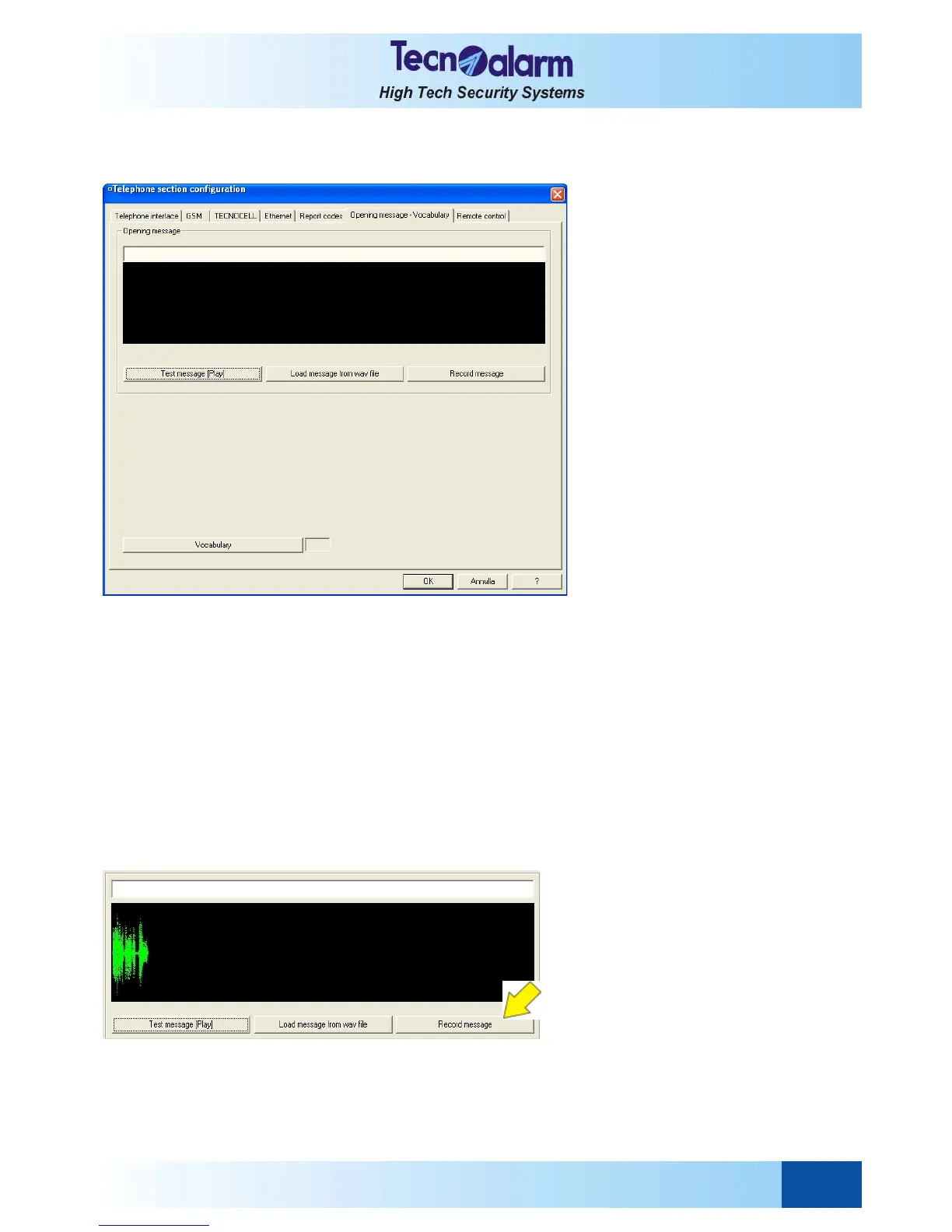
Open the telephone configuration tables and select the Opening message-vocabulary window.
On the screen is viewed:
The opening message is a voice message that is reproduced during every outgoing telephone call. It can be recorded by
the user in different ways: using the Tecnoalarm programming and monitoring software, a special sound manager
resident on your PC, loading from a prerecorded WAV file or by telephone.
The opening message window permits both listening and programming of the message as well as the selection of the
vocabulary for all the system's voice messages:
z Test message (Play)
Permits the reproduction of the programmed message.
z Load message from WAV file
Permits downloading of a WAV file (e.g. from hard disk or floppy) and programming it as the opening message.
z Record message (sound card)
Permits recording of the opening message by using a microphone and the sound card of the PC.
z Vocabulary
Permits the selection of the language of the vocabulary used for the voice messages of the system.
RECORDING OPENING MESSAGE USING TECNOALARM PROGRAMMING AND MONITORING SOFTWARE
Connect a microphone to the sound card of your PC and initiate recording by pressing the button Record message
(sound card)
Speak clearly and loudly. On the screen, the opening message recorded will be displayed as a sound wave.
For interruption, press the button Record message (sound card) again.
The maximum recording time is 16 seconds. Upon expiry of the recording time, recording is automatically stopped.


 To Next Page