TP8-96 VIDEO - Installer Manual Programming of time parameters
4-7
4.4 CUSTOMIZATION OF THE CALENDAR
The control panel provides a customizable biennial calendar for all automized functions that are controlled by the clock
of the control panel. The calendar permits customization of the bank holidays, definition of the holiday eves and the
days of summer-winter time change.
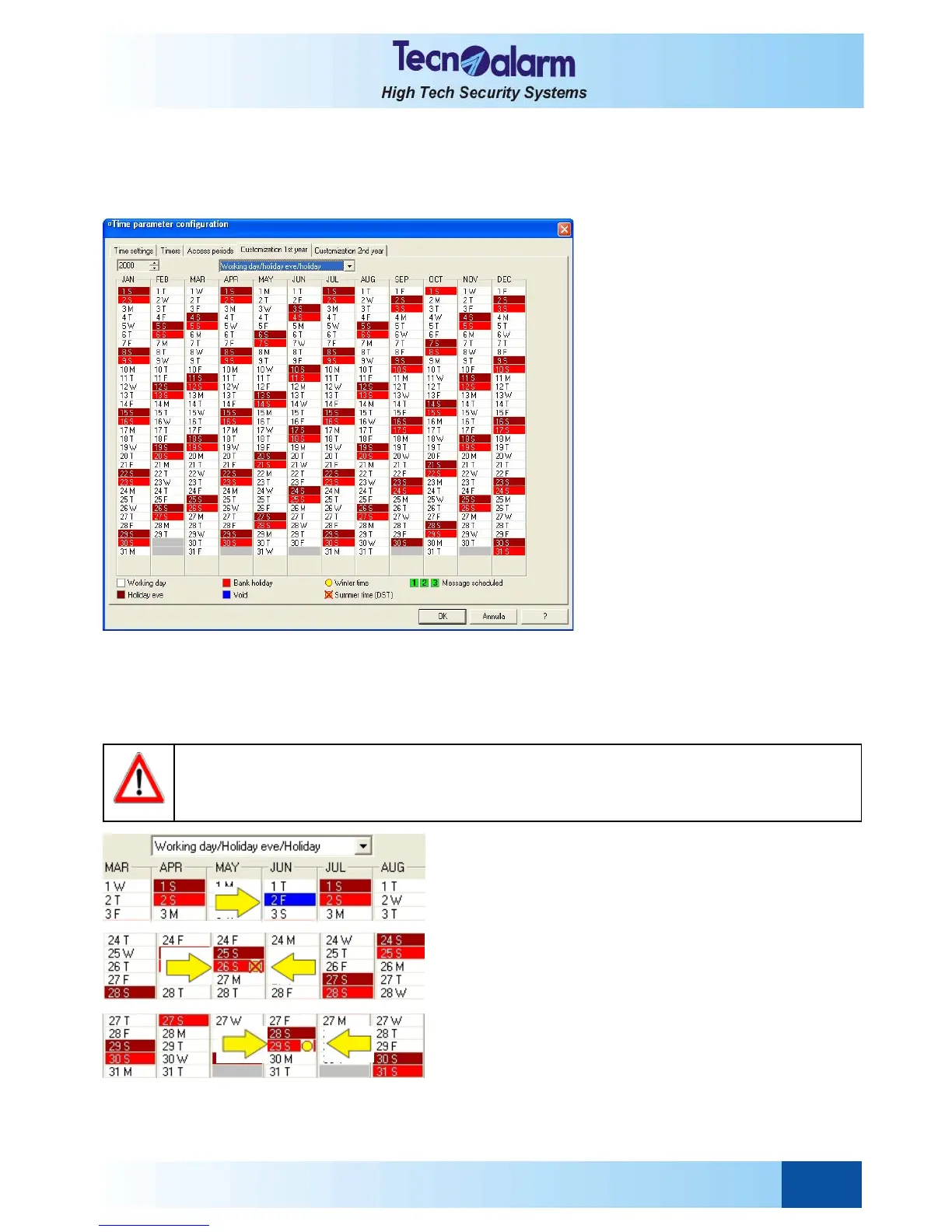
Open the time configuration tables and select Customization 1st year window. On the screen is viewed:
THE ATTRIBUTES OF THE DAYS
Every kind of day is distinguished by a different colour:
z White working day
z Dark red holiday eve
z Light red holiday
z Blue void day (none of the above attributes is valid)
PROGRAMMING OF THE ATTRIBUTES
Prior to programming of the attribute of a day ensure that in the
box above the calendar is viewed Working day/Holiday eve/
Holiday, then click on the day several times until it assumes
the colour of the attribute requested.
PROGRAMMING OF THE WINTER-SUMMER TIME CHANGE
To program the beginning and the end of summer time(daylight
saving) click on the item above the calendar and select
Summer time (DST), then click once on the day of beginning
of summer time. A crossed sun will be shown next to the date.
Subsequently select Winter time and click once on the day of
end of summer time. A sun will be shown next to the date.
WARNING
A void day is neither a working day, nor a holiday or a holiday eve. The attribute "void" has been
implemented in order to permit una tantum modifying of the settings of a timer that has been
programmed for operations on days with other attributes (i.e. working day/holiday eve/holiday).



 To Next Page