Programming of time parameters Installer Manual - TP8-96 VIDEO
4-8
PROGRAMMING OF THE VIEWING OF THE SCHEDULED
MESSAGE DATE
The control panel permits programming of 3 differents
messages.
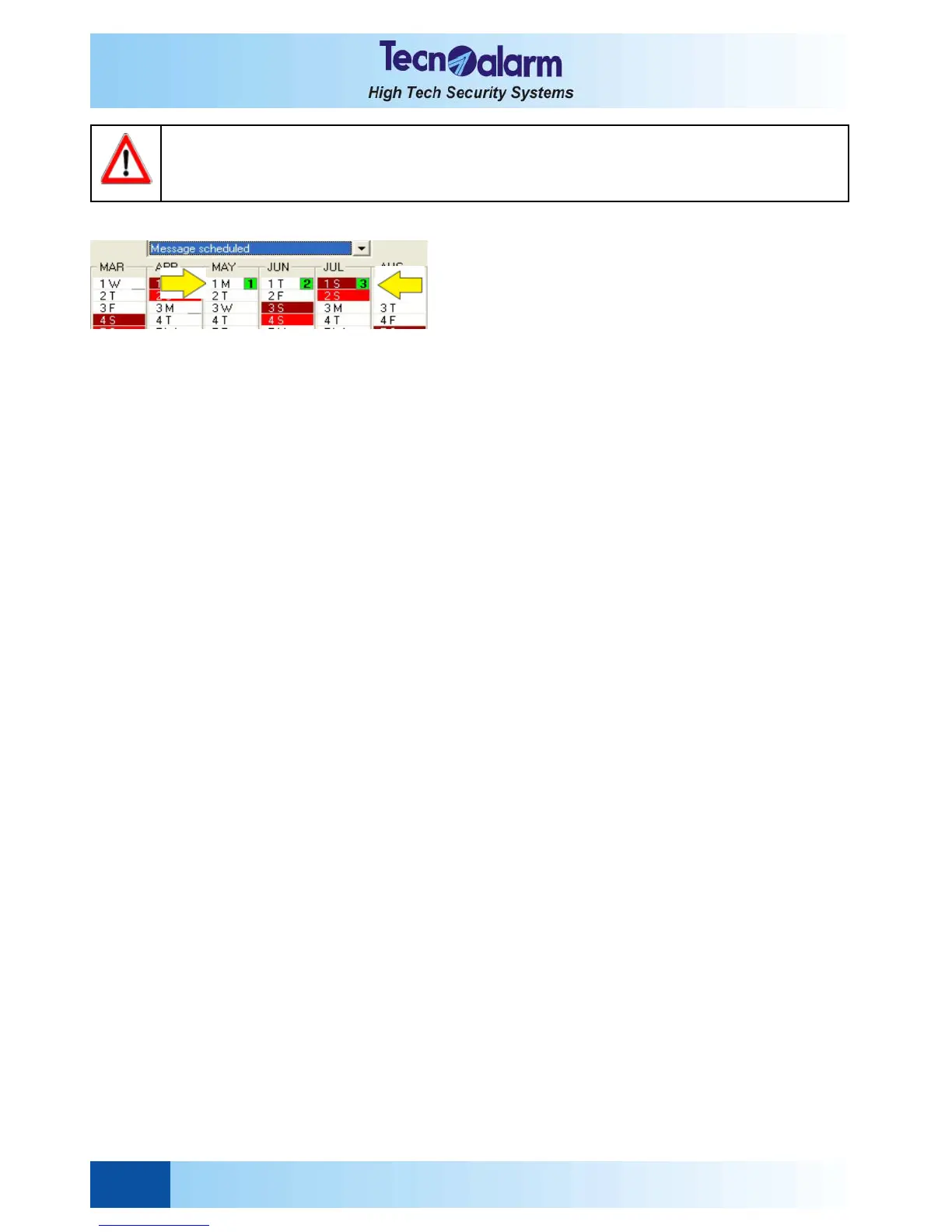
To program the beginning of the date of the message, click
on the item above the calendar end select Message
scheduled, then click on the day selected several times
until the number (1, 2 or 3) in green will be shown next to the
date (e.g. on May the 1st the message scheduled with the
number 1 will be viewed on the console).
Clicking the 4th time, the selected message will be remove.
Repeat the procedure for the second year (Customization
2nd year).
Press:
z OK to confirm and quit
z Abandon to quit without saving
WARNING
The change from winter to summer time and back happens automatically and always in the night at
respectively 2 and 3 o'clock.



 To Next Page