Introduction to the TP8-96 VIDEO system Installer manual - TP8-96 VIDEO
1-2
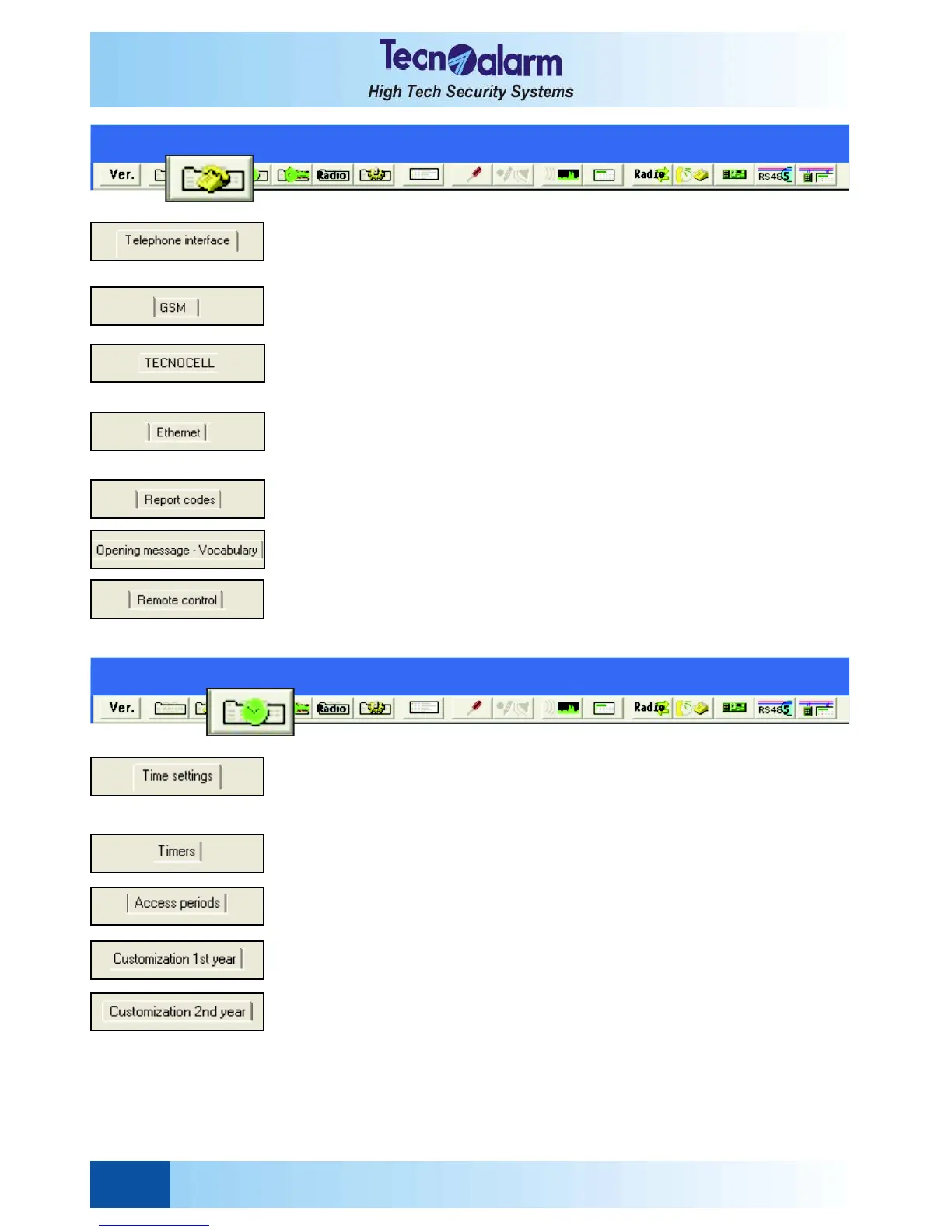
TELEPHONE SECTION CONFIGURATION
z Telephone interface: Programming of the channels from A to H, call back function,
commmunicator block, general settings
z GSM: Enabling of the GSM interface, answering mode, rings, airtime request, SMS
heading, GPRS settings, commands by SMS, password, white list
z Tecnocell: Enabling of the external GSM communicator, answering mode, emergency
phone number, association of the messages, emergency SMS, enabling of the guided
menu and of the data channel
z Ethernet: Configuration of the integrated 8 ports Ethernet switch, IP address, subnet
mask, gateway, programming of the communication port for the Local Server
Tecnoalarm, Remote Server Tecnoalarm, Tecnoserver Tecnoalarm, Tecno_Out
z Report codes: Programming of the report codes of all 8 channels for the event
transmission
z Opening message - Vocabulary: Test/recording/loading of the opening message,
loading and update of the vocabulary
z Remote control: Remote control message, alphanumerical description,
programming of the activation time
z Time settings: Entry time 1 and 2, exit time, disarming confirmation time, delay of
channel and siren activation, antimasking and power failure, alarm time, tamper,
technical and hold-up alarm time; duration of end of by-pass and automatic arming
warning, maximum duration of by-pass, supervision interval
z Timers: Frequency and moment of activation, association of the function
z Access periods: Frequency and moment of activation, association of the access
periods to the codes, transponders/RFID and remote controls
z Customization 1st year: Programming of the working days, holidays and holiday
eves, winter and summer time, viewing of the scheduled message on the console
z Customization 2nd year: Same as for the first year
TIME PARAMETER CONFIGURATION


 To Next Page