12
123-0420-029
Operating the Drill Press
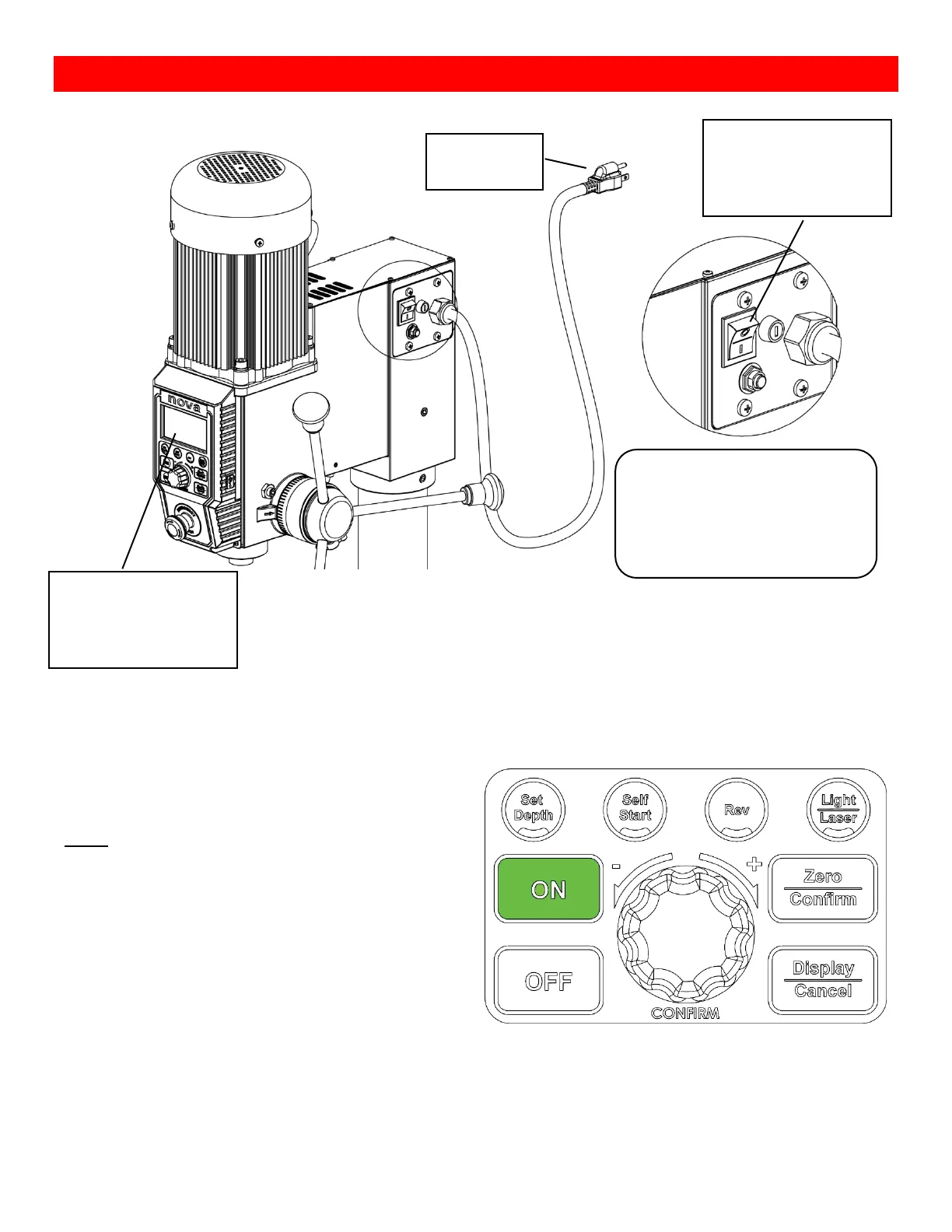
Turning the Drill Press ON
Basic Drill Press Functions
Running the drill press
Press the <ON> button on the interface panel to start
the drill press at any time.
Note:
The drill press motor will start running at the speed
that it was last set to therefore make sure to check
the set speed of the drill press before starting at all
times
Turn the main power switch to the
ON position (To the side with “I” )
after connecting the drill press to
its power source
The power button will
light up when the main
power is turned on
The LCD screen will light
up when the main power
is turned on.


 To Next Page