19
123-0420-029
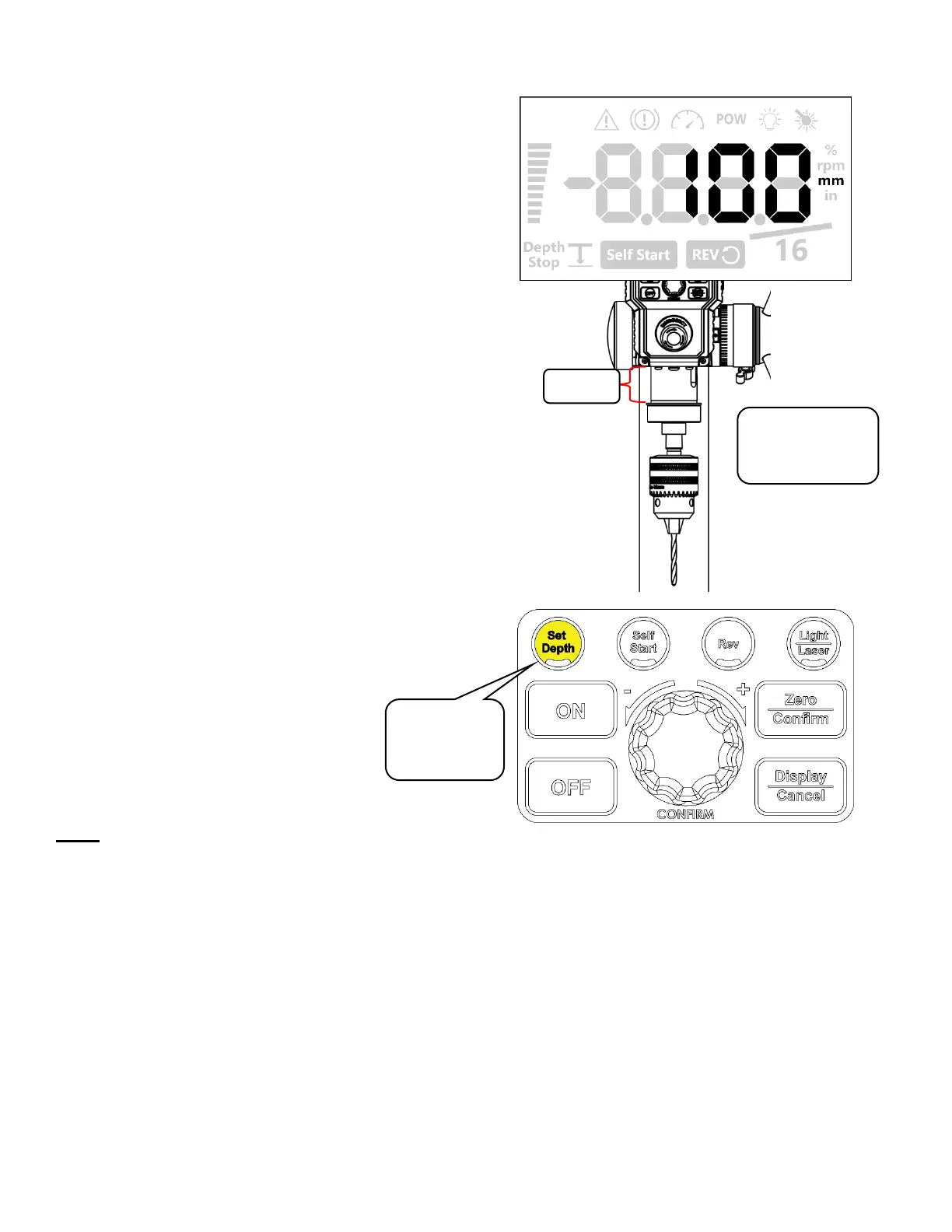
Quick Set Depth Function
This function provides a faster method to set a
precise depth stop value.
Press and hold the <Set Depth> button for 3
seconds while holding the quill in its position. The
HMI will beep and it will automatically save the value
that is displayed on the HMI screen as the set depth.
Note:
The quick depth stop function will save the exact value that is being shown on the screen. The value will not be
rounded when it is being saved therefore a more precise setting can be achieved quickly with this function.
Using this quick set function while the height is within 5mm (1/5”) from the top position will turn off the set depth
function.
Electronic Depth Stop Function
Once the stop depth value is specified and saved onto the machine, the electronics depth stop function is
activated.
The activation of the electronic depth stop function is indicated by the icon on the HMI screen shown below:
Extend and hold
the extended
position


 To Next Page