28
123-0420-029
Firmware Update
The HMI software plays an important role in the control and functionality of the NOVA Viking Drill Press. The
firmware loaded onto the HMI panel is responsible of controlling the features and performance of the drill
press.
The firmware version of the HMI can be upgraded via the included USB cable accessory and a PC with
internet access. Be sure to check www.teknatool.com periodically for firmware upgrades for your machine,
which may allow new features or software improvements that could enhance the performance of the drill press.
Checking the firmware version
Follow the instructions below to check the firmware version that is currently loaded on the drill press:
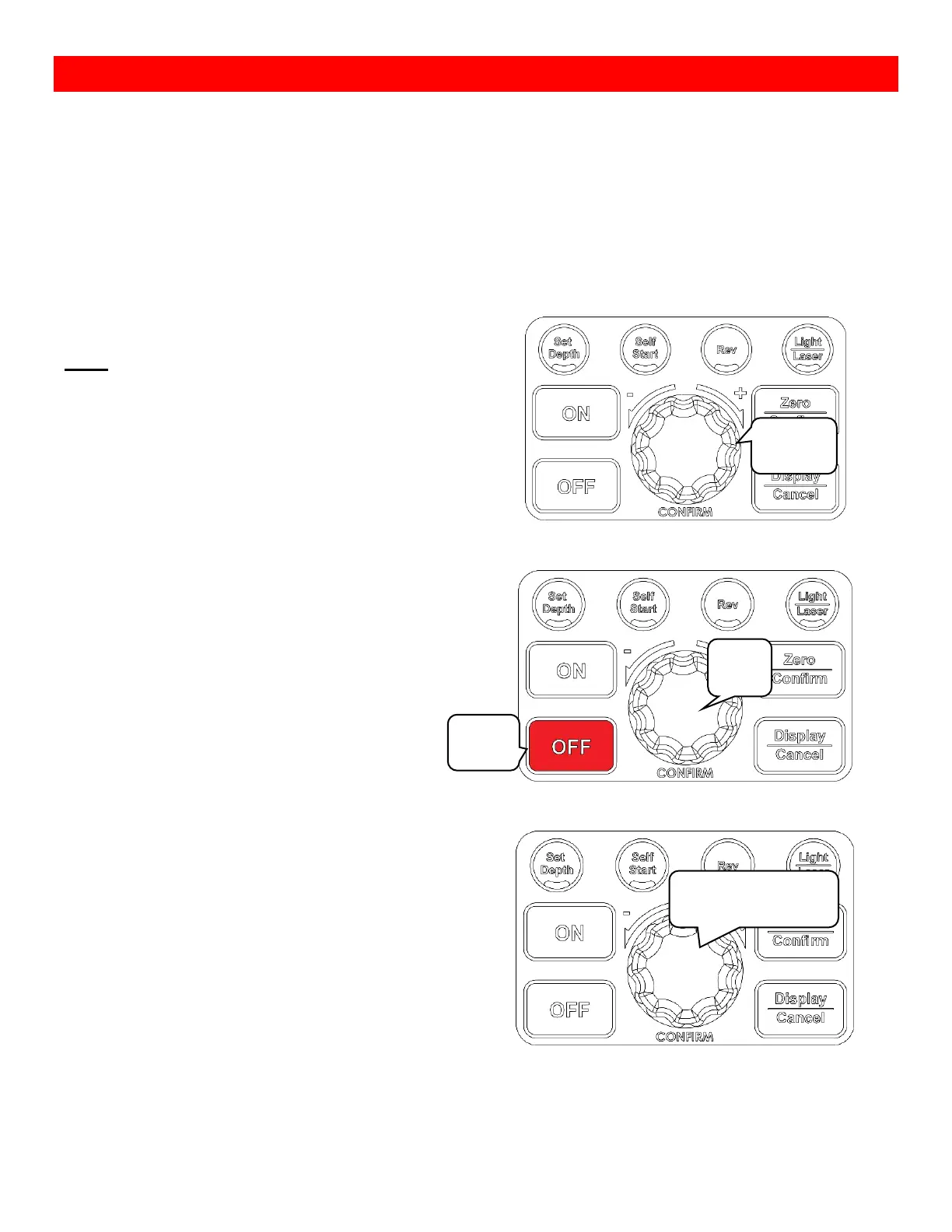
Press and hold the Speed dial and press the <OFF>
button.
Note:
Do not release the Speed dial
Hold the Speed dial for another 1~2 seconds.
Once the command has been entered successfully, the drill press will begin to display the interface firmware
version number and the main control board version number in the respective sequence.
Keep holding for
another 1~2 seconds


 To Next Page