29
123-0420-029
USB Mode
When updating the HMI Firmware, HMI must be put into USB mode for it to perform the update
1. Turn off the drill press
2. Download and install the NOVA firmware update software from our website under the following URL:
https://www.teknatool.com/upgrade-your-firmware/
If you get an error message, make sure your anti-virus software is disabled.
Note: This software is only compatible with Windows Operating Systems
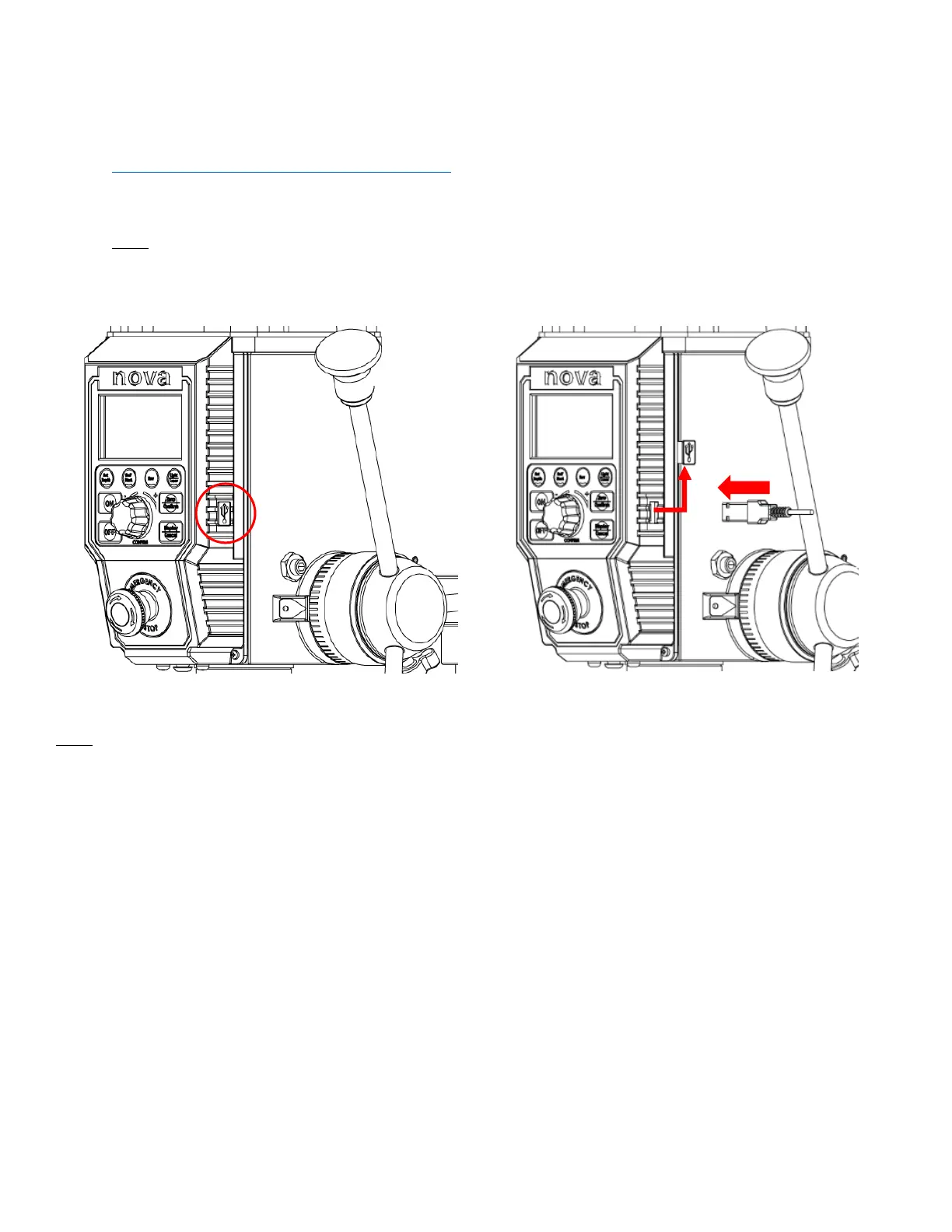
3. Remove the rubber cap from the USB port located on the right side of the HMI panel.
4. Plug the USB cable into the HMI panel and wait for approximately 5 seconds until the screen shows “USB”
Location of the USB port on the HMI Panel
Insert the long side of the included USB A-A cable
Note:
The included USB A – A cable is not a standard cable


 To Next Page