KERNEL
TEST-CPU
ADDRESS
3cn
LW
OK
To diagnose component failures in CPU, address lines or address decoding. Use this test when the
1
instrument does not power up correctly or gives unknown error codes.
$2
wo
I--z
~a
11. Equipment required
W
4
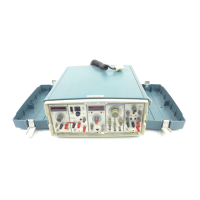
A. Tektronix SA 501 Signature Analyzer (or equivalent)
Ez
YJ
B.
Two TM 500 Flexible Extenders, Tektronix Part Number 067-0645-02
C. 16-pin DIP clip, Tektronix Part Number 003-0709-00
D.
Oscilloscope
I
-
I
lU5P
,-.
.--
.
0000
-
I
1
U5P
::,
UUUU
0356
-
:j.
:.:.',x
uuuu
0356
!.;..
r
1
1
-
..r:.;
FFFF
U759
;
U1210-;
FFFF
U759
,
_
,
8484
Ill.
Electrical conditions necessary to perform test
A. MPU 01, MPU 02, 02 functional (02 is clock for signature analyzer). Check U1111 pins 3, 36, 37
and U1320 pin 2 for approximately a 1 MHz toggle.
B.
No interrupts set. Check U1111 pins 2, 4,
6
and 40 for TTL highs.
C. A1
5
address line functioning (startlstop for signature analyzer). Check J1111 pin 34 for approxi-
mately a 7
Hz
waveform (140 ms).
IV. Setup
PS5010 (on extenders)
1. GPlB address switch (S1221) as shown.
Press
IOt[U001
2. Mode jumper (J1320) as shown.
hF
Signature mode
3. Runlforce data jumper (J1220) as shown.
1
Force data
k'
*
These signatures are valid but do not exercise the nodes completely. Check these nodes
with the Addressable Latch Firmware test.
4. Remove R1211 (data bus jumper).
Signature analyzer
Connect to CPU board and set as follows:
Threshold
=
TTL
Start
=
I
Connect to A1 5, J1111, pin 34
CPU
board
Stop
=
I
Connect to A1 5, Jl 1 1
1,
pin 34
Clock
=
1
Connect to 02 test point, J1111, pin 2 (clock)
Gnd
=
Connect to ground test point (TP1011)
V.
Measurements
Verify
+5
signature. Start with CPU (U1111) and check signatures. No data bus signatures are
given as the RAM contents and keyboard encoder outputs are not predictable in a free run mode.
Once CPU is verified check U 1 120 (RAMIROM decoder), U
1
21 0 (address buffer), U1310 (address
decoder), and U 1 31 1 (address decoder).
Fig. 9-2.


 To Next Page
 Loading...