Infrared Gas Analyzer Operation
Teledyne Analytical Instruments 63
3.5.4.5.1 MANUAL EXECUTION OF AUTO CALIBRATION
To perform the auto calibration cycle manually:
1.
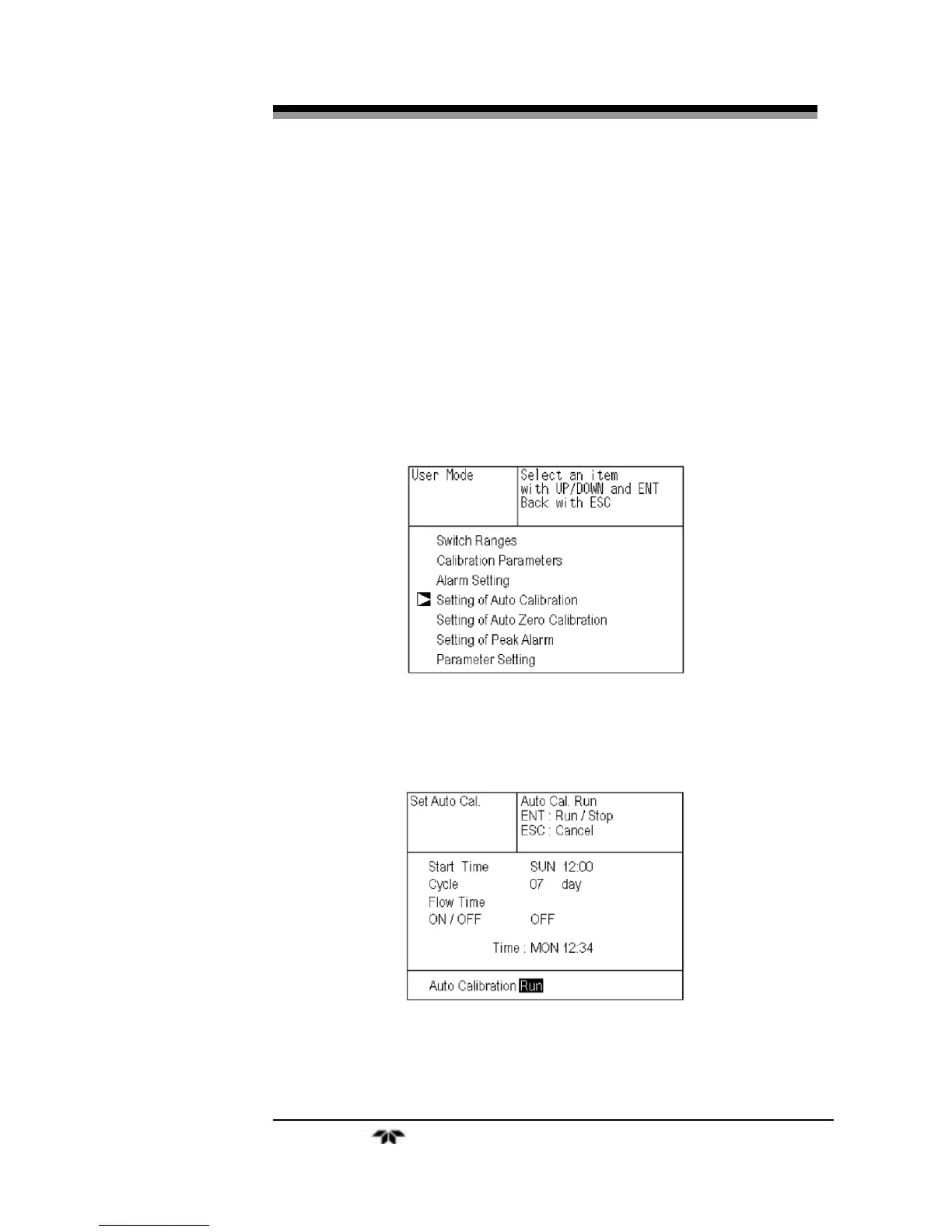
From the measurement mode, press the MODE key to
display the user mode.
2.
Point the cursor to “Setting of Auto Calibration” by
pressing the UP or DOWN key and press the ENT key.
3.
In the “Setting of Auto Calibration” item selection screen
that appears, point the cursor to “Auto Calibration Run”
by pressing the
UP or DOWN keys. Press the ENT
key.
4.
“Run” is highlighted, displaying a message to confirm the
execution of auto calibration. Press the ENT key to
execute the auto calibration, or press the ESC key to
cancel.
3.5.4.5.2
FORCIBLY END AN AUTO CALIBRATION
To abort an auto calibration event:


 To Next Page