TTE Combo Communication Module – Installation and Programming Manual
11
2.5 Restore to Factory Settings
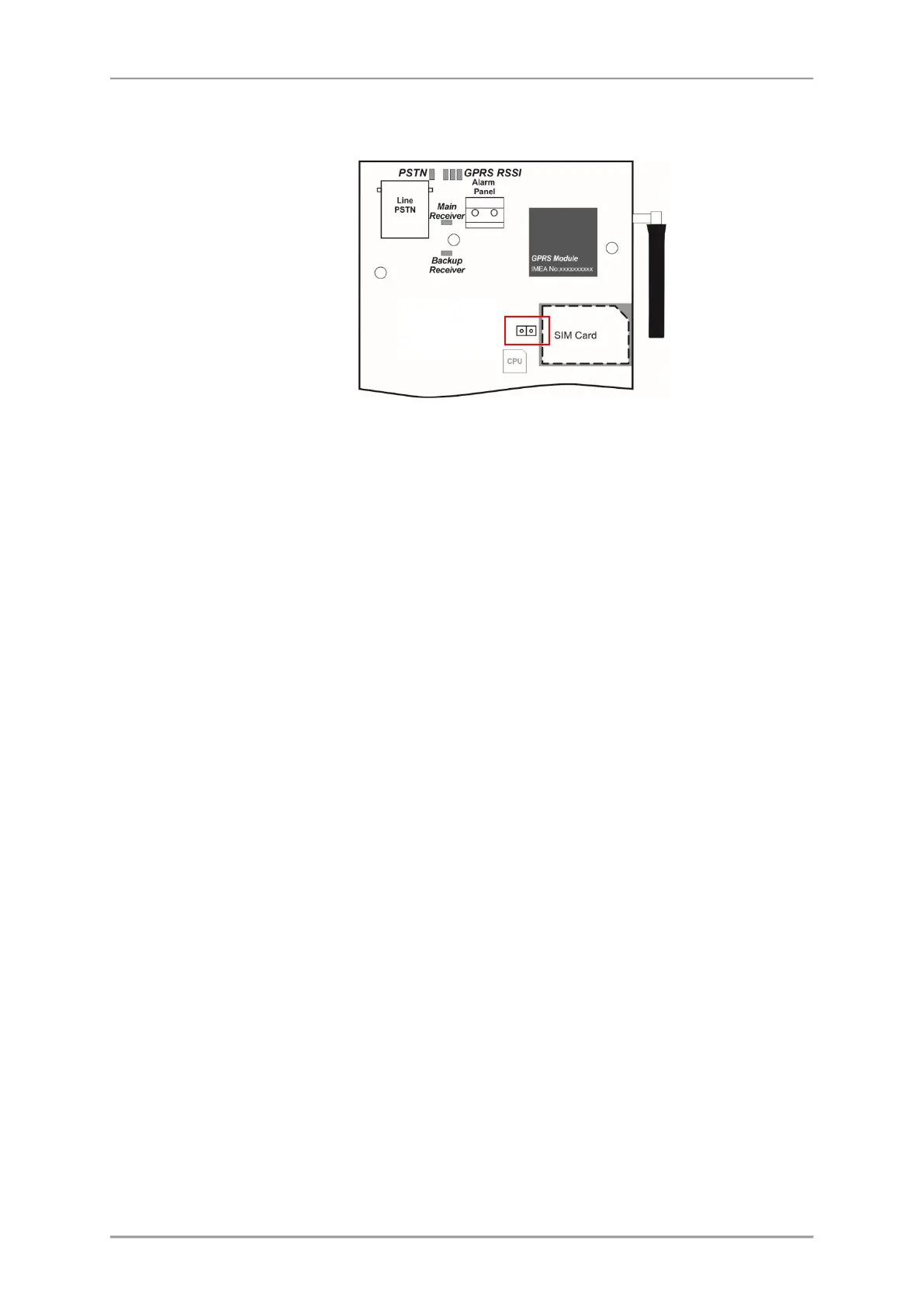
This function is for restoring of the default parameters of the module set by the manufacturer.
The Reset Jumper is situated on the left side of the SIM card holder. To perform restoring of the
factory settings:
1. Turn off the power supply of the module.
2. Place a jumper on Reset Jumper terminals.
3. Turn on the power supply of the module.
4. Wait for 10 seconds and remove the Reset Jumper.
5. Wait for the Main/Backup Receiver LED to start blinking in green – the initial startup can
take up to 90 seconds.
6. Program the module with ProsTE software according the application.



 To Next Page