TTE Combo Communication Module – Installation and Programming Manual
28
6.1.3 Communication Module
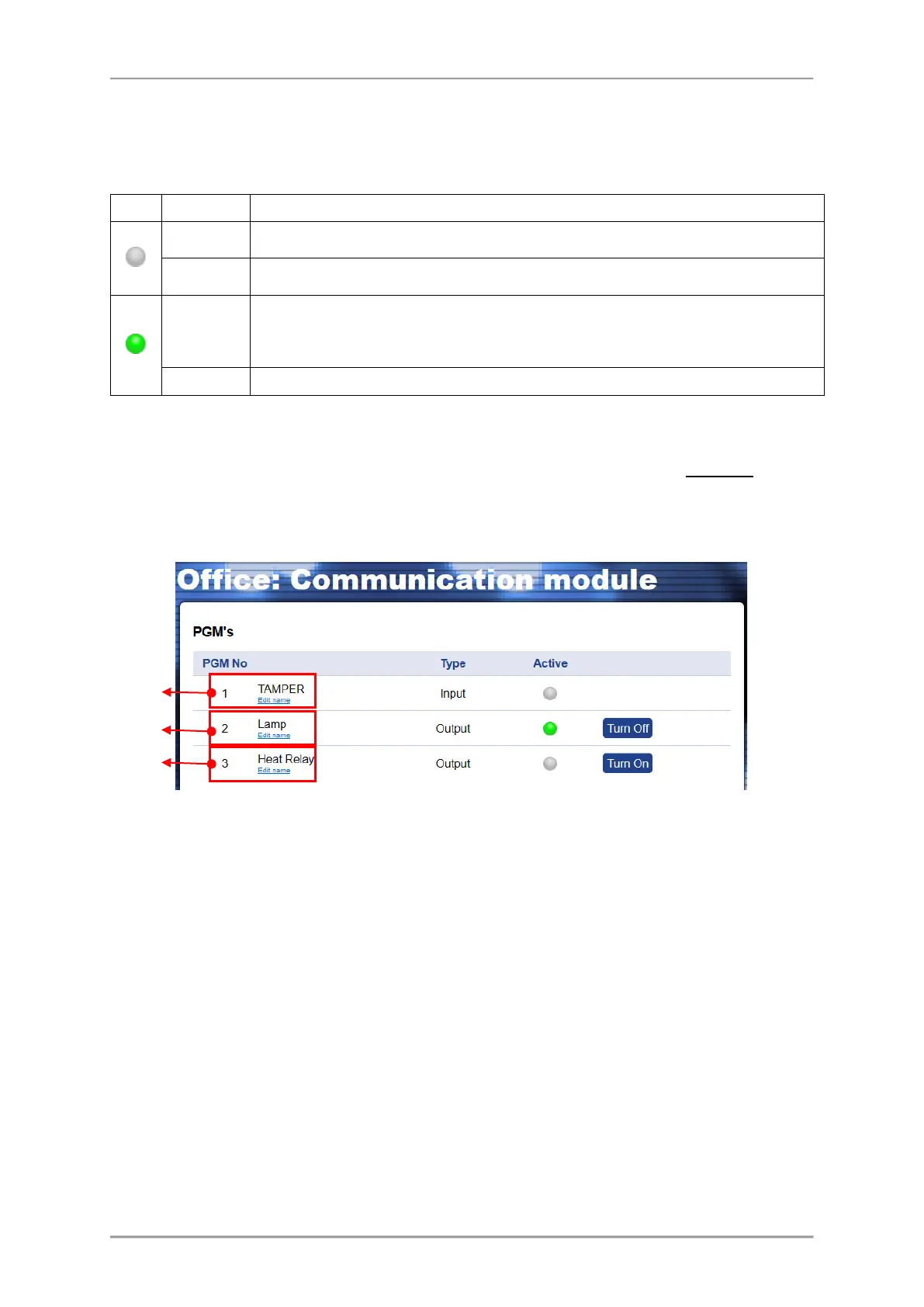
In this menu the User can review the status of the input terminal (activated TAMPER) and to control
(switch ON/OFF) the outputs of TTE Combo communication module.
Description of TTE Combo Input and Outputs states:
Input The Input is not activated. The TAMPER switch (TAMPER zone type) is closed.
Output The output is turned OFF (deactivated) or it is not used.
Input
The Input is activated. The TAMPER switch (TAMPER zone type) is opened and
TAMPER Alarm message is sent to Monitoring station and MobileTTE
(notification).
The output is turned ON (activated).
The current information for all 3 terminals (PGMs) of TTE Combo is displayed as the User can review
their current status. The outputs are remotely controlled with Turn ON/OFF button. The User can set
different names for every terminal according its functionality in the system – press Set Name button
and enter a name to recognize.
The terminals are displayed with numbers following their physical order on the PCB (left to right
counting).
To activate the PGM output, press once the “Turn ON” button next to it. The status becomes “Active”
and the button is changed to “Turn OFF”.
To deactivate the PGM output, press once the “Turn OFF” button. The status becomes “Inactive” and
the button is changed to “Turn ON”.
6.1.4 Edit Parameters Menu
In this menu the User can perform programming of TTE Combo parameters same as the
programming with ProsTE software. Click on Edit Parameters menu to enter into System Parameters
settings.
To expand the programming menus, click on the “►” icon on the tree structure on the left. Select
the menu and review the available parameters on the right.
All changes are saved with “UPLOAD” button.
Attention: To avoid problems in operation, it is recommended the settings in this menu to be done
only by a technician trained in installation of TTE Combo module!



 To Next Page