TTE Combo Communication Module – Installation and Programming Manual
20
Attention: It is important to enter a valid e-mail address, so to be able to complete the registration
and to receive in the future the information for the registered systems to your account at AJAX WEB.
When you complete the form, press the Register button. You will be returned to the main home page
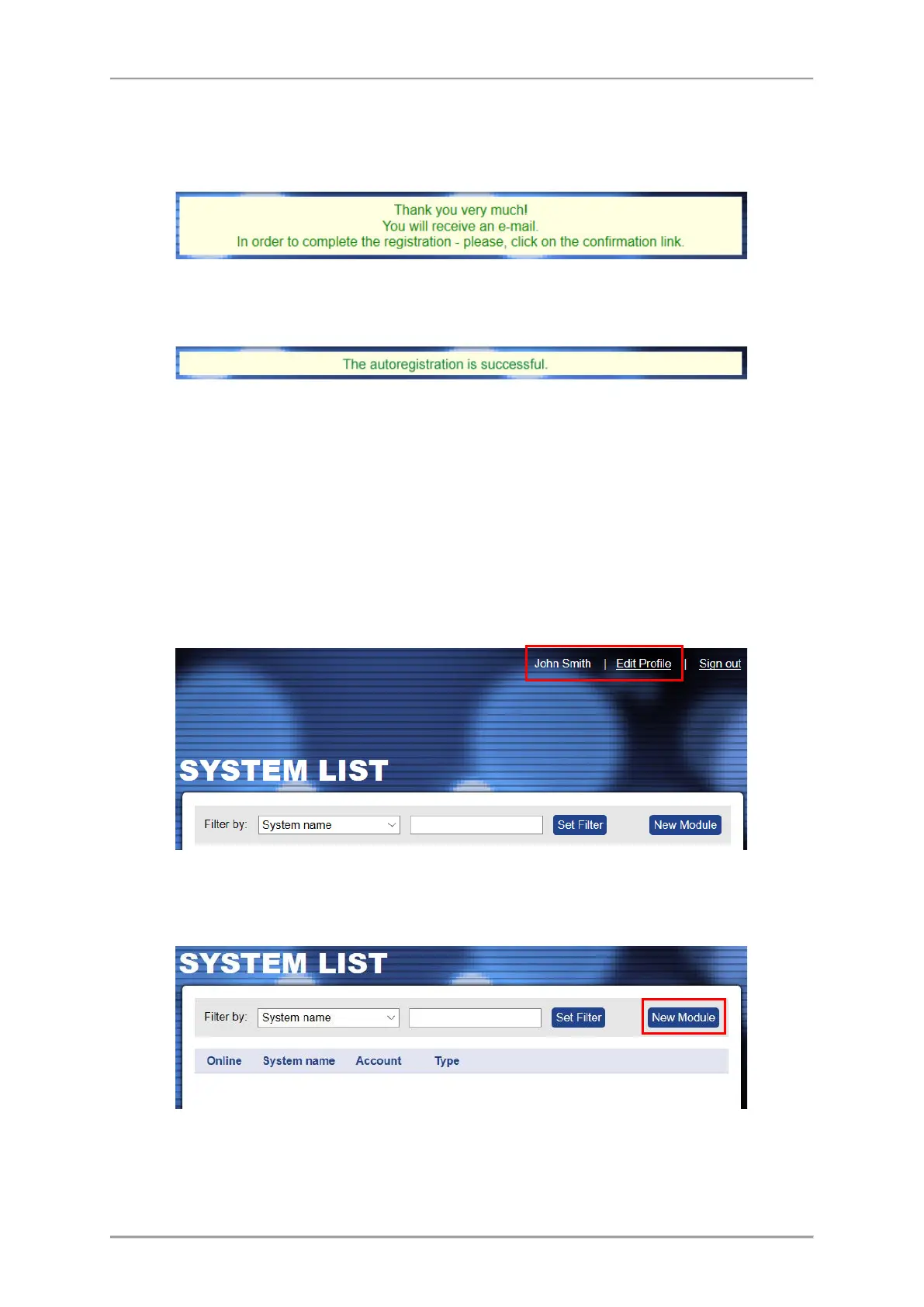
with the following information message:
Go to your personal e-mail box and confirm the received link. The Home page of AJAX WEB is loaded
automatically and in case of successful registration you will see the following confirmation message
over the login section:
Then you can login the AJAX WEB.
Note: In case you receive a message for browser incompatibility, you have to proceed with
registration pressing the option “Ignore and save this decision”. Then, return to your e-mail box and
confirm the received link again.
4.2 Adding a System to Account
After login, a system list for the User account is shown on. You will see your First and Last names
from the registration form on the upper right corner of the screen. Next to it is the menu for editing
your personal details.
For the new registered Users, the System List will be empty at the very beginning.
To add a system for monitoring press New Module button on the right.
A new window “New Module Registration” with addition information for describing the security
system is opened.



 To Next Page