TTE Combo Communication Module – Installation and Programming Manual
26
5. TTE Combo – Installation Summary
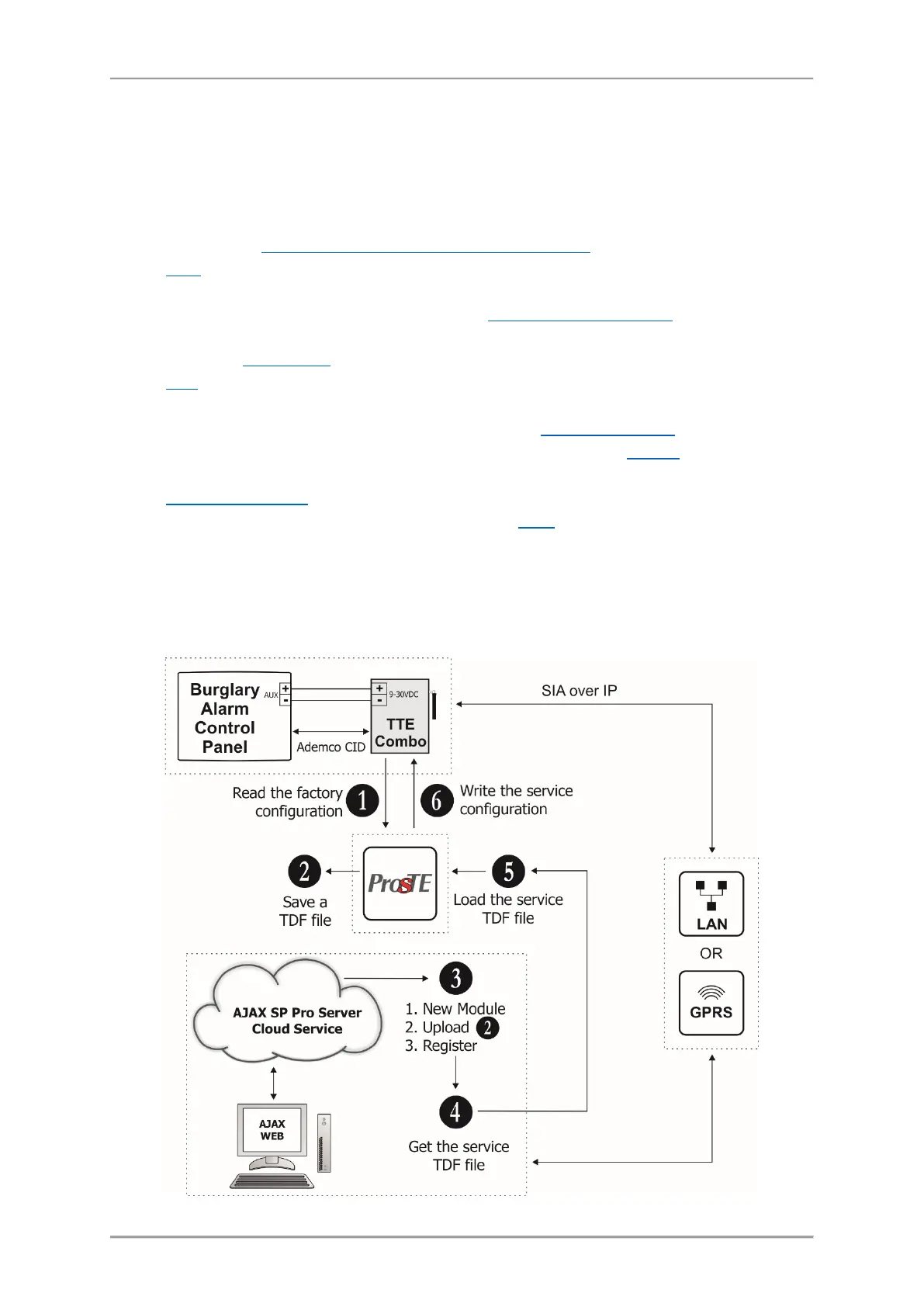
Here is a short list of the important steps necessary for successful connection of TTE Combo module
to AJAX WEB.
• Disable the PIN protection code of the SIM card for the module and place it in the holder.
• Power on TTE Combo – from the control panel or from external power unit 9-30VDC.
See also item 2.1 Connection to Burglary Alarm Control Panel
.
• Read the Factory setting of TTE Combo and pre-program the phone number for connection
with the panel (Ademco CID panel number), the Panel line test period and the type and the
priority of used Reporting channels – see item
3.2 General Settings Menu. If you will use LAN
as a communication media to AJAX WEB, it is recommended to leave “Automatic Settings
(DHCP)” in LAN Settings
menu.
• Save this configuration (FileName.TDF) on your local computer or laptop. You will need this
file later during adding the system to AJAX WEB.
• Open AJAX WEB site and login. If you are a new user - make a registration.
• In the system list of your account press “New module” button and register your TTE Combo
module as a standalone system.
• Save the service TDF from the registration form on your local computer or laptop.
• Open ProsTE software, connect to TTE Combo and write the service TDF file received from
AJAX WEB.
• The established connection with AJAX WEB is indicated with blinking with green LED
“Main/Backup Receiver” of TTE Combo communication module. The Online status of the
system will be indicated with an active online status (green) after login the AJAX WEB.



 To Next Page