TTE Combo Communication Module – Installation and Programming Manual
31
6.2.4 System Main Menu
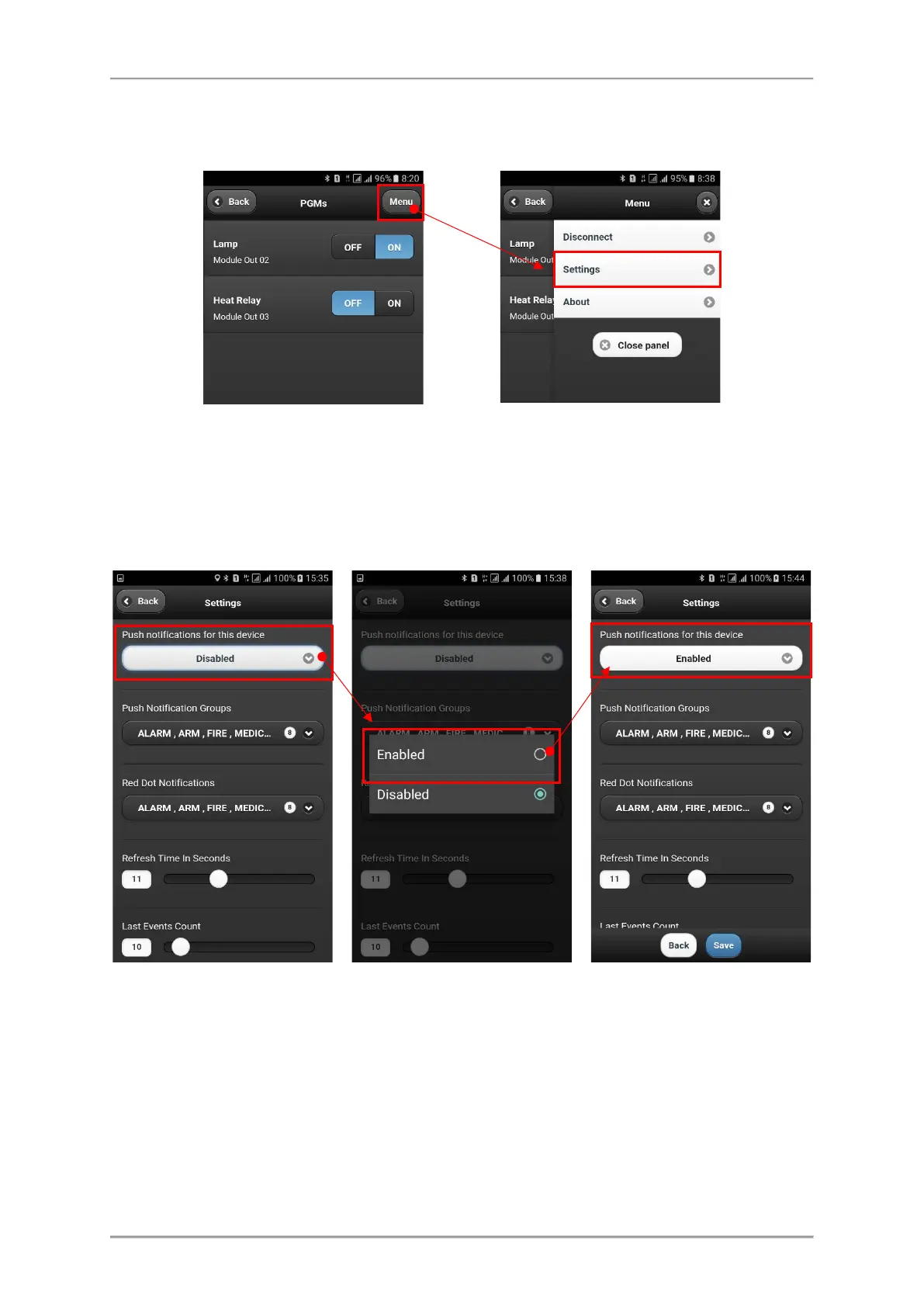
There are some important settings for the system. After connection press “Menu” button in the right
upper corner of the screen. Then choose Settings.
The general functions of MobileTTE is to provide to the user remote control of the outputs of TTE
Combo communication module, and to receive notification messages in case of alarm or trouble
events and the arming status of the connected burglary alarm panel.
The receiving of notification messages is disabled by default. The enabling of this function is in the
Settings menu of the respective system.
The receiving of notification messages is enabled when the “Enabled” setting is visible in the section.
In this menu the User can also set the type of the events for which to receive notifications. Select the
Push Notification Groups and select those type of events for which you want to be informed.



 To Next Page