TTE Combo Communication Module – Installation and Programming Manual
30
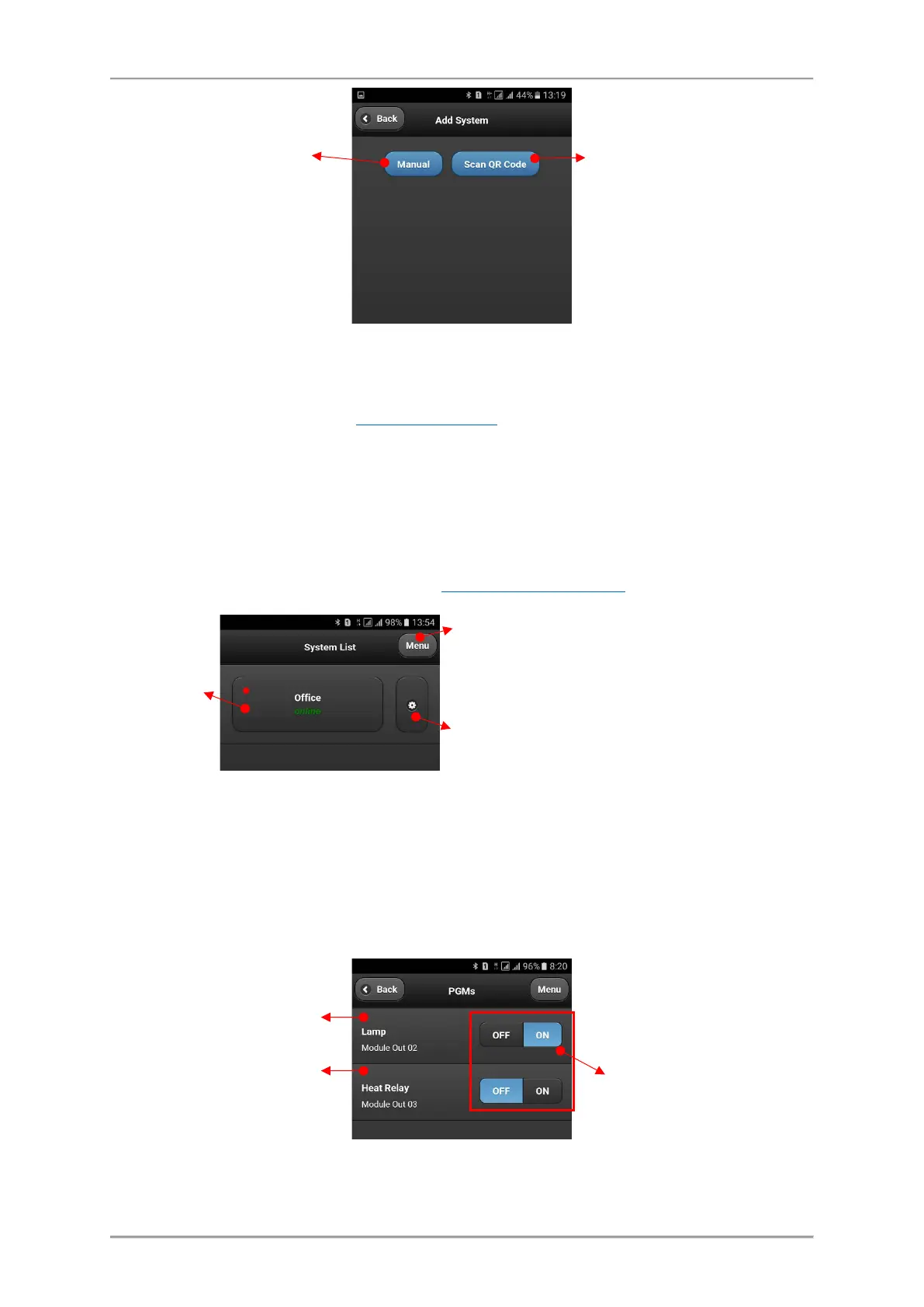
The system will be added to the System List of MobileTTE. If the system is online and ready for
operation that will be displayed with text in green. If there is a red dot in the upper left corner, that
means there is a system event (the red dot notifications
are set in AJAX WEB user account for every
of the attached system and also edited in MobileTTE Settings Menu).
6.2.2 Connection to a System
To connect with the system – TTE Combo module standalone device, press the button and wait until
the connection is established.
When you are connecting to a system for the first time, you will be asked to enter a User code – this
is the Password code set with ProsTE – see item3.2 General Settings Menu
.
6.2.3 Operation with outputs
After entering the available outputs for management are loaded on the screen. The outputs are
presented with their names set in AJAX WEB with an additional service name “Module”. The status of
the output is changed with pressing ON/OFF button.
Note: The Outputs are appeared with the numbers following their physical order on the PCB!
with the system.
Choose the button to add the
settings for system manually.
You will be asked to enter:
- your account username
and password in AJAX WEB;
- a system attached to your
AJAX WEB account;
- UDL (PC ID) code (1234 by
default).
registration of the system and
scan the received QR code
after the registration.
Press to edit the system parameters and account
settings or to delete the system from the list.
Press for more settings in MobileTTE application –
language of the menus and reordering of the
systems in the list.
(on the PCB)
- Output is switched ON.
- Output is switched OFF.



 To Next Page