TTE Combo Communication Module – Installation and Programming Manual
18
Important Note
An internal algorithm for the reporting of events is applied for operation,
when both Main and Backup Receivers are used.
3.6 Saving a TDF File
When you complete with all parameters setting of TTE Combo you have to save the module’s
configuration as TDF file. TDF (Teletek Data File) is a file format for ProsTE software.
To save the current opened module configuration, press the “Save as” button on the ProsTE ribbon
bar and browse a place on your local computer. It is recommended in one TDF file to save only one
TTE Combo module configuration.
3.7 Writing a Configuration
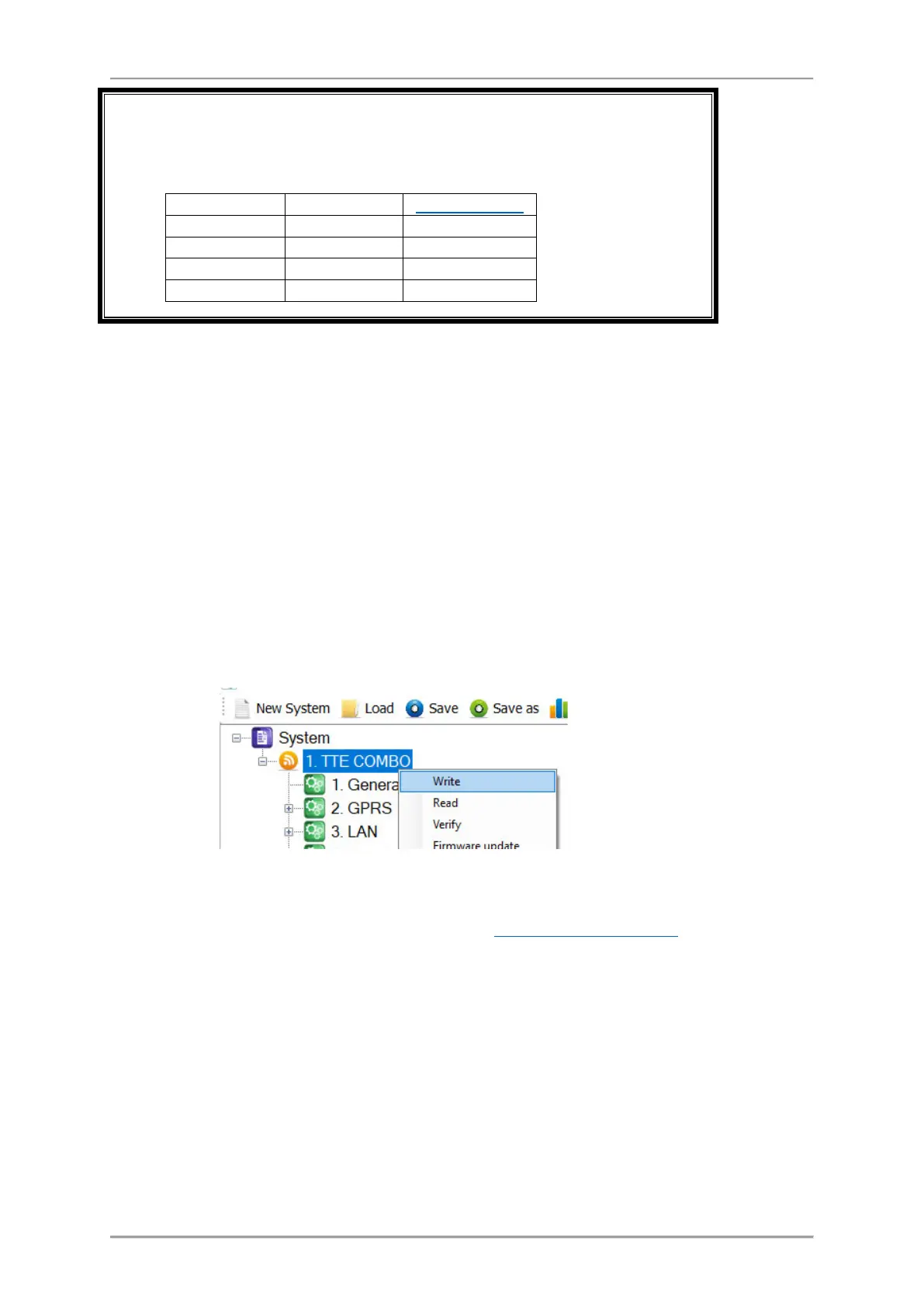
To upload the settings from ProsTE to the TTE Combo module you have to write them to the
currently connected module. Select TTE Combo main menu and choose using the right mouse button:
TTE Combo – Write.
In the Write window select the USB port number to which you are physically connected and press OK
button. The software will ask for a password. The default password is 1234:
Note: The “Password” is set at General Settings Menu - 3.2 General Settings Menu.
A system message will inform if the writing of the new configuration in the TTE Combo module is
successful.
uploading the current
ProsTE settings to the
device configuration.



 To Next Page