TTE Combo Communication Module – Installation and Programming Manual
16
3.3 GPRS Settings Menu
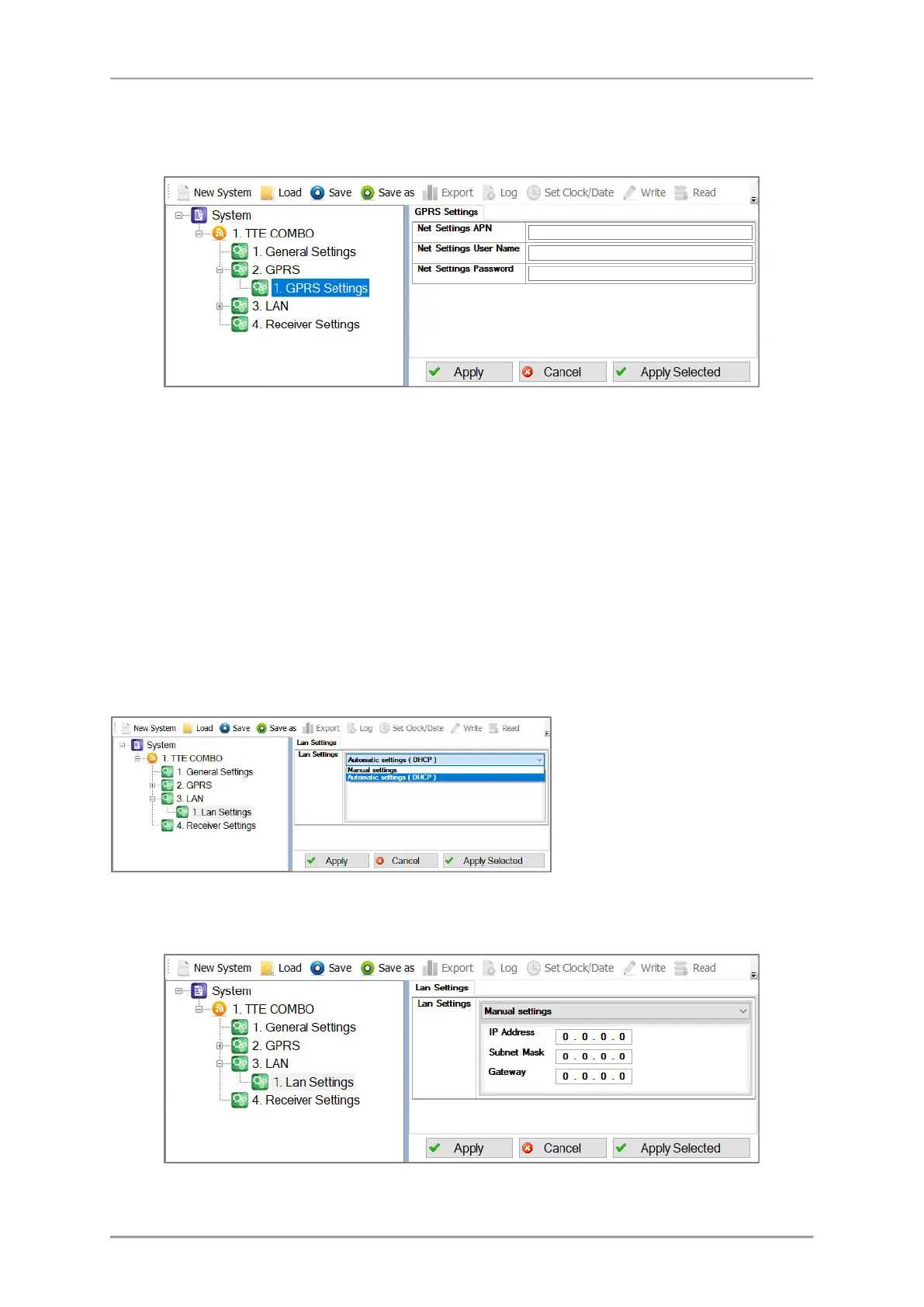
Select the GPRS menu, click on “+” icon in front of it and expand the GPRS Settings submenu. In the
fields must be set some specific information for the mobile service provider.
Important Note. There are two general approaches for programming of the GPRS Settings submenu.
- For Monitoring stations. Enter into the fields the specific information for the Net Settings
of the mobile operator:
o “Net APN” – Enter the APN (Access Point Name) of the GPRS network.
o “User Name” – Enter valid user name for access to the GPRS network.
o “Password” – Enter valid password for access to the GPRS network.
- For AJAX SP Pro Server. Leave empty. The fields will be filled in automatically after the
registration of TTE Combo module to a User account at AJAX WEB – the user sets the mobile
service provider according the selected country.
3.4 LAN Settings Menu
Select the LAN menu, click on “+” icon in front of it and expand the LAN Settings submenu. You can
choose between Automatic and Manual settings of the network characteristics.
If you are not sure about your server type choose the option “Manual Settings” from the drop-down
list and enter manually the parameters of the network – IP address, Subnet Mask and Gateway.
Confirm with “Apply” button.
The “Automatic Settings (DHCP)”
option is set by default; it is
recommended for a network using
DHCP server. In this case the Combo
module will take the network settings
directly from the server.



 To Next Page