TTE Combo Communication Module – Installation and Programming Manual
17
3.5 Receiver Settings Menu
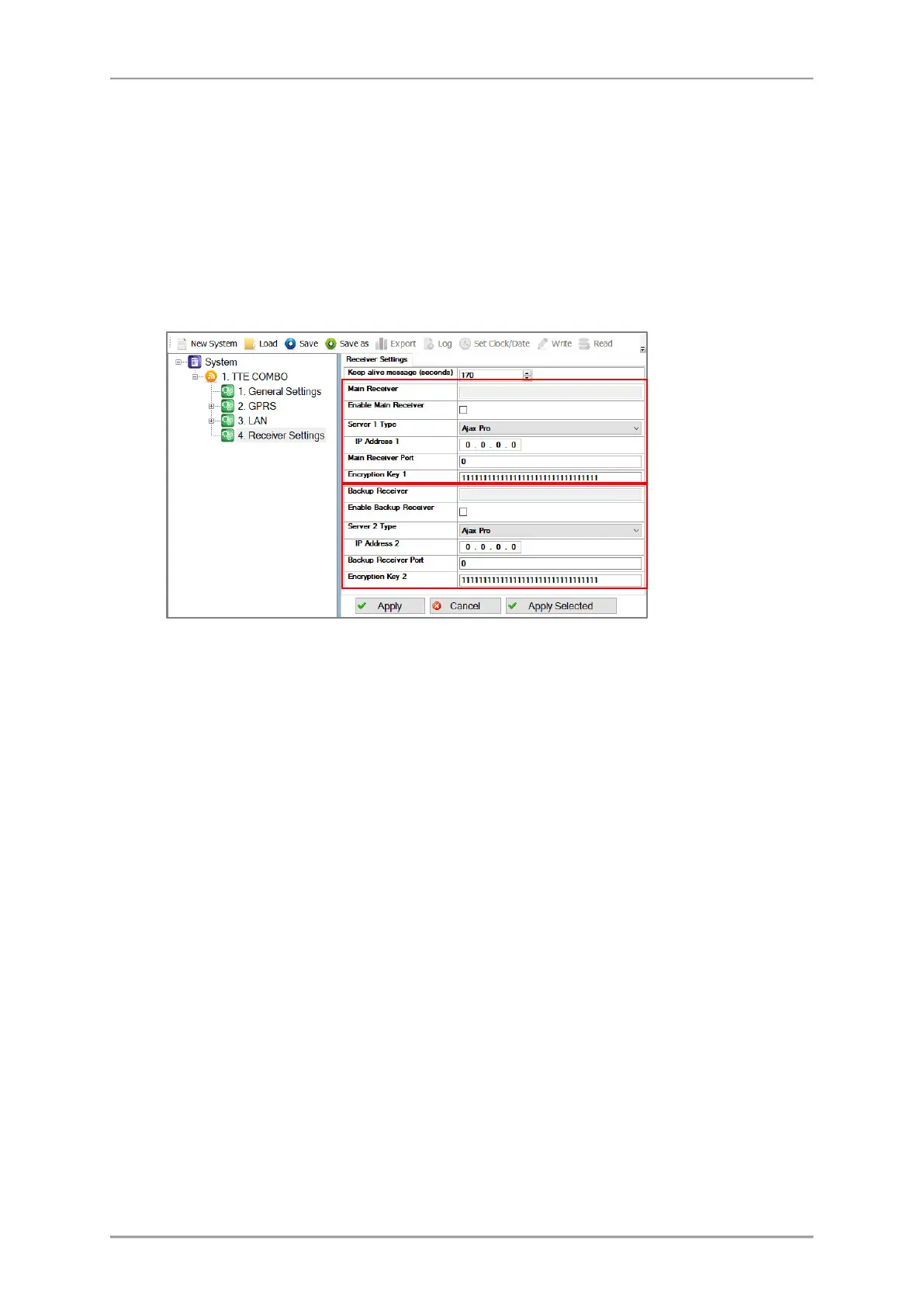
This is a menu for setting the options for connection with Monitoring station server (AJAX SP Pro
and/or SIA-DC09). There are two sections: for Main Receiver and for Backup Receiver.
Important Note. There are two general approaches for programming of the Main Receiver Settings
fields.
- For Monitoring stations. Enter into the fields the specific information for the main receiver
according the used equipment and network. See the description of the fields below.
- For AJAX SP Pro Server. Leave the default settings. The fields for Main Receiver will be filled
in automatically after the registration of TTE Combo module as a standalone device, to a User
account at AJAX WEB.
Here is a short description of the fields
• “Keep Alive Message (seconds)” – This is а time period, in which the TTE Combo module
sends its status to AJAX SP Pro server to keep the communication alive. The default set
period between two messages is 170 seconds, but it can be changed according the
system requirements – from 20 to 200 seconds.
• “Main Receiver” Section – These are the settings for the Main Receiver Server for
monitoring.
o “Enable Main Receiver” – Enabling the communication with the Main Receiver
server for monitoring.
o “Server 1 Type” – The type of the server for monitoring: AJAX SP Pro or SIA-DC09
Receiver*.
o “IP Address 1” – The IP address of the Main Receiver server for monitoring.
o “Main Receiver Port” – The Port of the Main Receiver server for monitoring.
o “Encryption Key 1” – A special security encrypted key for the connection. The
key is 32-symbols long and must be set one and the same at the TTE Combo and
the server for monitoring for proper operation.
* For SIA09 Receiver the settings must be set manually. There is no option for automatic settings.
• “Backup Receiver” Section – These are the settings for the Backup Receiver Server for
monitoring in case of the Main Receiver failure. The settings in this section have the
same description as those for the Main Receiver.
Note: The settings for the
Backup Receiver must be
set manually just in case of
using a second backup
server for monitoring.



 To Next Page