TTE Combo Communication Module – Installation and Programming Manual
27
6. USER GUIDE
6.1 AJAX WEB User Interface
Using AJAX WEB interface, the user can remotely control the outputs of his TTE Combo module and
to review the status of the Input (activated TAMPER).
6.1.1 Remote Access
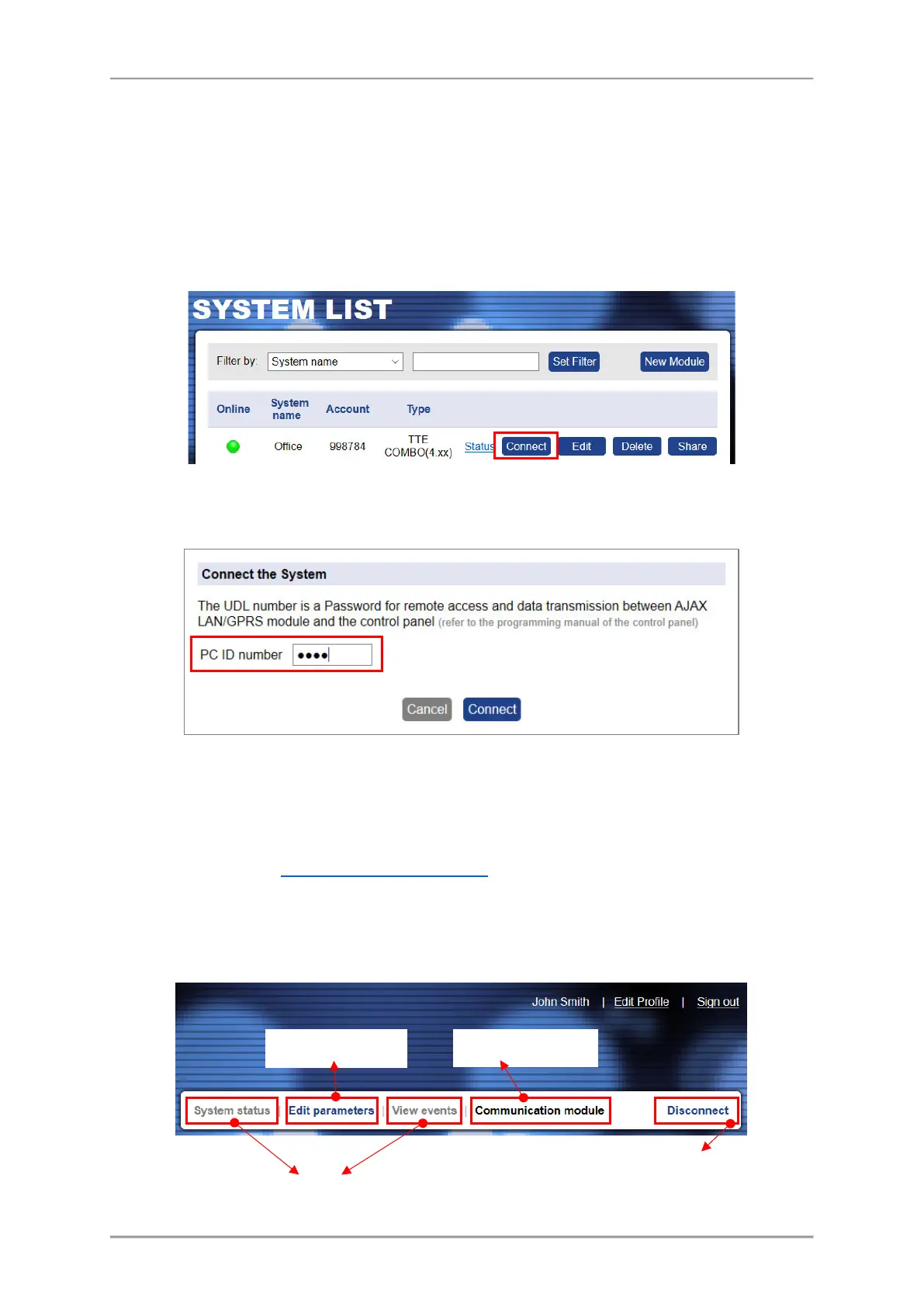
Login in your AJAX WEB User account and press “Connect” button.
The site will ask for a Password - PC ID Number (1234 by default):
Press “Connect” button and wait until the connection with the system is established.
6.1.2 Main Menus
The online connection with the module provides the following activities for the User:
- Communication Module. Control of the TTE Combo Outputs and preview the status of the
Input – see item 6.1.3 Communication Module
.
- Edit Parameters. Menu for setting the parameters of TTE Combo module.
The unavailable menus are presented into grey; the available – into blue; and the current selected –
into black colour.
press “Disconnect”
button.



 To Next Page