TTE Combo Communication Module – Installation and Programming Manual
32
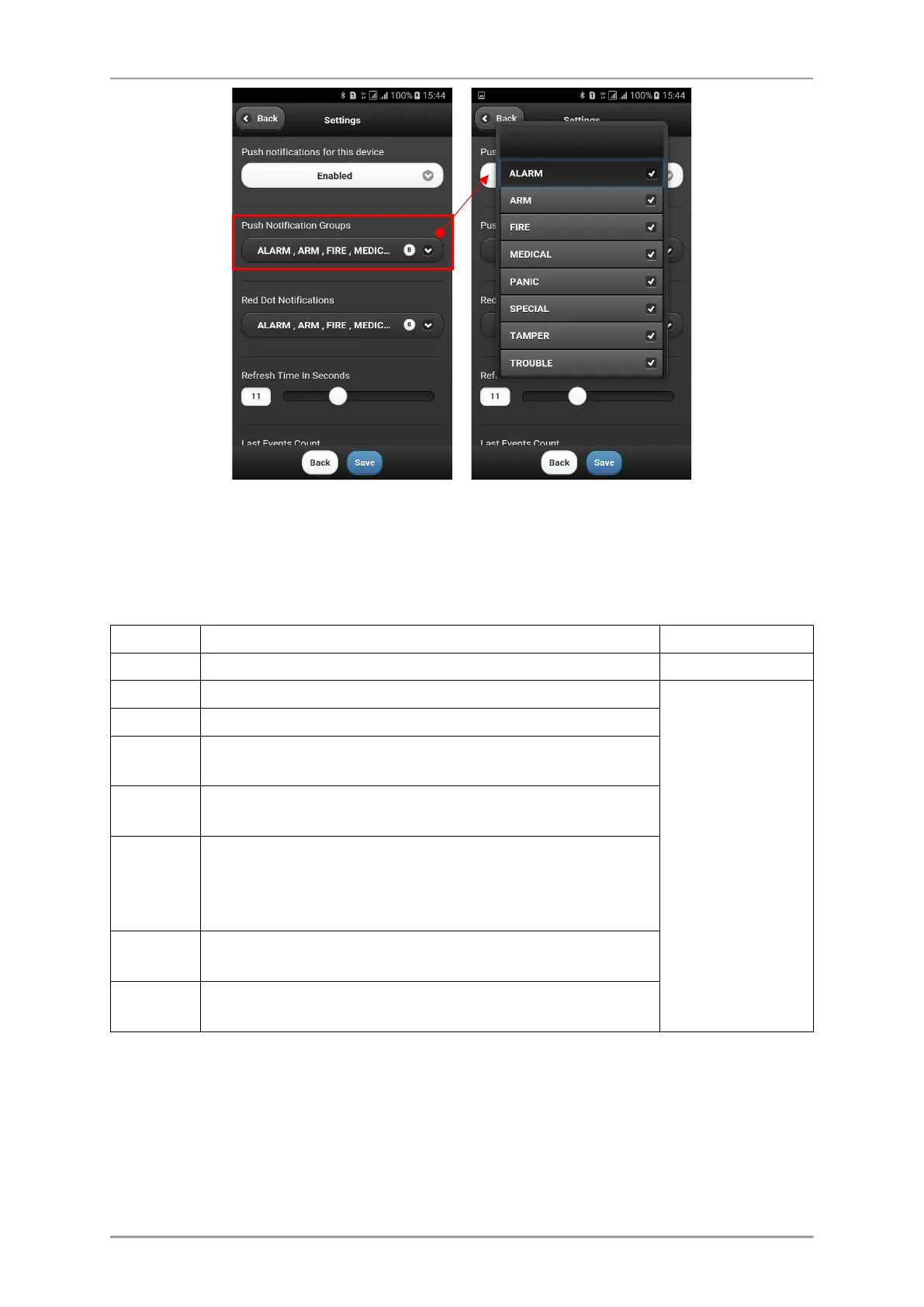
By default, all types of events are enabled (it depends also of the settings in AJAX WEB). The number
of set notifications will be visible on the screen.
Note, these are events for the status of the connected burglary control panel to TTE Combo module
(via digital communicator).
The notifications (for the status of the control panel) have the following description:
Notification in case of burglary alarm in the system.
Notification in case of arming (Full, Stay, Sleep) and disarming.
General
notification tone
Notification in case of fire alarm in the system.
MEDICAL
Notification in case of medical alarm in the system. (Activated
medical type zone or panic button.)
PANIC
Notification in case of panic alarm in the system. (Activated
panic type zone or panic button.)
SPECIAL
Notification in case of other special events in the system like
resetting of the system, time changed, test, etc. The special
messages are programmed in the Eclipse panel engineering
menus.
TAMPER
Notification in case of open tamper in the system (panel or
device).
TROUBLE
Notification in case of trouble or fault event in the system, for
example “220 AC Lost”, “Battery Lost”, etc.
*Note: Some smartphone models do not support the second alarm tone for notifications. In case the
receiving of notifications in enabled, but you do not receive them, is necessary to check your
smartphone settings and to enable also the notifications from installed applications programs.



 To Next Page