TTE Combo Communication Module – Installation and Programming Manual
33
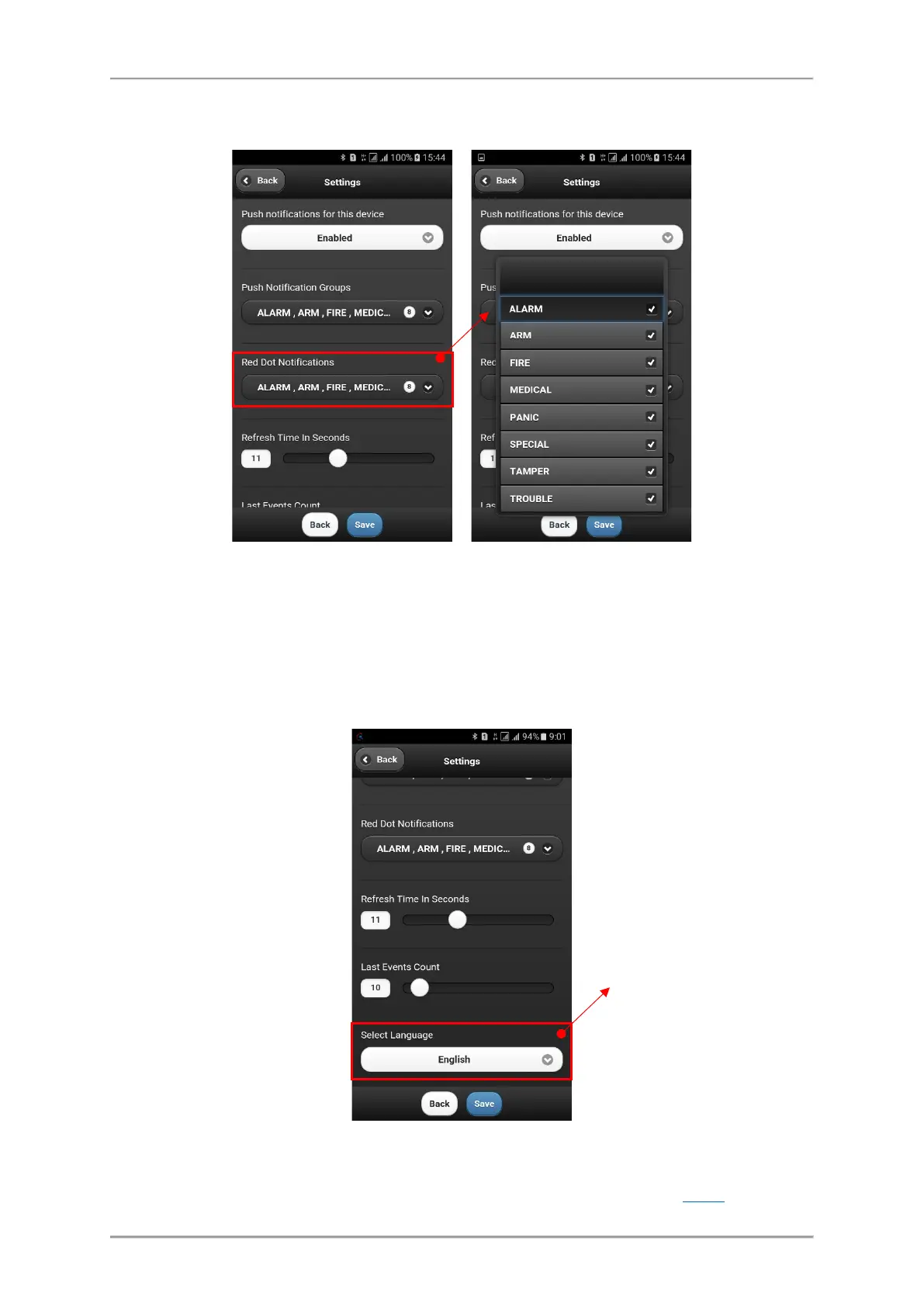
In Settings menu the user can also set the visualization of events via red dot in the system list. Select
the Red Dot Notification and select those type of events for which you want to be informed.
You can find the description of the events in the table above.
It is recommended to leave the default settings for Refresh time and Last Events Count because they
are optimal for the application.
Move down to the bottom of Settings menu. There is an option to select different language of your
MobileTTE smartphone application.
To exit from Settings menu, press Save button to confirm changes, or Back button to reject them.
To exit from MobileTTE application press the Back button of your smartphone.
The currently installed version of MobileTTE on your smartphone is reviewed with About
button.
of the MobileTTE
application menus.
Note: This setting will
not affect the set
names of the PGMs in
the system.



 To Next Page