TTE Combo Communication Module – Installation and Programming Manual
22
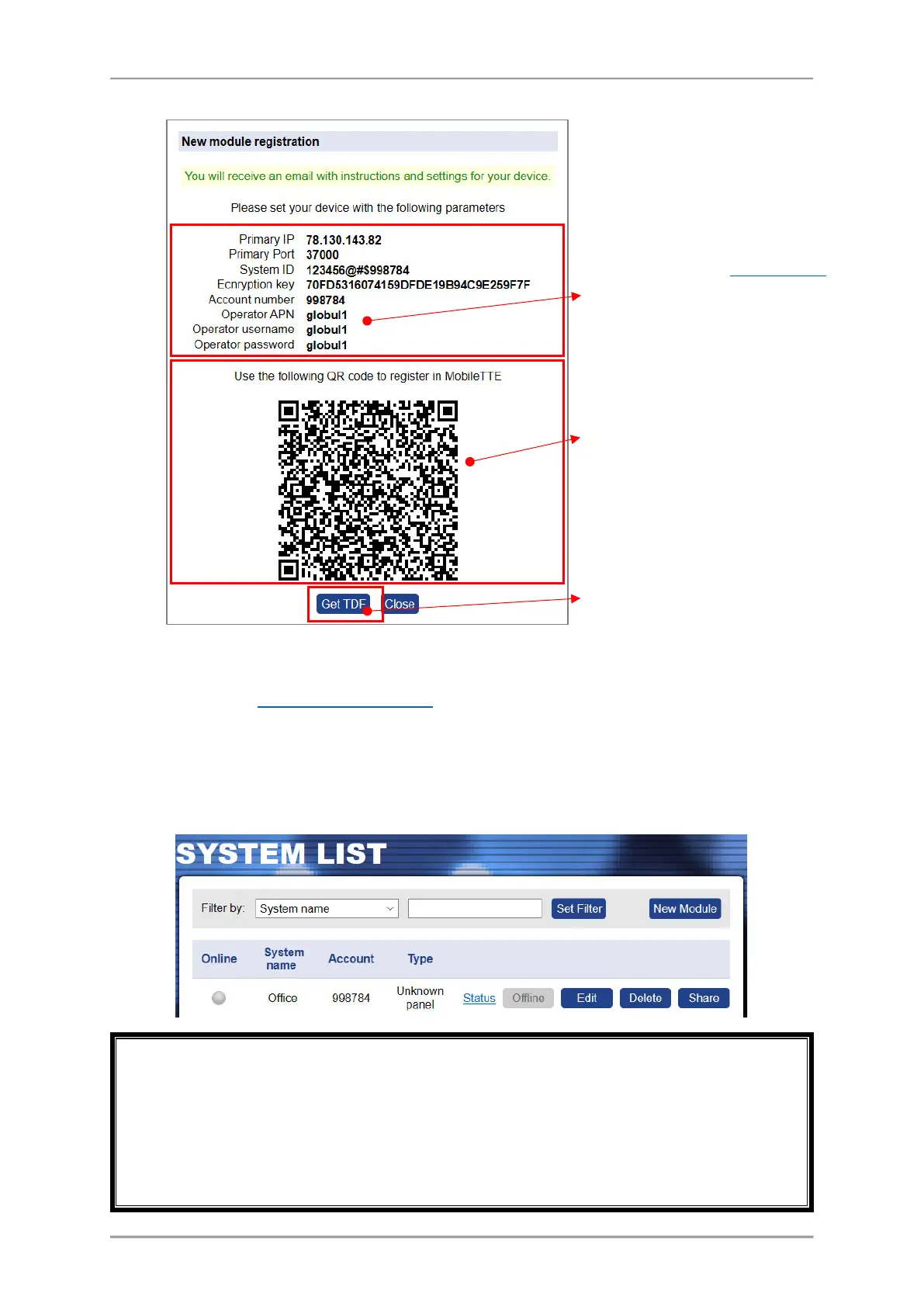
In a new window is presented summary information about the new system registration:
Press “Get TDF” button and download the service TDF file containing the pre-programmed
information for the module and the automatically set parameters for the connection with AJAX SP
Pro server (in ProsTE “Receiver Settings” menu
).
Press Close button to exit the New Module Registration window.
At this stage your TTE Combo is added to the System list but it is still offline, because the settings for
the connection with AJAX SP Pro server are not set to the module yet.
Every new added system must be connected (to become online) to the AJAX SP Pro server in 24
hours after the registration. That means the TTE Combo module to be programmed with the
received service TDF file and connected to an available network (Ethernet or GPRS, according the
registration). If, 24 hours after the registration there is no online connection between the module
and the server, the registration will be automatically deleted and the Account number will be free
for other new registration.
This is a special QR code for directly
adding the system information to
MobileTTE smartphone application.
You can also directly download the
service TDF file for the security system
and save it to your local computer.
All this information is loaded in a service
TDF file which is sent to your personal
e-mail address (those you have been
provided for the account registration).
This is the service information for the
Mobile Operator in GPRS Settings
menu
of ProsTE software. It is different and
depends on the selected country and
the mobile operator.



 To Next Page