TTE Combo Communication Module – Installation and Programming Manual
21
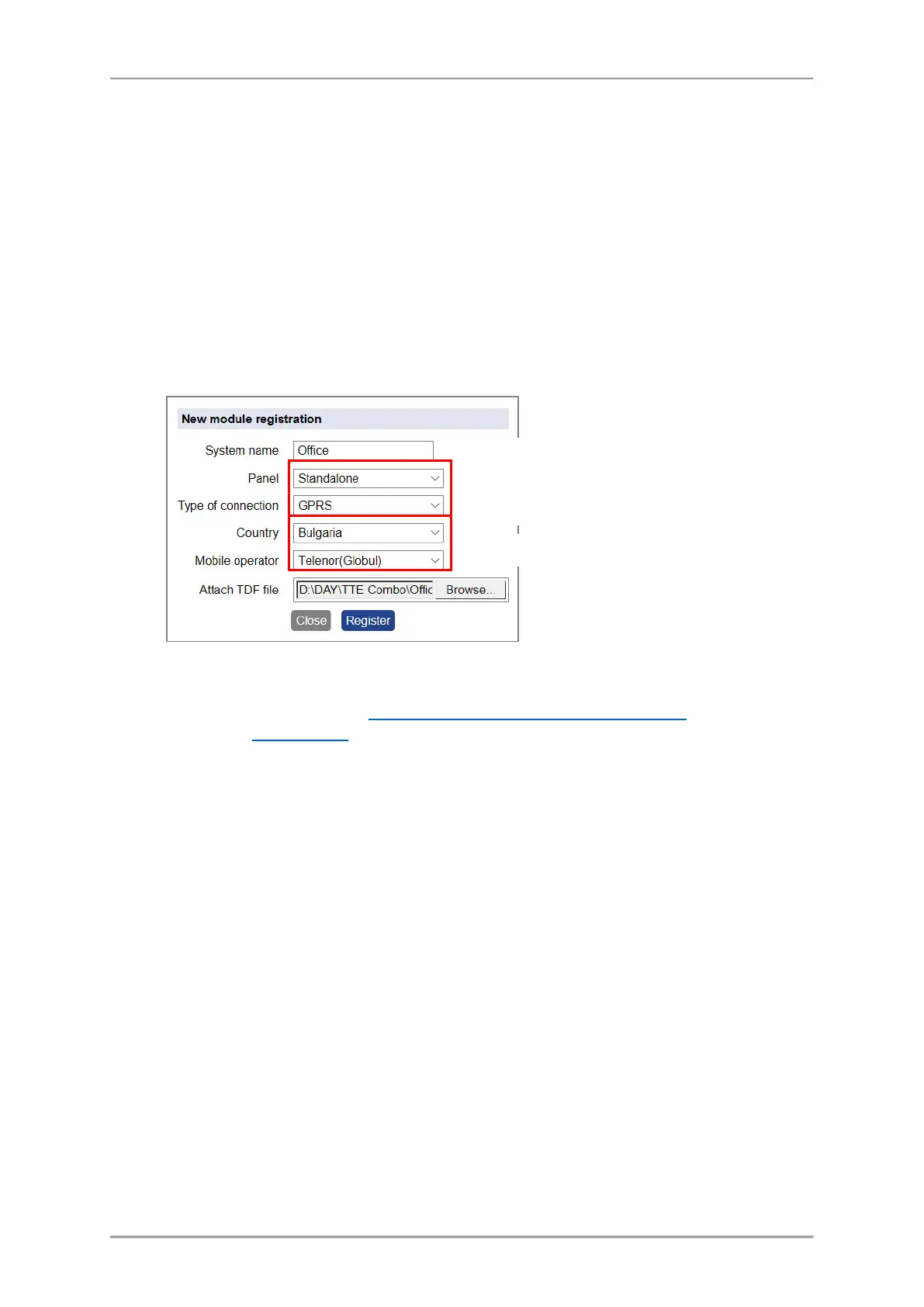
In case of registering of a TTE Combo module you have to make the following settings:
- “System Name” – Enter a name describing the protected site. The name can be edited or
changed later.
- “Panel” – Select Standalone type from the drop-down list.
- “Type of connection” – You can choose between LAN and GPRS communication media. As a
universal module TTE Combo supports operation via both of them but you can choose only
one of them for access to the AJAX WEB. When the both media are enabled for operation of
a TTE Combo module, it is recommended to use GPRS media for registration, because it is
more versatile. Select GPRS type from the drop-down list.
- “Country” – Select from the drop-down list the country of the mobile operator.
- “Mobile operator” – According the selected country you must select the mobile service
provider.
- “Attach TDF File” – Click on Browse and select the preliminary saved TDF file of the TTE
Combo module’s configuration.
* Important Note: If the used mobile operator is not present in the list, choose any other, just to
complete the registration. Then after loading the service TDF file in ProsTE software
, you must enter
the exact settings in GPRS Settings menu and then write into the TTE Combo module.
Confirm with Register button.
TTE Combo can be registered only as a standalone device.
It is recommended to use GPRS connection type.
Note: When LAN media is used the fields for Country and Mobile
Select your country and mobile service provider*.



 To Next Page