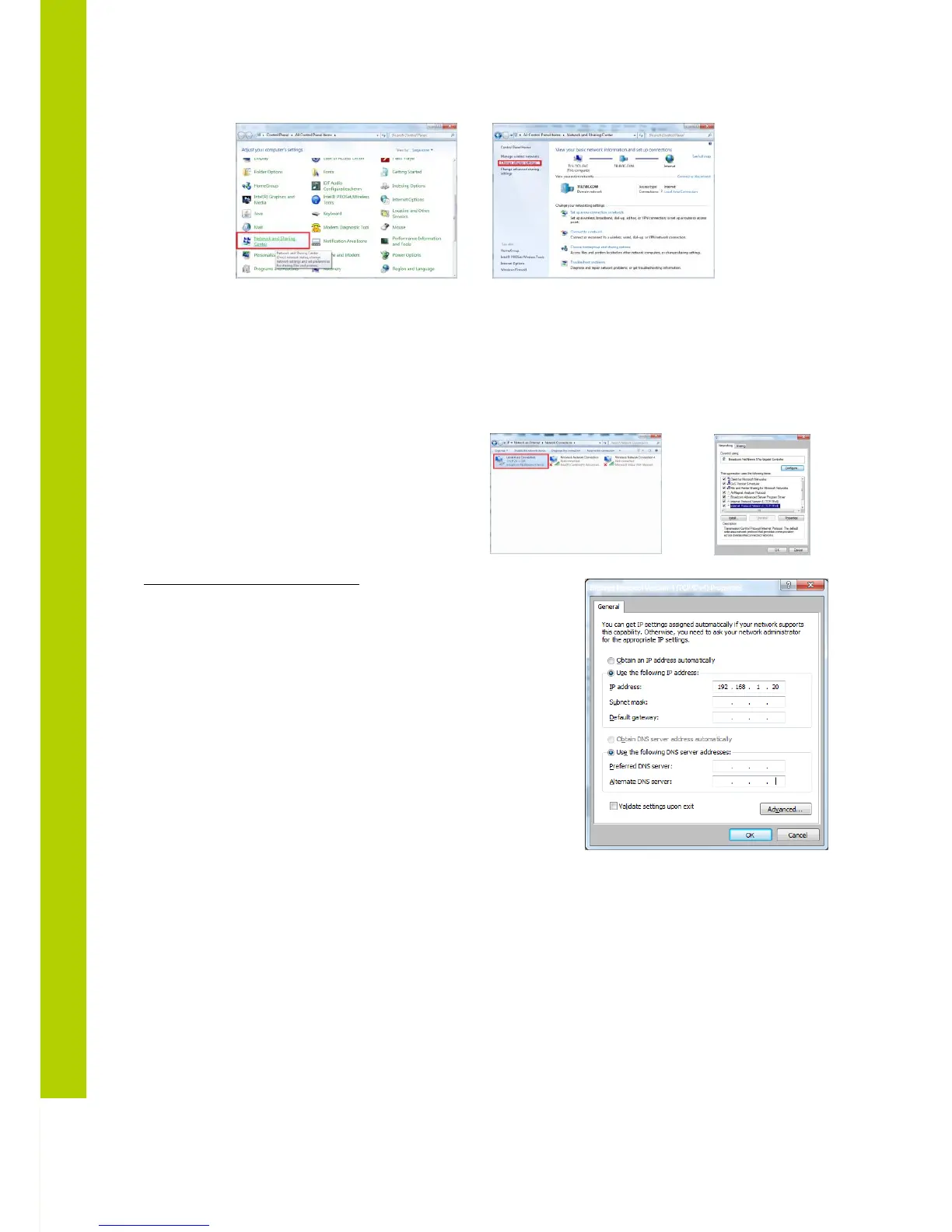
- Go to the ‘ Control Panel’
- Click on Network and sharing center
- Click on Change adapter settings
- Right-click on Local Area Connection
- Double on Properties
- Click on Internet Protocol (TCP/IP)
- Click Properties
Static IP address WINDOWS 7
- Input your IP Address and subnet mask the IP addresses
on the network must be within the same range.
- The default IP address from the WCAP is 192.168.1.110
so the computer should have an IP Address that is within
the same subnet, like 192.168.1.11 and 192.168.1.20. The
subnet mask must be the same for all equipment on the
network: 255.255.255.0)
- Click OK



 To Next Page