TELSTRA ELITE™ GATEWAY USER GUIDE
10
1.4 PANE L S
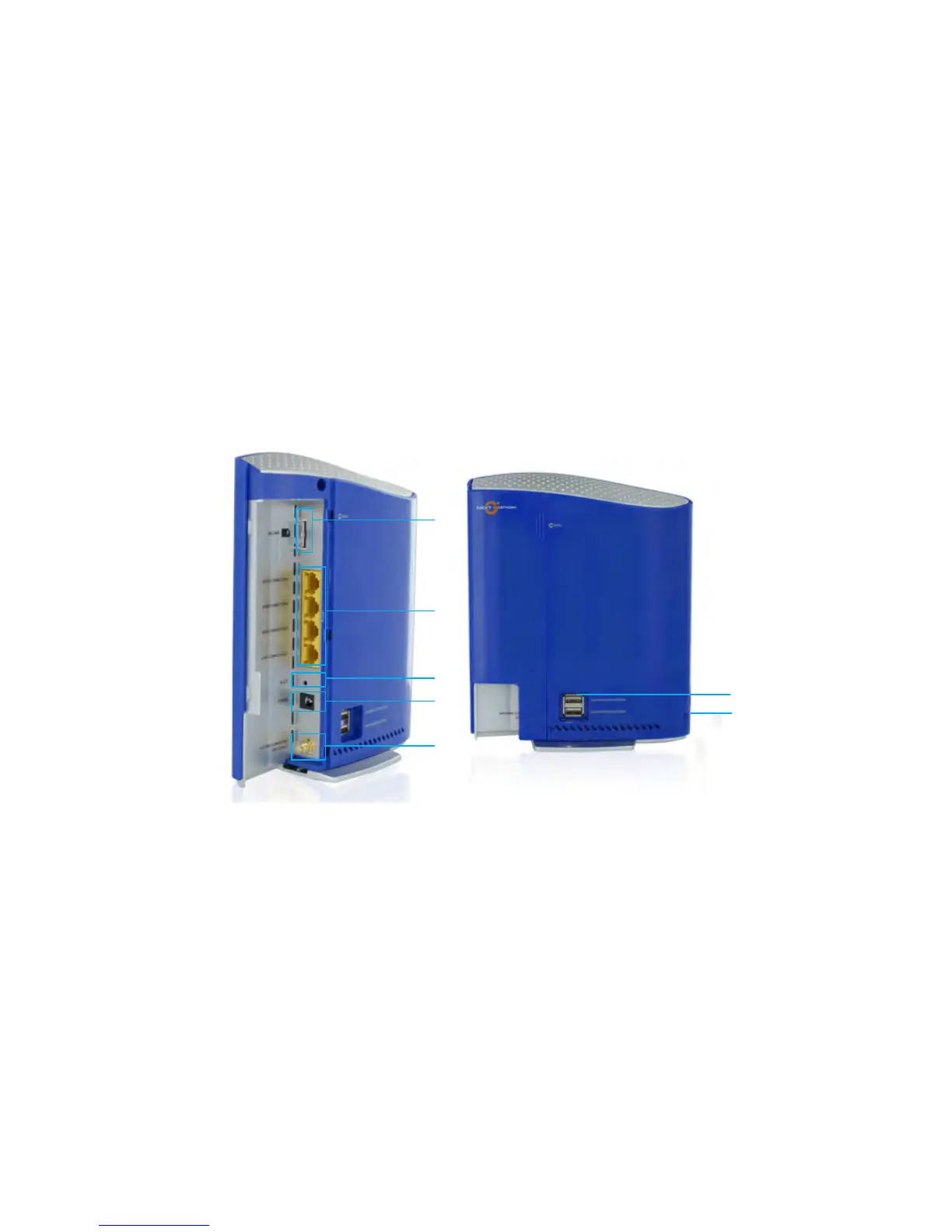
Therearandsidepanelsshownbelowcontaintheportsfordataandpowerconnections.
6
7
1
2
3
4
5
(1) USIMcardslot
(2) FourRJ-45EthernetLANports
(3) Resetbutton
(4) PowerjackforDCpowerinput(12VDC/1.5A).
(5) External3GSMAConnector(Optional)
Note: The External 3G Connector allows you to plug in an external 3G antenna (not provided) and select it as the main 3G
signal input. By default, the gateway obtains a stable 3G signal from the internal antennas (built-in the gateway). For
more details please refer to Chapter 5.2 Signal Selection.
(6) TwoUSBPrinter/HardDriveports
(7) PowerButton



 To Next Page