TELSTRA ELITE™ GATEWAY USER GUIDE
48
7.1.2 UP DATE S ETTI NGS
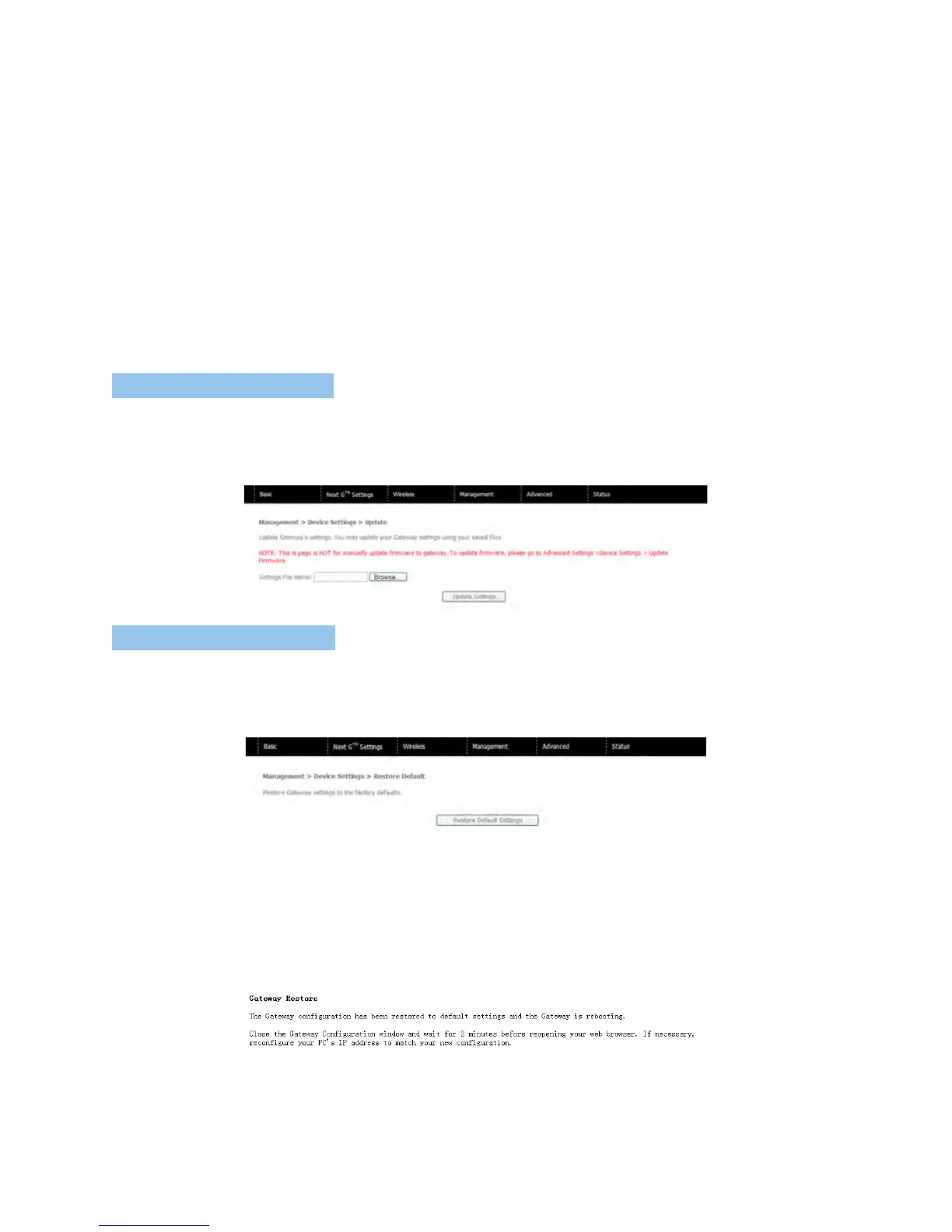
ThefollowingscreenappearswhenselectingUpdatefromthesubmenu.Byclickingonthe
Browsebutton,youcanlocateapreviouslysavedfilenameastheconfigurationbackupfile.
ClickontheUpdatesettingstoloadit.
7.1.3 RE STO RE DEFAU LT
ThefollowingscreenappearswhenselectingRestoreDefault.ByclickingontheRestore
DefaultSettingsbutton,youcanrestoreyourgateway’sdefaultfirmwaresettings.Torestore
systemsettings,rebootyourgateway.
NOTE: The default settings can be found in section 3.3 Default Settings.
OnceyouhaveselectedtheRestoreDefaultSettingsbutton,thefollowingscreenwillappear.
Closethewindowandwait2minutesbeforereopeningyourbrowser.Ifrequired,reconfigure
yourcomputer’sIPaddresstomatchyournewconfiguration(seesection3.2TCP/IPSettings
fordetails).
NOTE: The Restore Default function has the same effect as the reset button. If the reset button is continuously pushed for
more than 5 seconds (and not more than 12 seconds), the boot loader will erase the configuration settings saved on
flash memory.



 To Next Page