TELSTRA ELITE® GATEWAY USER GUIDE
9
1.3 LED I N DIC ATORS
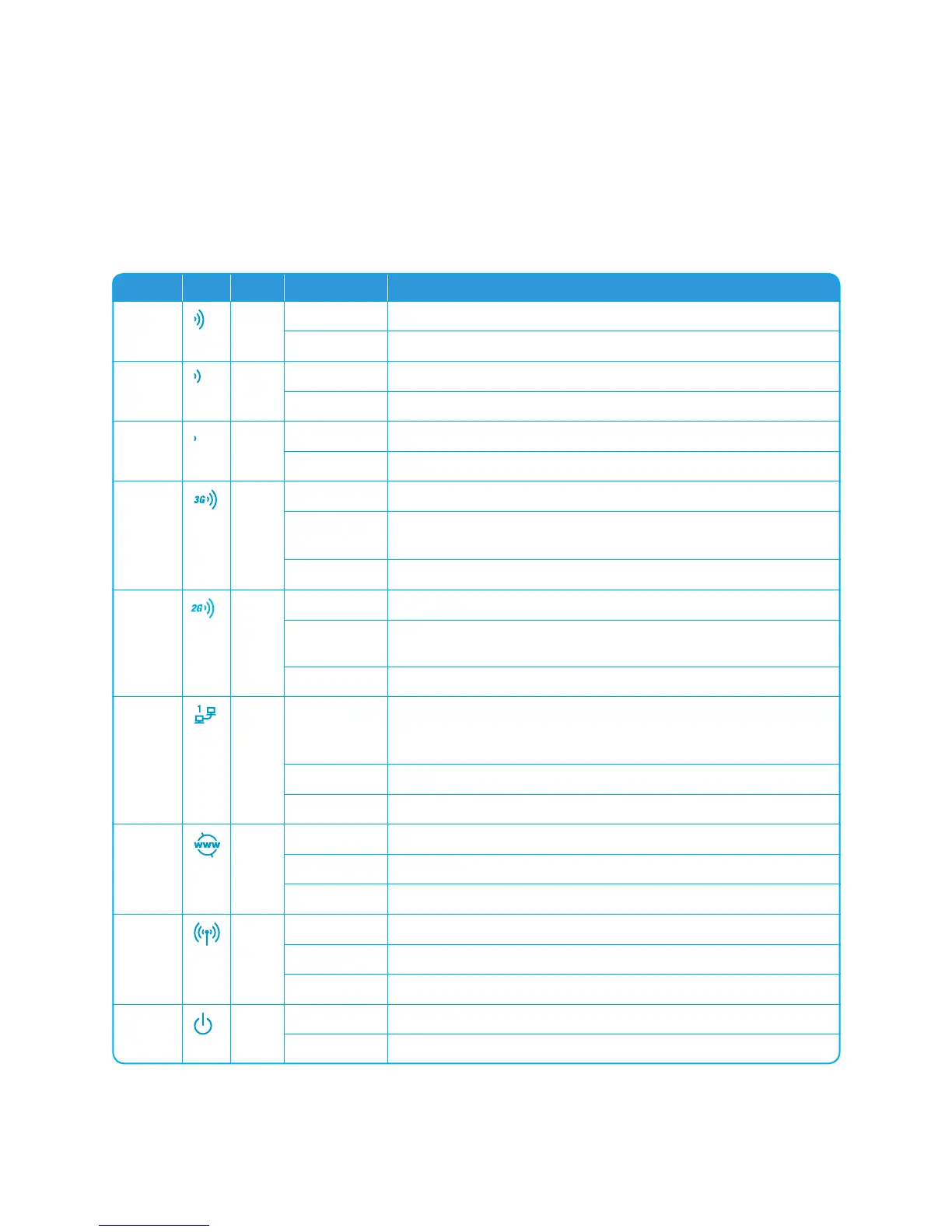
The LED indicators are explained in the table below.
LED Icon Color Mode Description
High
Blue On High signal strength
Off No activity, gateway powered off or on other signal strength
Med
Blue On Medium signal strength
Off No activity, gateway powered off or on other signal strength
Low
Blue On Low signal strength
Off No activity, gateway powered off or on other signal strength
3G
Blue On Connection established with the 3G network
Off Either there is no activity, the gateway is powered off, or there is no
cable or no powered device connected to the associated port
Blinking Connecting with 3G network
2G
Blue On Connection established with the 2G network
Off Either there is no activity, the gateway is powered off, or there is no
cable or no powered device connected to the associated port
Blinking Connecting with 2G network
LAN
1~4
Blue On Powered device connected to the associated LAN port (includes
devices with Wake-on-LAN capability where a slight voltage is
supplied to an Ethernet connection)
Off No device connected or connected device is off
Blinking LAN activity present (trafc in either direction)
Internet
Blue On Internet connection established
Off No connection to the Internet or gateway powered off
Blinking Data is currently being transmitted through the Internet connection
Wi-Fi
Blue On Local Wi-Fi access to the gateway is enabled and working
Off Local Wi-Fi access to the gateway is disabled
Blinking Data being transmitted or received over Wi-Fi.
POWER
Blue On Power on
Off Power off



 To Next Page