TELSTRA ELITE™ GATEWAY USER GUIDE
82
8.7 USBSTOR A G E
TheTELSTRAELITE
TM
GATEWAYallowsyoutoconnectaUSBstoragedeviceandshareitwith
alloftheusersonthenetwork.
Bydefault,thisfeatureisalreadyenabled,soitissimplyamatterofconnectingyourUSB
storagedeviceandenteringtheappropriatenetworklocation.
Ifyouwishtomodifyanyofthesefeatures,thestepsbelowexplaintheprocedurefor
enablingtheUSBStorage.
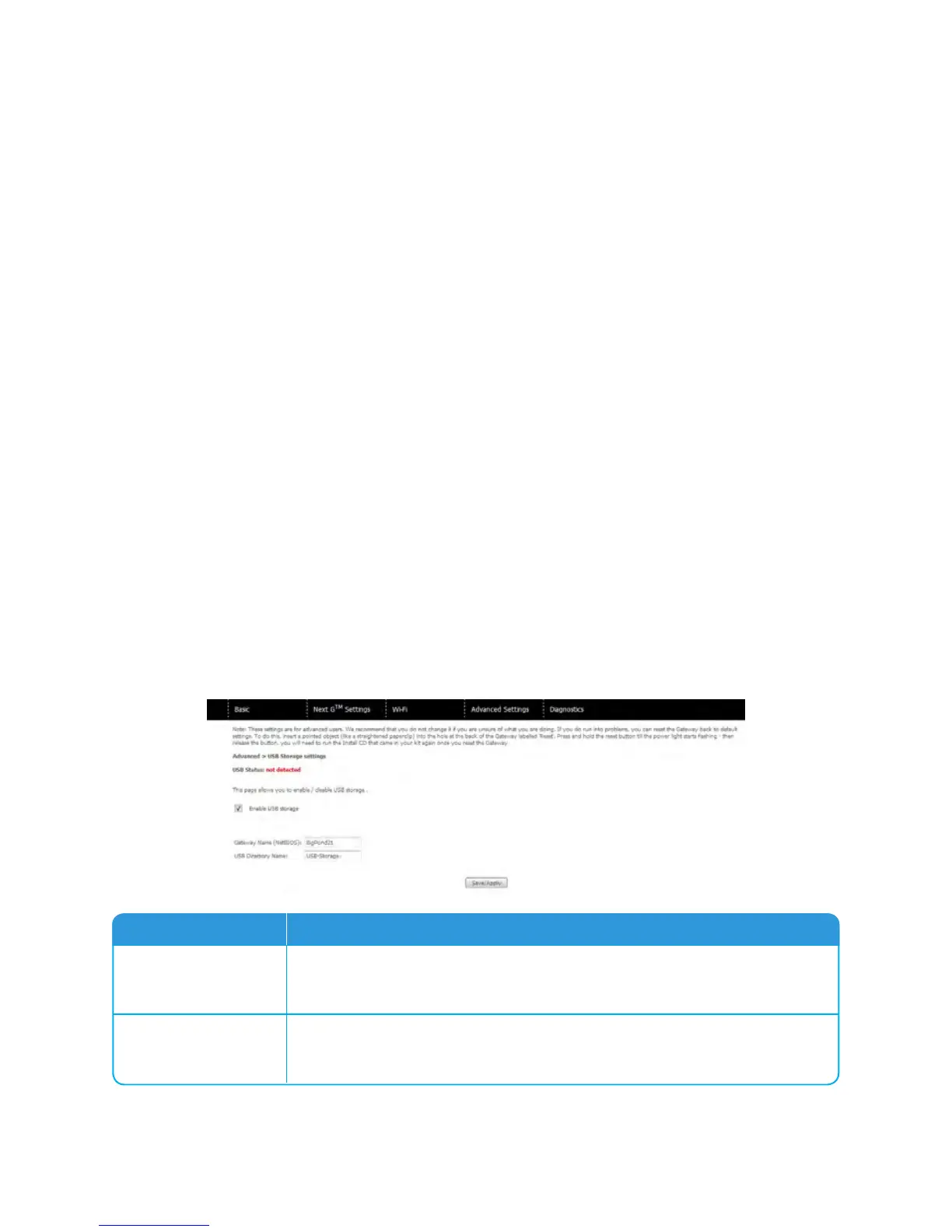
1: EnsurethattheEnableUSBStoragecheckboxischeckedintheWebUserInterface.
Todothis,logontheWUIthenselectAdvanced>USBStoragefromthemenualongthetop
ofthepage.SelecttheEnableUSBStoragecheckboxandentertheGatewayNameandUSB
DriveName
Field Description
Gateway Name
Thehostnameofthegatewaydevice.Thisshouldonlybemodifiedifthere
aremultipleTELSTRAELITETMGATEWAY’sonyournetwork.Thedefault
nameis“Telstra21”.
USB Drive Name
ThenameofUSBdrive.Thisshouldonlybemodifiediftherearemultiple
USBdevicesconnectedtoyourTELSTRAELITETMGATEWAY.Thedefault
nameis“USB-Storage”



 To Next Page