TELSTRA ELITE® GATEWAY USER GUIDE
71
8.6 USBPRINTSERVER
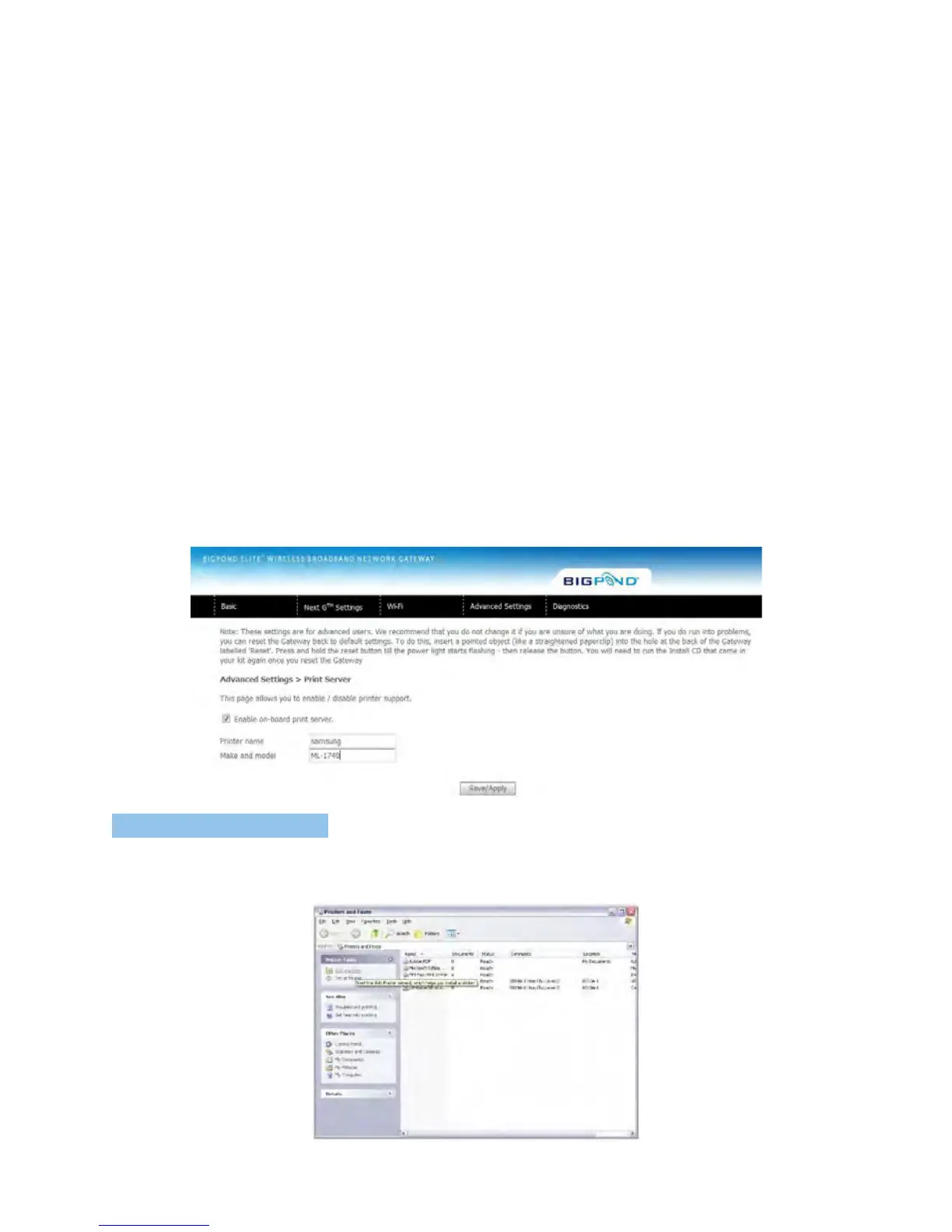
ThesestepsexplaintheprocedureforenablingthePrintServer.
1. Toenabletheprintserver,selectEnableon-boardprintservercheckboxandenterPrinter
nameandMakeandmodel
NOTE: The printer name can be any text string up to 40 characters. The Make and model can be any text string up to 128
characters.
F O R W I N D O W S X P:
2: GotothePrintersandFaxesapplicationintheControlPanelandselecttheAddaprinter
function(aslocatedonthesidemenubelow).



 To Next Page