TELSTRA ELITE® GATEWAY USER GUIDE
43
6.4 MAC F I LTE R
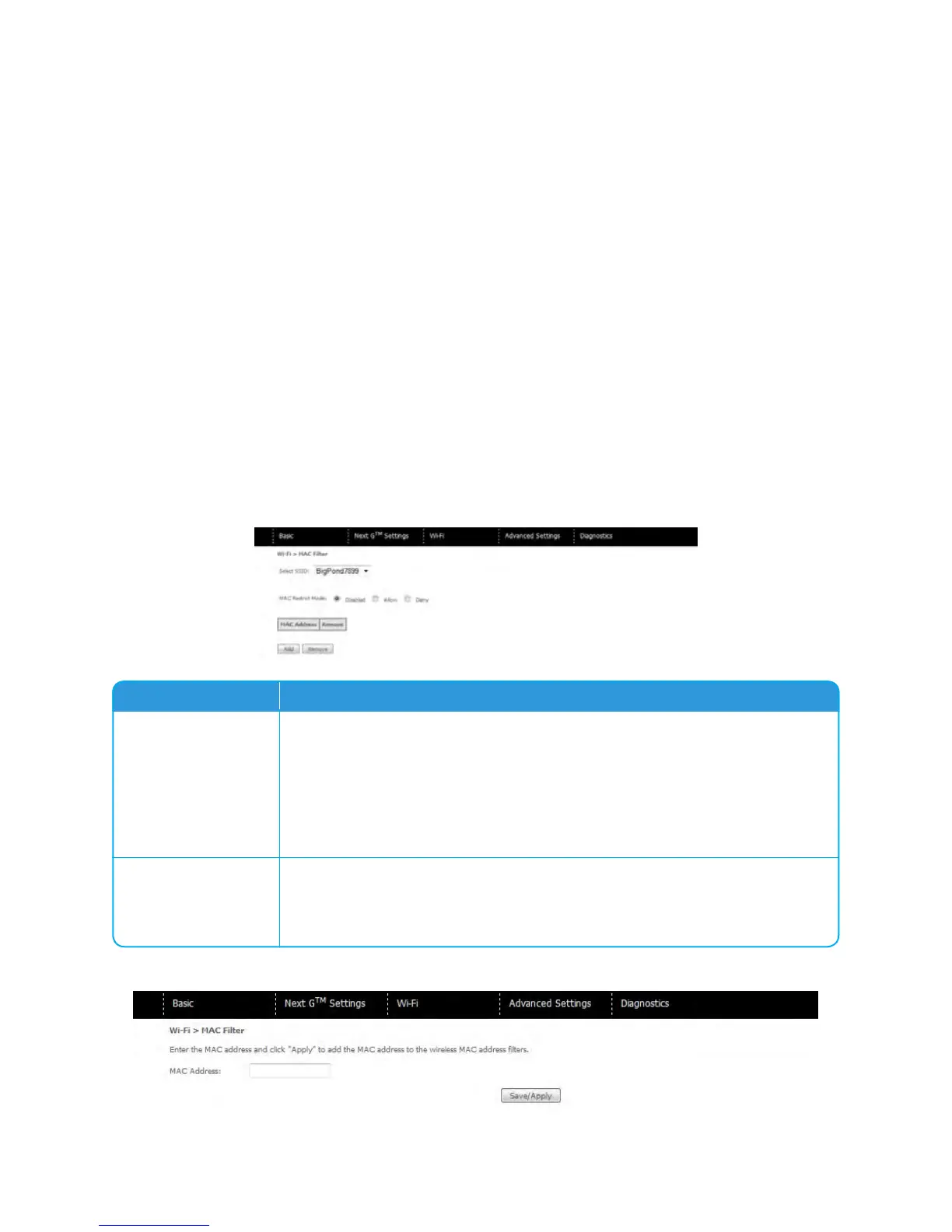
ThisscreenappearswhenMediaAccessControl(MAC)Filterisselected.Thisoptionallows
accesstoberestrictedbasedupontheunique48-bitMACaddressassignedtoanetwork
enableddevice.ToaddaMACAddressfilter,clicktheAddbuttonshownbelow.
Todeleteafilter,selectitfromthetablebelowandclicktheRemovebutton.
Option Description
MAC Restrict Mode
Disabled–DisablesMACfiltering
Allow–PermitsaccessforthespecifiedMACaddresses.
NOTE: Add a wireless device’s MAC address before clicking the Allow radio button or else
you will need to connect to the gateway’s web user interface using the supplied
yellow Ethernet cable and add the wireless device’s MAC address.
Deny–RejectsaccessforthespecifiedMACaddresses
MAC Address
ListstheMACaddressessubjecttotheMACRestrictMode.TheAddbutton
promptsanentryfieldthatrequiresyoutypeinaMACaddressinatwo-
character,6-byteconvention:xx:xx:xx:xx:xx:xxwherexxarehexadecimal
numbers.Amaximumof60MACaddressescanbeadded.
EntertheMACaddressonthescreenbelowandclickSave/Apply.



 To Next Page