7.3 CONF I G U RESNMPAGENT
TheSimpleNetworkManagementProtocol(SNMP)allowsanetworkadministratortomonitora
networkbyretrievingsettingsonremotenetworkdevices.Todothistheadministratortypically
runsanSNMPmanagementstationprogramsuchasMIBbrowseronalocalLANhosttoobtain
informationfromtheSNMPagent,inthiscasethe3G21WT(ifSNMPisenabled).AnSNMP
‘community’performsthefunctionofauthenticatingSNMPtraffic.A‘communityname’actsas
apasswordthatistypicallysharedamongSNMPagentsandmanagers.
Bydefault,SNMPagentisenabledonthegateway.
Setting up SNMP agent
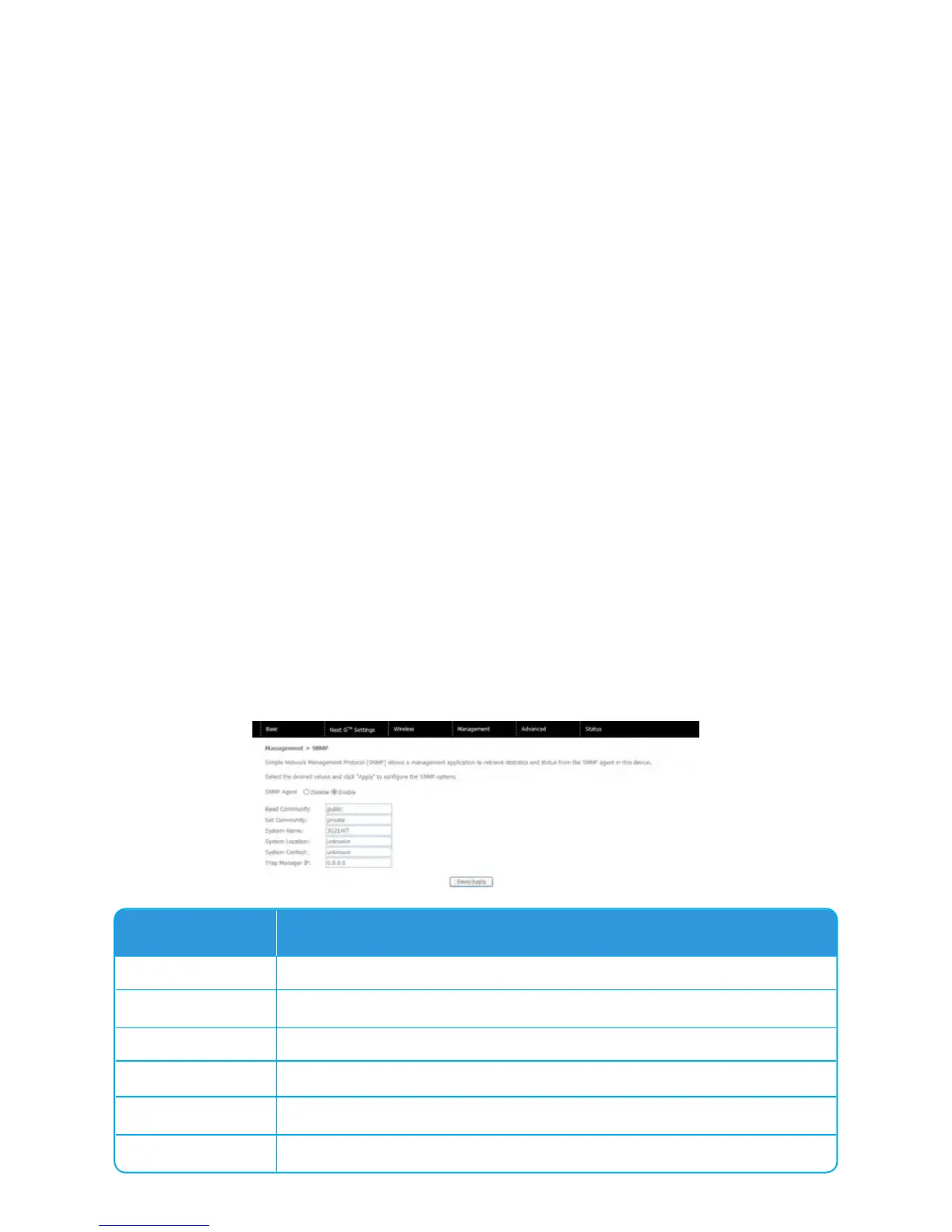
1. GotoManagement>SNMP.EnableSNMPagentandsetupalloptionsaccordingtothe
screenshotbelow.
2 ClickSave/Applytoactivatethesesettings.
Option Description
Read Community
ReadDeviceSettings
Set Community
ReadandchangeDeviceSettings
System Name
Setto3G21WTbydefault
System Location
User-definedvalue
System Contact
User-definedvalue
Trap Manager IP
IPaddressofadminmachine



 To Next Page