TELSTRA ELITE® GATEWAY USER GUIDE
79
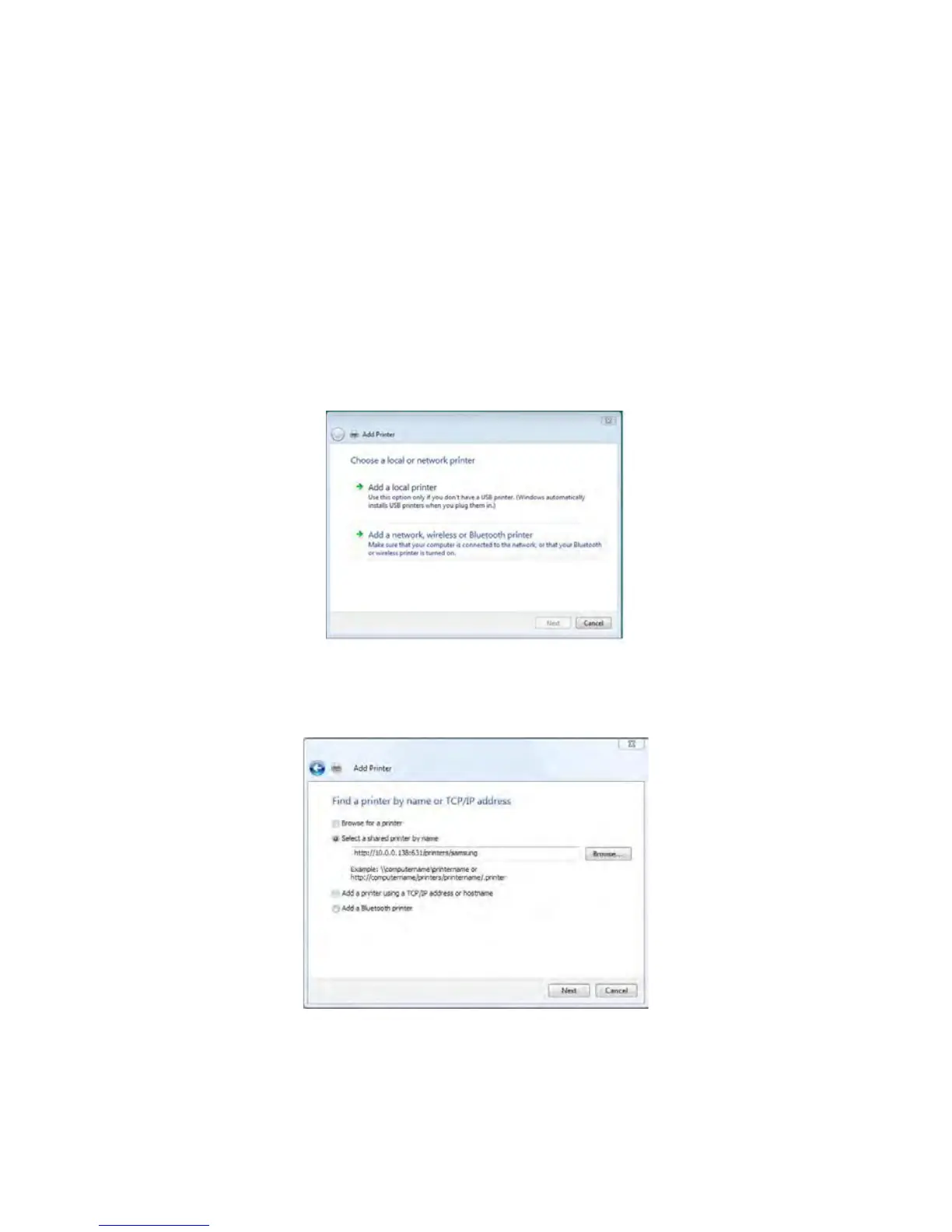
3. Selectaddanetwork,wirelessorBluetoothprinter.
4. Clickontheradio-buttonlabeledSelectasharedprinterbyname,andtype
“http://10.0.0.138:631/printers/PrinterName”intheboxbelow.ClickNext.
NOTE: The printername must be the same as the printer name entered in the Web User Interface during step 1



 To Next Page