TERA
TR-590
21
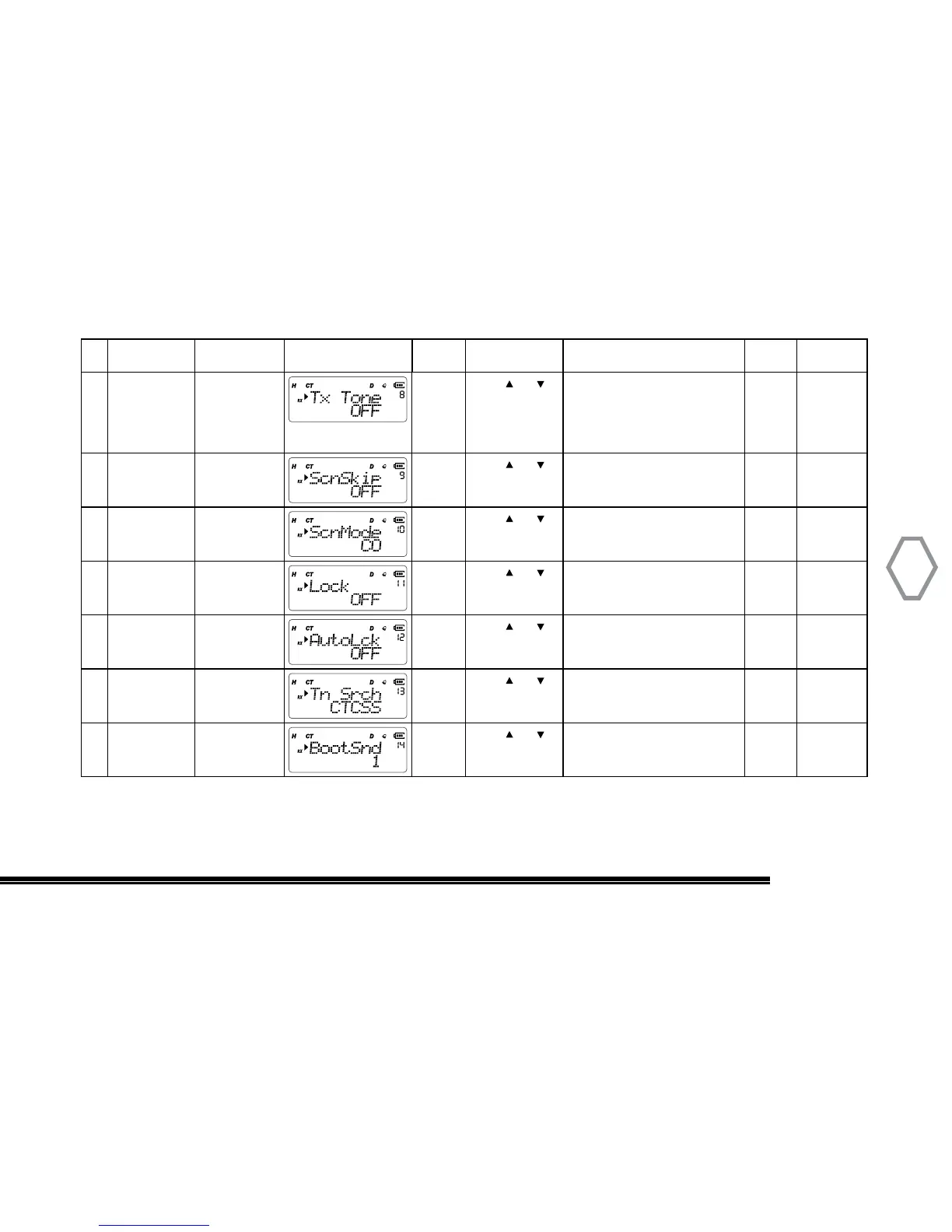
8 Transmit
CTCSS/DCS
Tone
“MENU” + “8” “MENU”
Press or
to select tone.
Press # to
choose between
CTCSS, DCS, OFF
50 sets of CTCSS tones
(67.0Hz~254.1Hz)
105 sets digital tones (D023N~
D754N) 105 sets reverse digital
tones (D023I~D754I)
“MENU” “A/B EXIT”
9 Add Channel
To Scan
“MENU” + “9”
“MENU”
Press or
to select
ON: scan add
OFF: scan delete
“MENU” “A/B EXIT”
10 Scan Method “MENU” + “10” “MENU”
Press or
to select
TO: time scan
CO: carrier scan
SE: search for scan
“MENU” “A/B EXIT”
11 Select Lock
Mode
“MENU” + “11” “MENU”
Press or
to select
All
DIAL
KEY
“MENU” “A/B EXIT”
12 Keypad
Automatic
Locking
“MENU” + “12” “MENU”
Press or
to select
ON: turn on
OFF: turn off
“MENU” “A/B EXIT”
13 CTCSS/DCS
Tone Search
“MENU” + “13” “MENU”
Press or
to select
CTCSS / DCS Tone Scanning “MENU” “A/B EXIT”
14 Power-Up
Sound
“MENU” + “14” “MENU”
Press or
to select
“1” “2” or “3” startup tones.
Default selection is “1”.
“MENU” “A/B EXIT”
ID Name
Function
Shortcut
Screen Display Setting Select Optional Paramenter
Confrim
Setting
Return to
Standby


 To Next Page