TERA
TR-590
22
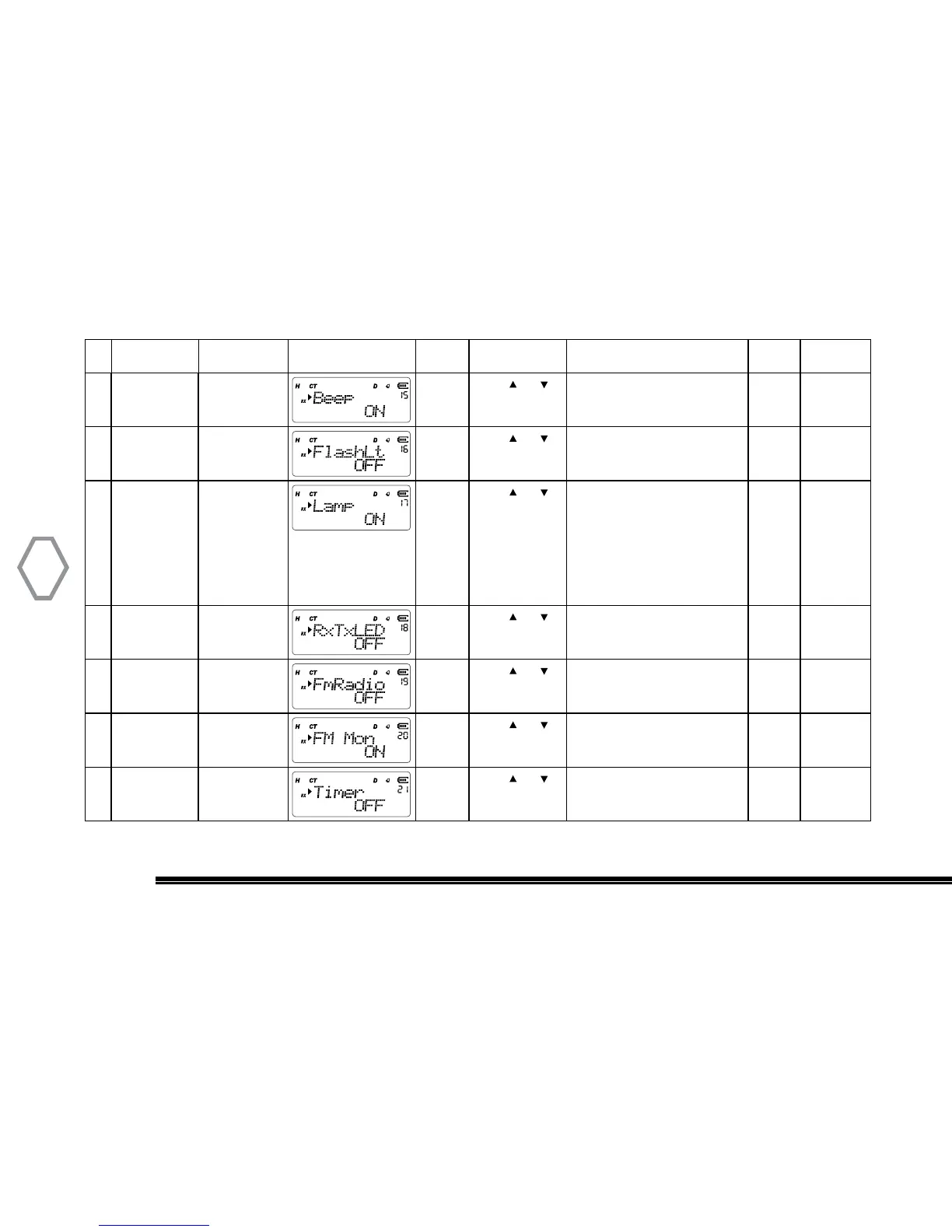
15 Tone Setting “MENU” + “15” “MENU”
Press or
to select
OFF: no tone
ON: ”beeb” tone
“MENU” “A/B EXIT”
16 Flash Light “MENU” + “16” “MENU”
Press or
to select
ON: turn on
OFF: turn off
“MENU” “A/B EXIT”
17 Automatic
Backlight
“MENU” + “17” “MENU”
Press or
to select
ON: keeps backlight turned on
AUTOKEY: turn on backlight
when key pressed
AUTOALL: all action including
side key and signal-receipt turn
on backlight
OFF: keeps automatic backlight
turned off
“MENU” “A/B EXIT”
18 RxTxLED “MENU” + “18”
“MENU”
Press or
to select
ON: turn on
OFF: turn off
“MENU” “A/B EXIT”
19 FM Radio “MENU” + “19” “MENU”
Press or
to select
ON: FM radio on
OFF: FM radio off
“MENU” “A/B EXIT”
20 FM Radio
Monitor Mode
“MENU” + “20” “MENU”
Press or
to select
ON: receive
OFF: receive disabled
“MENU” “A/B EXIT”
21 Timer “MENU” + “21” “MENU”
Press or
to select
ON: turn on
OFF: turn off
“MENU” “A/B EXIT”
ID Name
Function
Shortcut
Screen Display Setting Select Optional Paramenter
Confrim
Setting
Return to
Standby


 To Next Page