TERA
TR-590
23
ID Name
Function
Shortcut
Screen Display Setting Select Optional Paramenter
Confrim
Setting
Return to
Standby
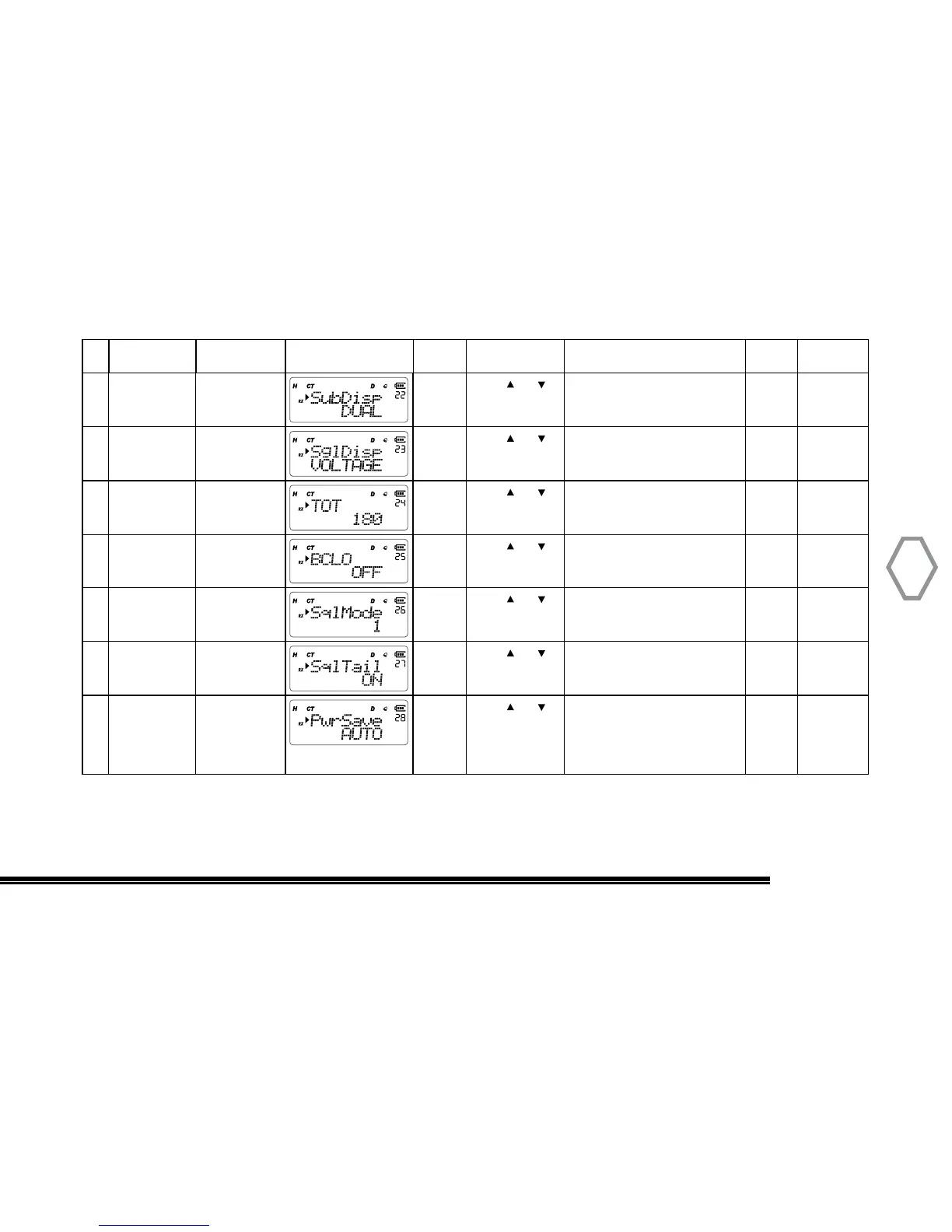
22 RX Mode “MENU” + “22” “MENU”
Press or
to select
SINGLE: single receive mode
DUAL: dual receive mode
“MENU” “A/B EXIT”
23 SglDisp “MENU” + “23” “MENU”
Press or
to select
VOLTAGE or BLANK
Default selection is VOLTAGE.
“MENU” “A/B EXIT”
24 TX Timer “MENU” + “24” “MENU”
Press or
to select
OFF: close; 30s, 60s,
90s, 120s,150s, 180s,
210s, 240s, 270s, 300s
“MENU” “A/B EXIT”
25 Busy Channel
Lock Out
“MENU” + “25” “MENU”
Press or
to select
Busy channel lock-out function
on or off;
Default is off
“MENU” “A/B EXIT”
26 Sql Mode “MENU” + “26”
“MENU”
Press or
to select
1, 2, or 3;
Default selection is 2
“MENU” “A/B EXIT”
27 Voice Tail
Eliminate
“MENU” + “27” “MENU”
Press or
to select
Turns off CTCSS TX before unkey
Default is off
“MENU” “A/B EXIT”
28 RX Power
Save
“MENU” + “28” “MENU”
Press or
to select
OFF: close
SIMPLE: regular power
consumption
AUTO: smart power
consumption
“MENU” “A/B EXIT”


 To Next Page