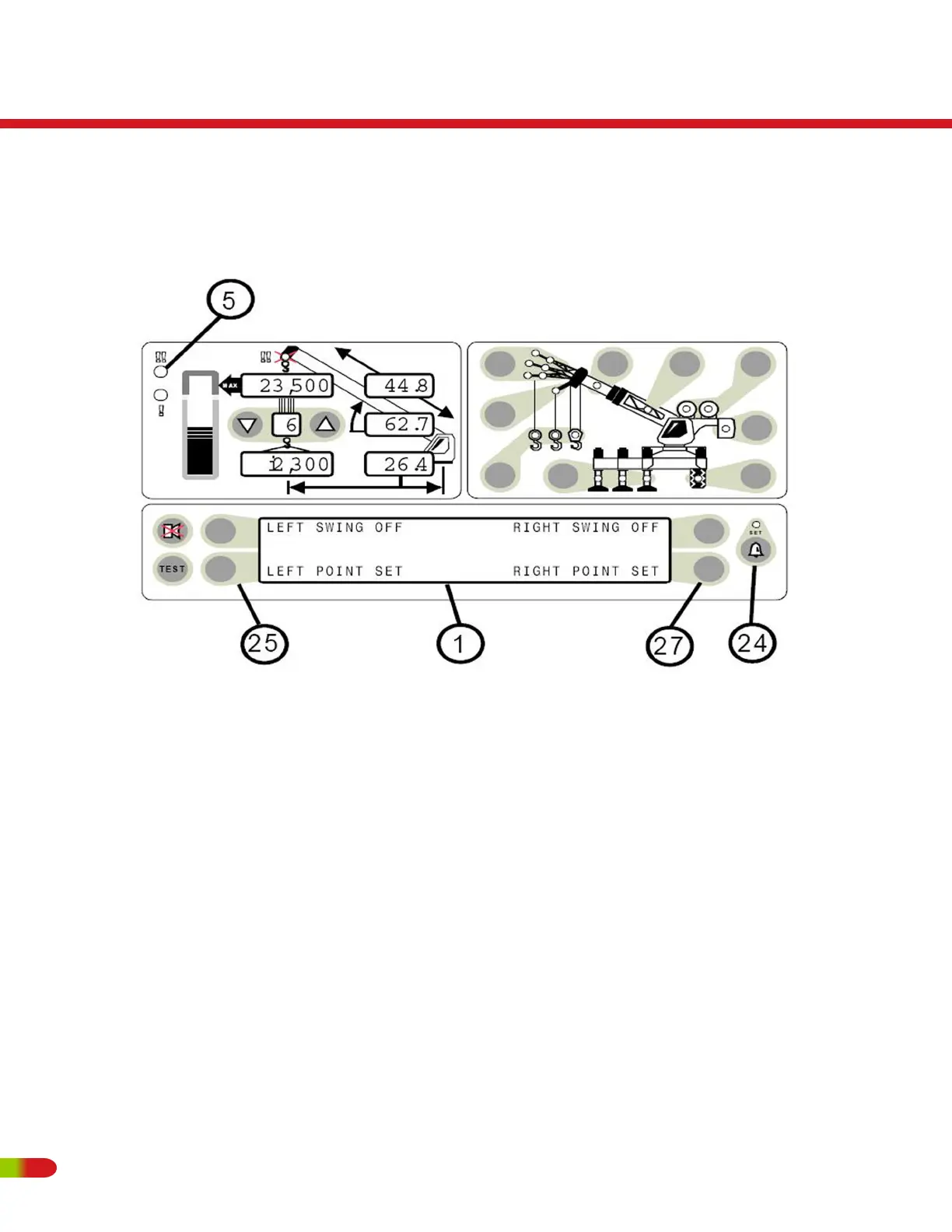
WORK AREA SELECTION MODE
• Press the operator alarm push button (item 24) two times to access the Work Area
alarm screen.
SETTING POINTS 1 AND 2
• Move the boom, attachment, load, rigging etc. to the desired LEFT SET POINT.
• WORK AREA SELECTION MODE
Both Left and Right Points must be set for the system to operate correctly. The red
warning light (item 5) will flash and the audible alarm will sound whenever only one of
the left/right swing limits is set.
RT500
Operating Instructions
104 REVISED:


 To Next Page