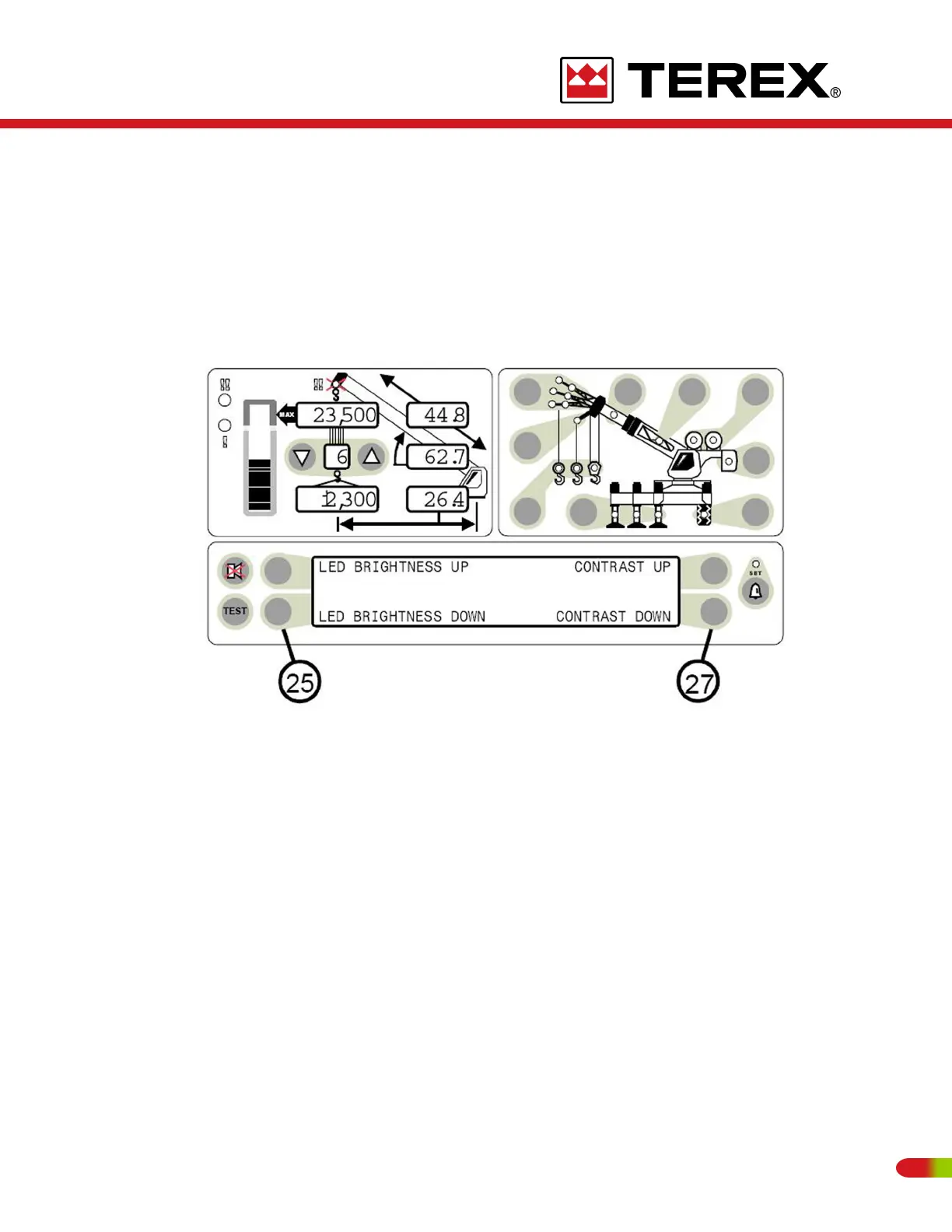
BRIGHTNESS AND CONTRAST CONTROLS
Immediately following self-test and the start up screen, the information display will display
a 2 second reminder of the brightness and contrast control functions.
Push buttons to the left of the information display (item 25) allow the brightness of all LED’s
on the display panel to be adjusted up or down at any time during operation of the system
unless operator alarms are being set.
Push buttons to the right of the information display (item 27) allow the contrast of the
information display to be adjusted up or down at any time during operation of the system
unless operator alarms are being set.
77
REVISED:


 To Next Page