User's Manual
MH3D
©2004 TESA Switzerland All Rights Reserved.
Page 2-15
Electronic System
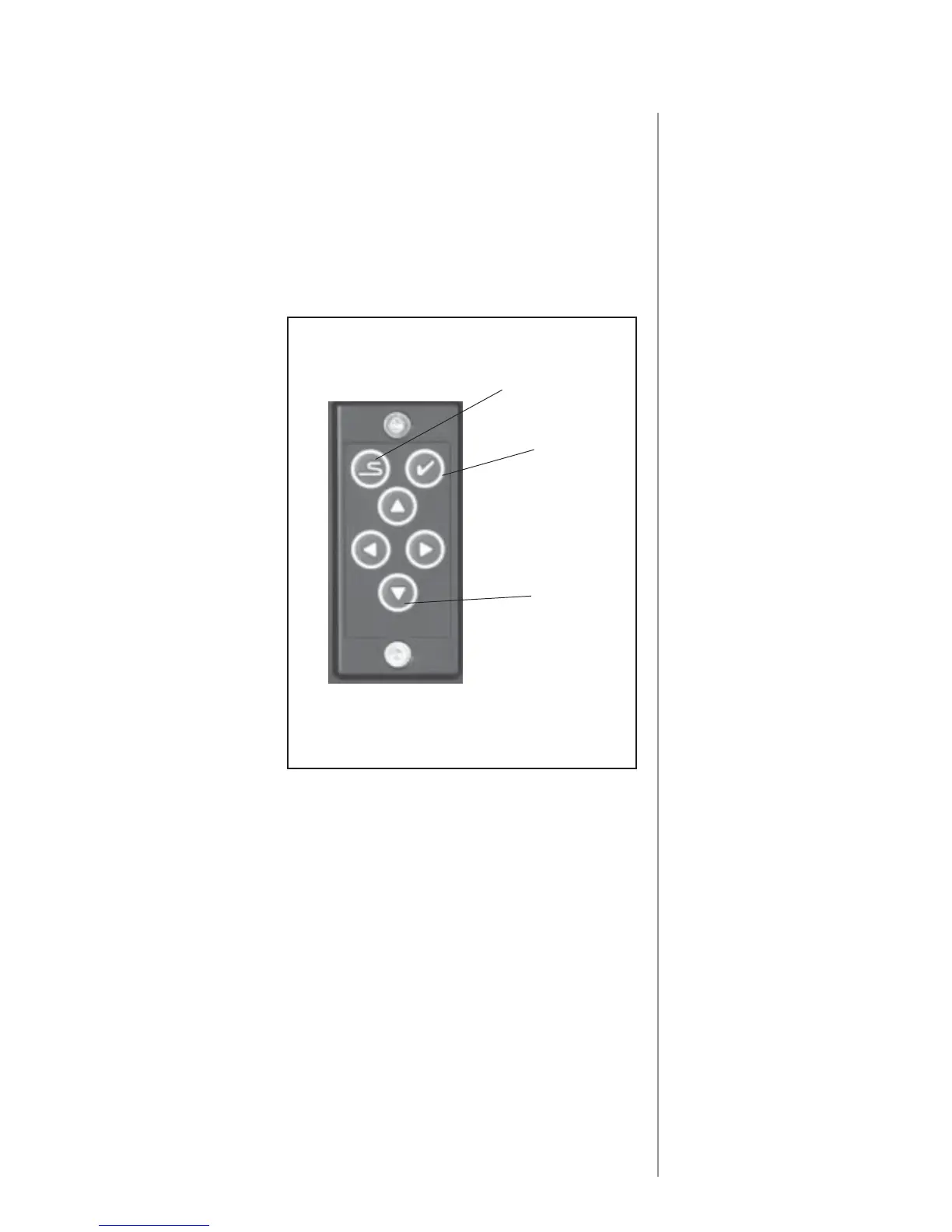
Z-Rail Mouse
The entry of menu selec-
tions and the recording of
measurements are done by
means of the ZMouse
®
with
its cursor movement,
measurement and select
buttons.
To select a menu item or a
softkey, move the cursor
using the Cursor Movement
Button (Mouse) to highlight
the item. Press the "Select"
button on the mouse to
activate the item.
Measurement points are
taken by pressing the
"Measurement (XYZ)"
button on the mouse after
positioning the hard probe
on the desired surface of the
part. Measurement points
can also be taken by
deflecting an electronic probe (TTP) on the part surface.
Select
Measurement
XYZ
Cursor
Movement
The display screen is a VGA monitor with large easy to read characters and a
choice of languages. The display provides XYZ readout, menu selections and
data input capabilities. The control has an adjustable mounting so it can be set at
a comfortable operating position.
A port is provided for connection of a printer











 To Next Page