Page 4-8
©2004 TESA Switzerland All Rights Reserved.
User's Manual
MH3D
Machine Troubleshooting
Axes won’t move
• Is the axis lock switch off?
• Is the air filter clogged?
• Is the air regulator set to correct pressure?
• Is the air regulator broken or leaking?
• Is the air inlet connected to air supply? Is the air supply on?
• Are any air lines broken? Broken air lines are indicated by excessive air
escaping.
• Is the counterbalance regulator broken, leaking, locked, or is adjusted
incorrectly?
• Is the counterbalance regulator set too low? Turn clockwise to increase.
Axes drag
• Is the axis lock switch off?
• Is the air filter clogged?
• Is the regulator set for the correct pressure.
• Is the counterbalance regulator adjusted correctly?
• Are any air lines broken? Broken air lines are indicated by excessive air
escaping.
• Are the rails dirty?
• Are the axis loop cables too tight or positioned wrong?
• Is an air hose dragging on one of the rails?
Machine X or Y axes drift
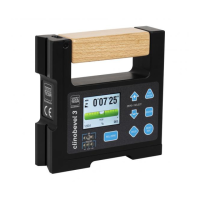
• Is the machine level? Place a level on top of the X and Y rails.
• Check for axis loop cables interference.
Axes locks do not work
• Are any air lines broken? Broken air lines are indicated by excessive air
escaping.
• Are the air lines properly connected?
• Are the pressures correct at the air regulator and counterbalance regulator?
Machine won’t turn on
• Is the power cord plugged in?
• Is the voltage supply correct?
• Is power supplied to the receptacle?
• Is the power switch on?











 To Next Page