©2004 TESA Switzerland All Rights Reserved.
Page A-6
User's Manual
MH3D
CCD Optical Probe - Adjustments
Probe Parfocality
If you plan to change the magnification (use zooming) while measuring, check to
see that the probe remains in focus (parfocal) throughout the zooming range as
follows:
1. Focus on a part or on the MH3D's granite table using the probe's
highest magnification.
2. Zoom to the lowest magnification while observing the image on the
monitor screen. If the image goes out of focus, the parfocality of the probe
should be adjusted.
3. Refer to the Instruction Manual for the procedure on parfocality
adjustment.
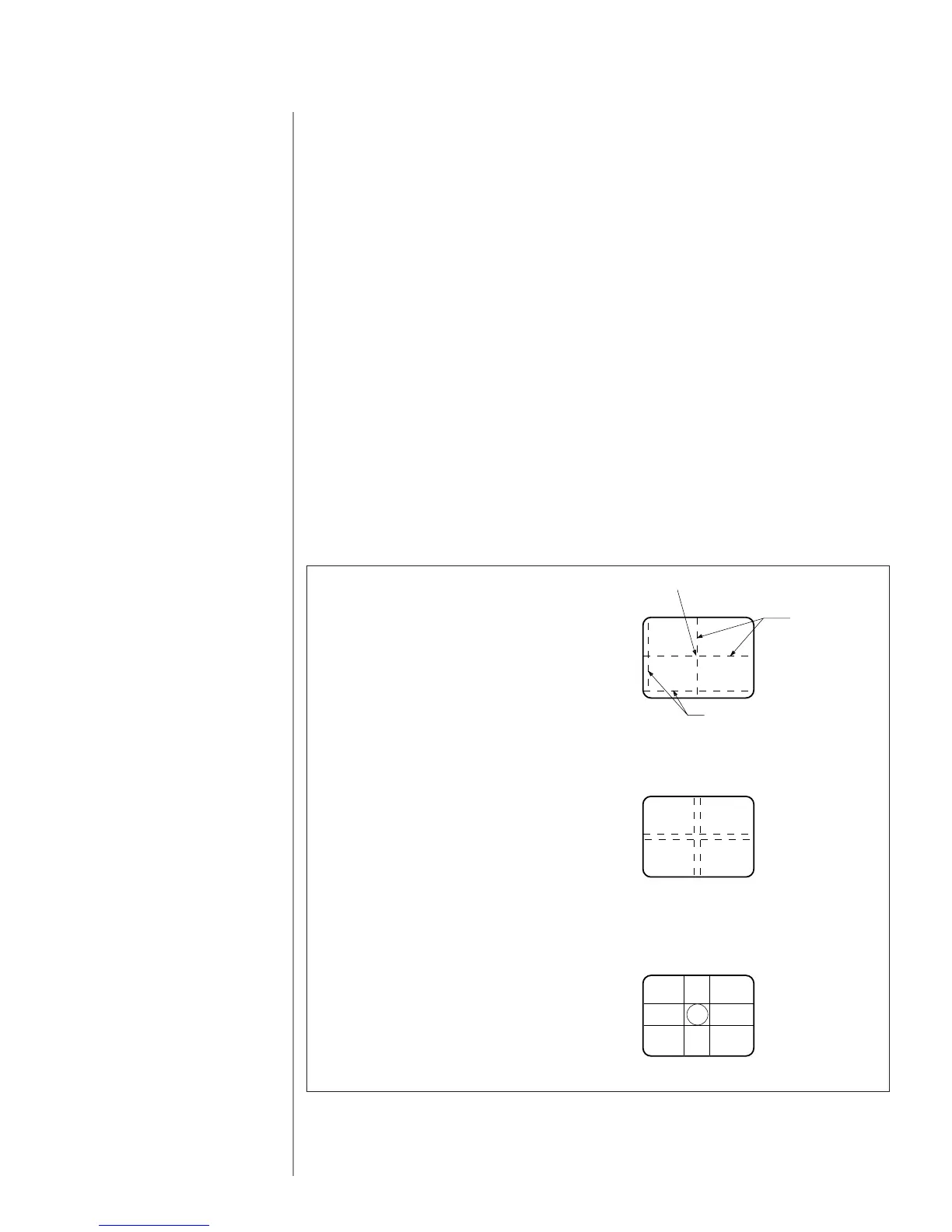
Crosshair generator
The crosshair generator provides two pairs of reference lines on the monitor
screen (two vertical and two horizontal). The location can be electronically
controlled. The lines can be made black or white, solid or dashed. The ideal
placement of the reference crosshair is in the middle of the screen.
Note: Never change the location of the reference crosshair on the screen while
performing measurements.
b. Can be Used for Referencing
Straight Edges and Lines
c. Convenient for Referencing
Small Features of the Same Size
Do Not Zoom During Measurements
a. General Purpose
Move the Remaining Crosshair
to the Border of the Screen
to Avoid Confusion
Origin
Reference
Crosshair
(Channel 1)











 To Next Page